Validate Apps in Real Environments
Use DuoPlus Cloud Phone to simulate different devices, locations, and network conditions for app testing, localization testing, and real user experience validation.
Free Trial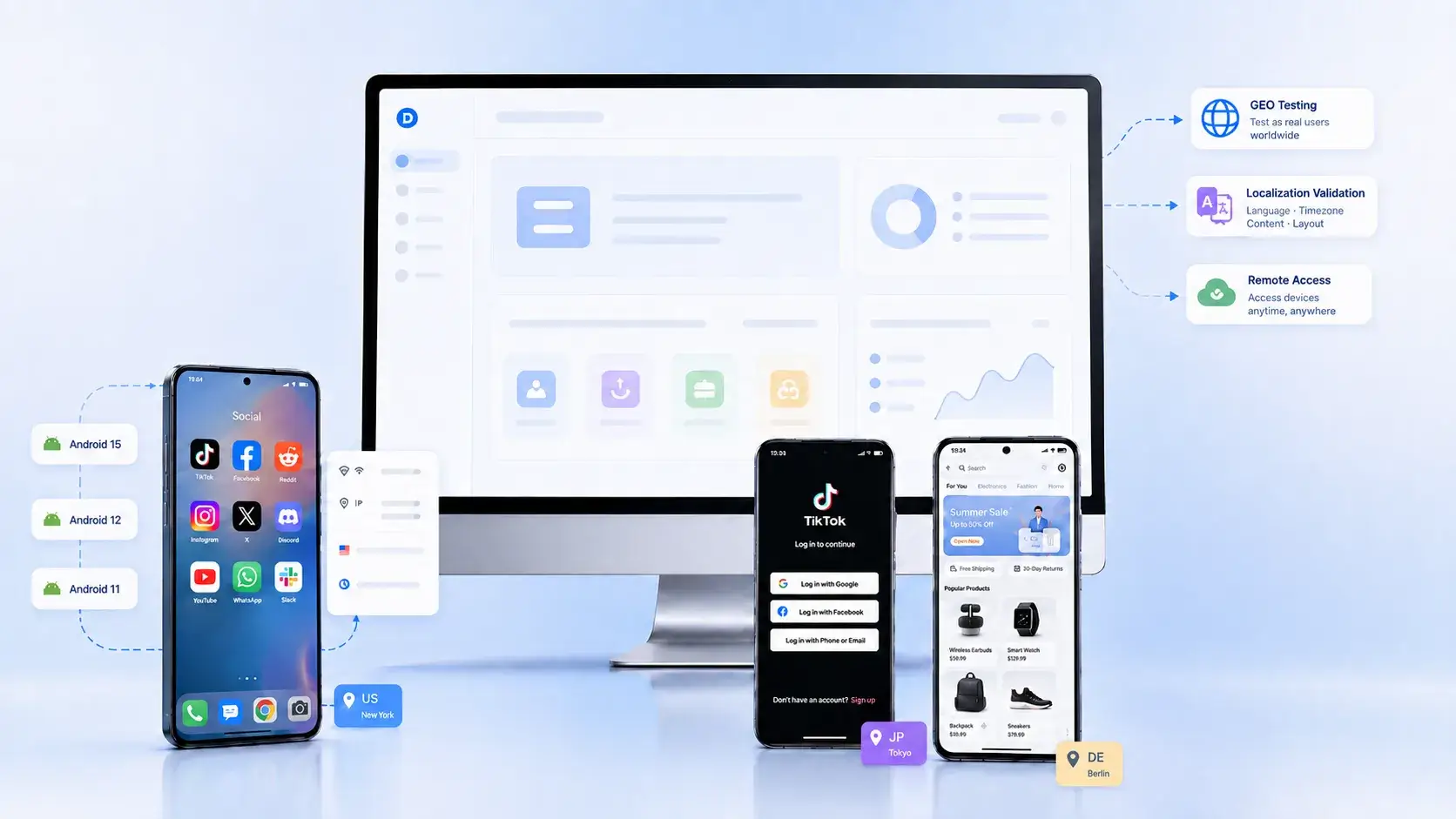
The Problems
Mobile App Testing, Struggling to Test Real User Environments?
Real Environment Testing
Users may experience your app differently depending on their location, network, language, and time zone settings, making it difficult to test the actual user experience.
High Device Testing Costs
Testing across different devices, Android versions, and configurations often requires purchasing and managing multiple test devices, increasing both cost and complexity.
Time-Consuming Testing
Installing apps, logging in, and validating features repeatedly can be time-consuming, especially when testing across multiple devices and environments.
Lower Device Testing Costs
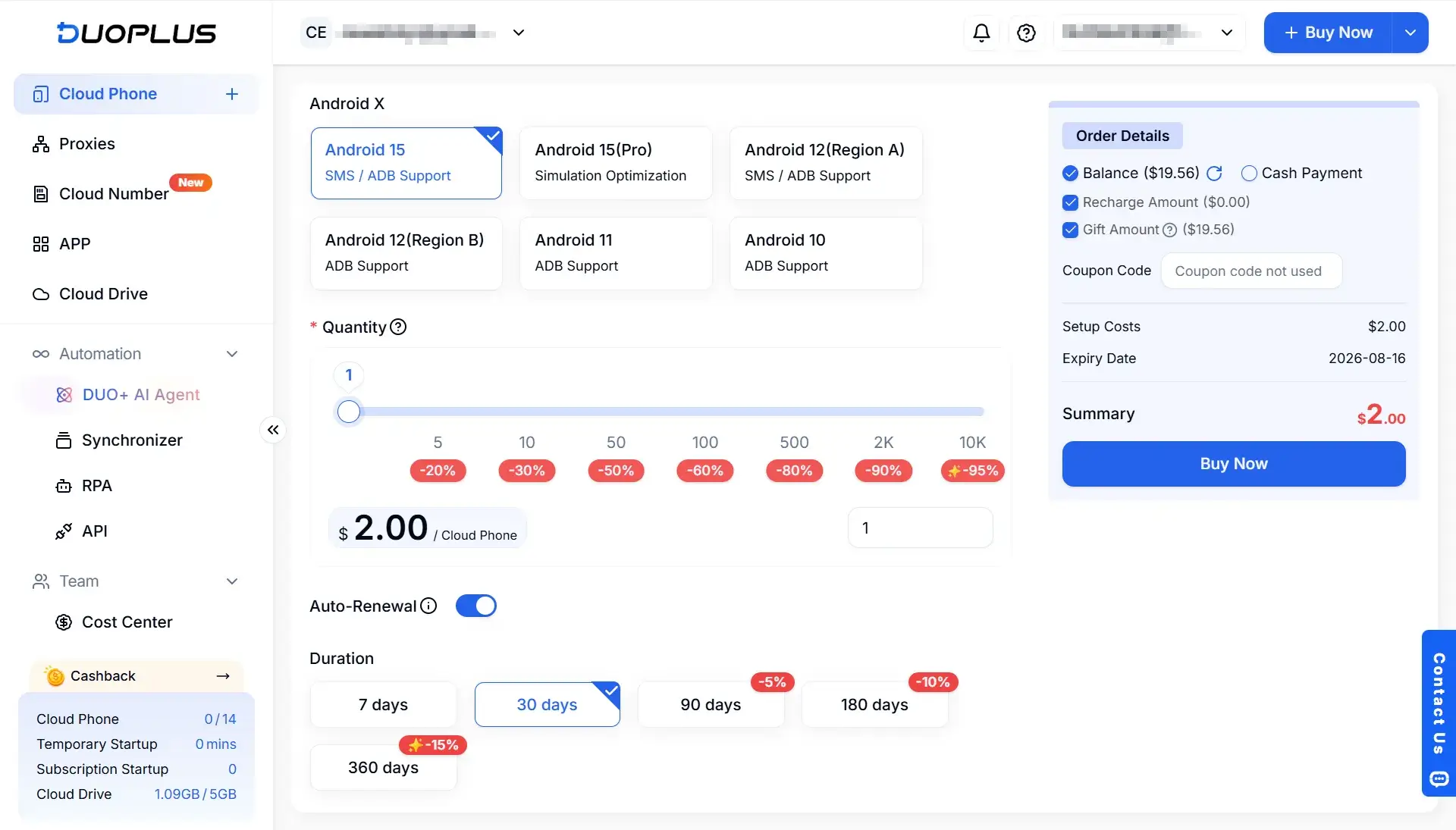
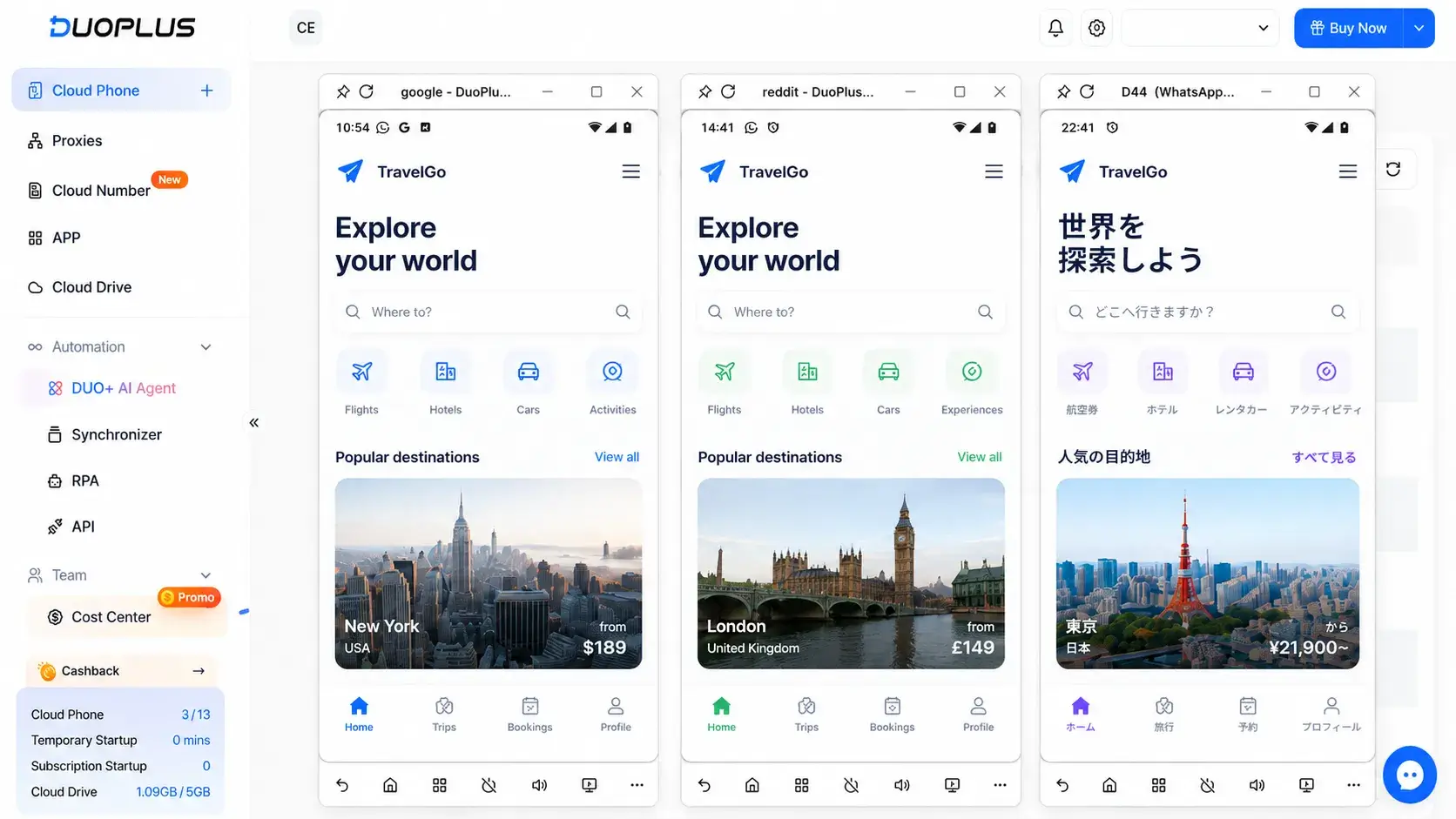
Create multiple cloud phones in minutes and perform mobile app testing across different devices, Android versions, and system environments without relying on physical test devices.
Free Trial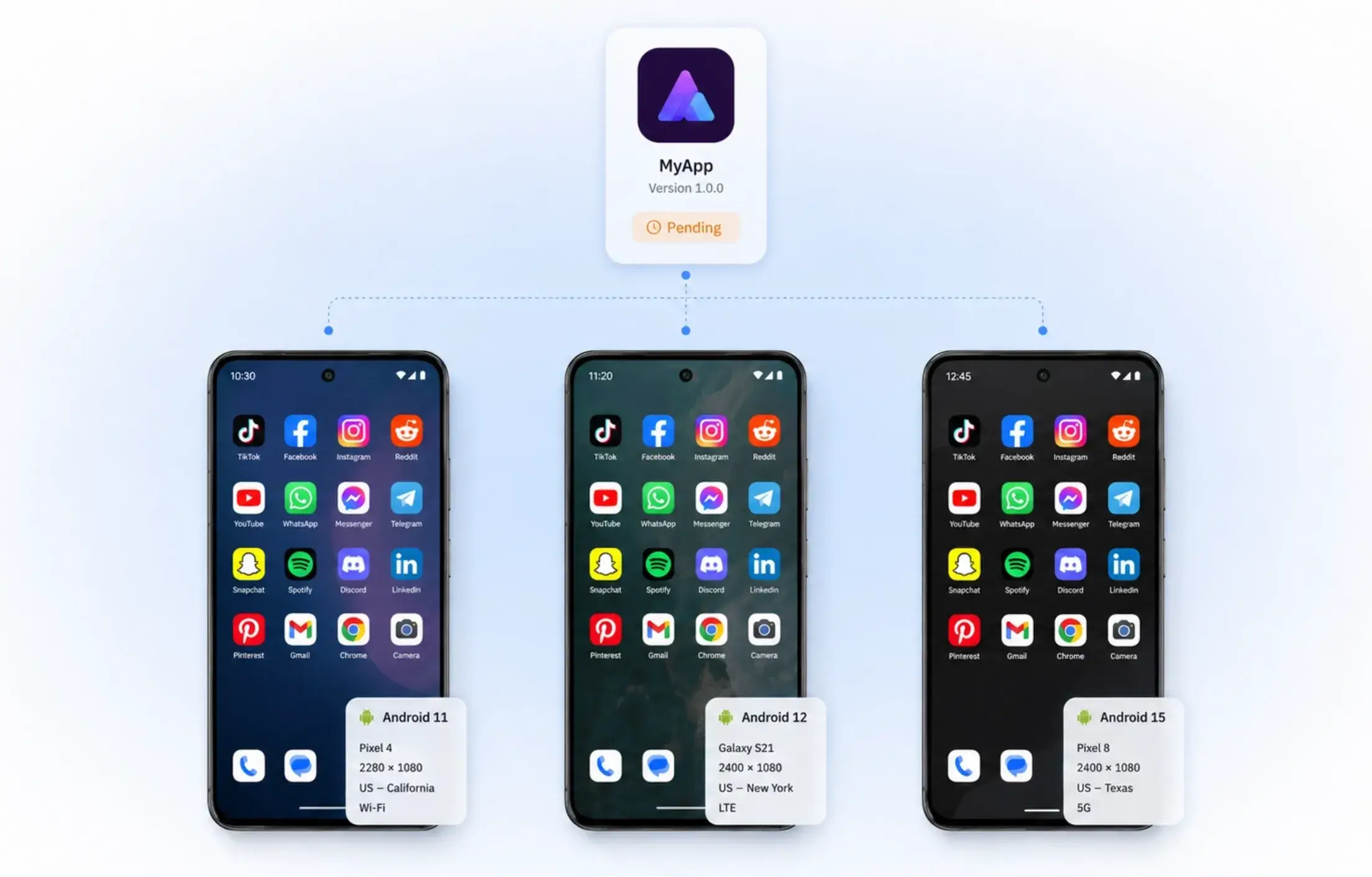
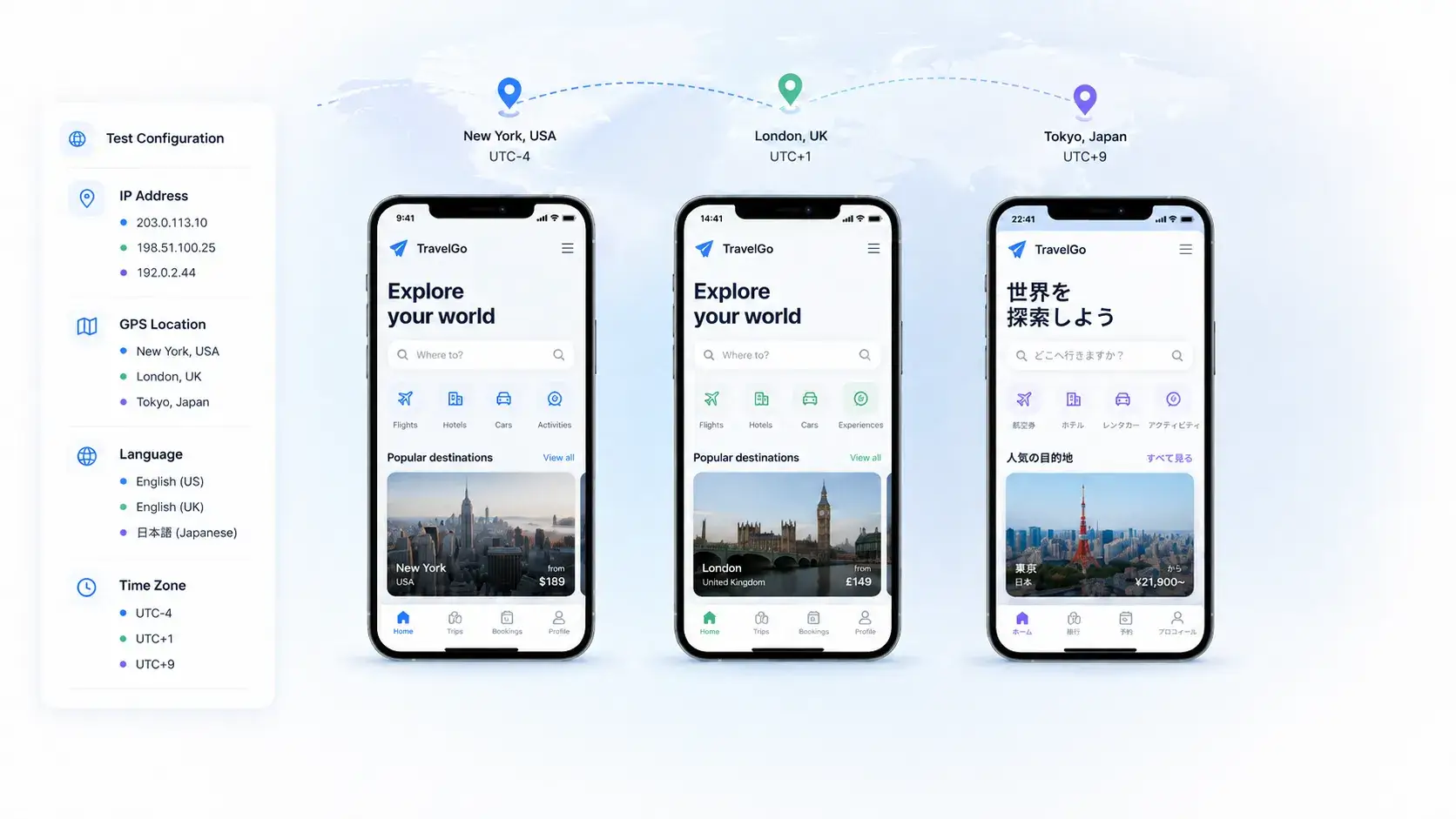
Test in Real User Environments
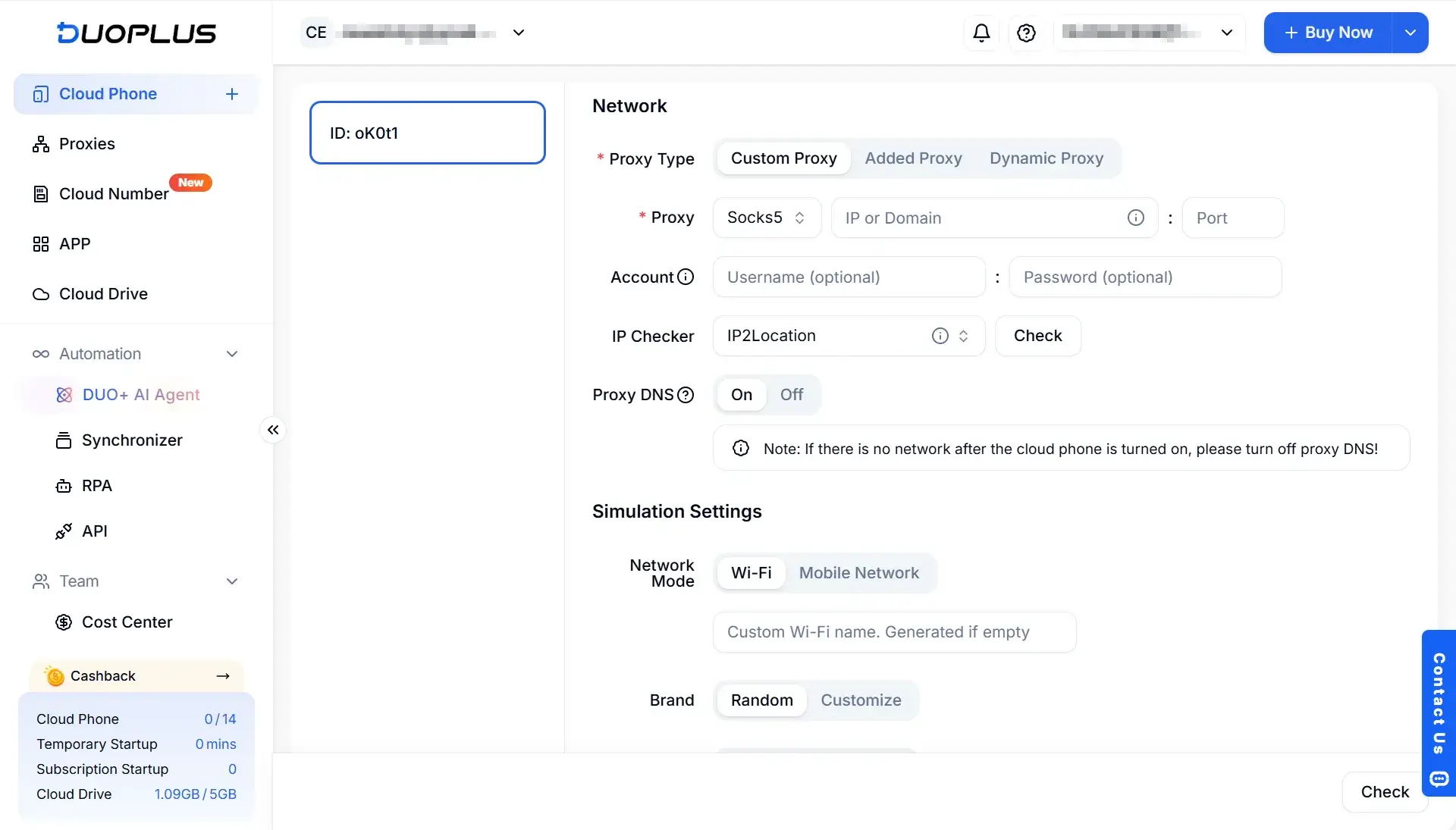
Configure different IPs, GPS locations, languages, and time zones to test how your mobile app appears and behaves for users in different regions.
Free TrialAutomate Repetitive Testing
Use DuoPlus RPA to automate app installation, login, and feature testing tasks, reducing manual effort and accelerating mobile app testing.
Free Trial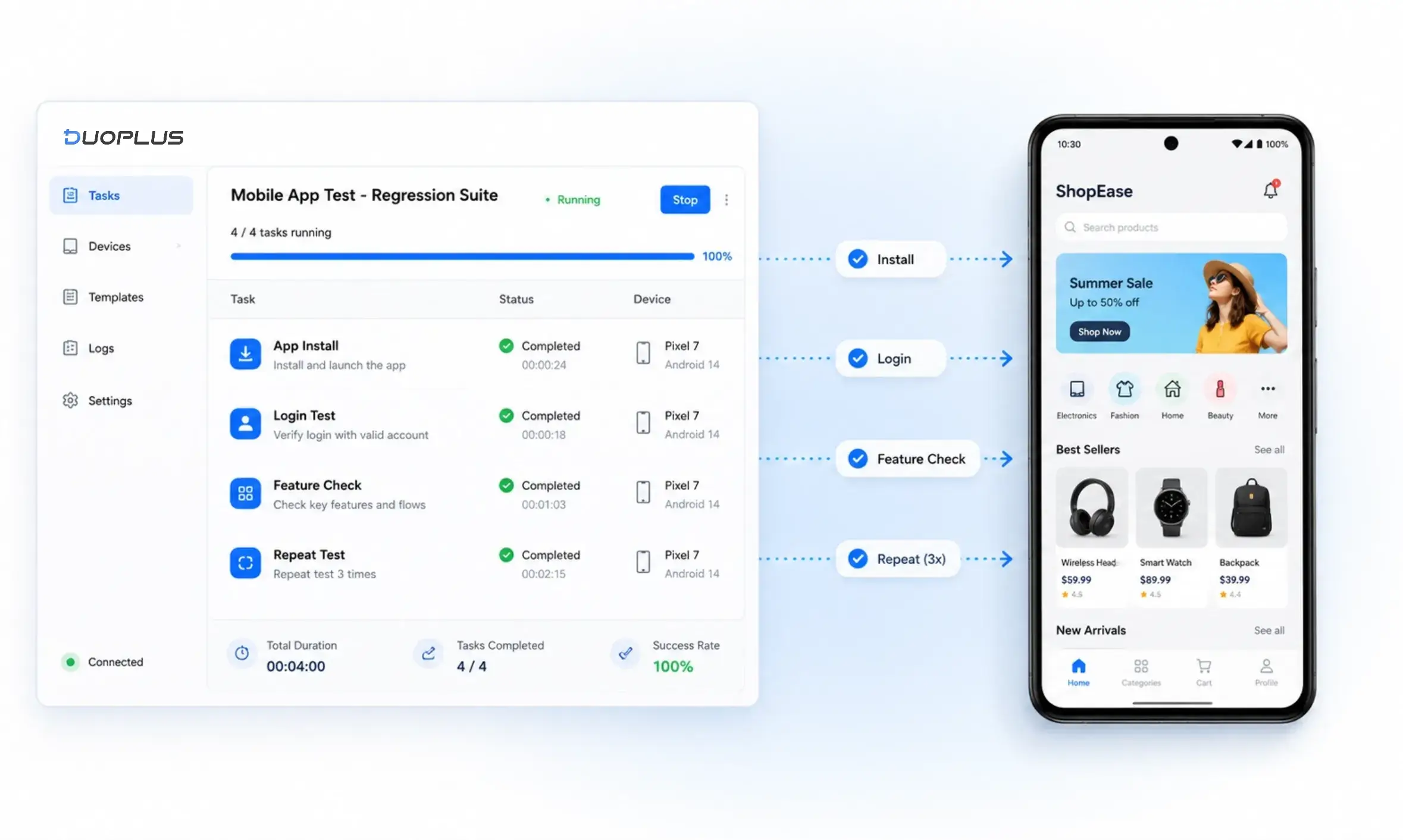
Why Choose DuoPlus?
Use DuoPlus Cloud Phone to create test devices on demand, simulate real user environments, and streamline mobile app testing with automated workflows.
Android Testing Environment
Built on real ARM architecture, DuoPlus provides Android 10, 11, 12, and 15 environments for mobile app testing across different Android versions.

Global IP & SIM Simulation
Simulate IP, GPS, SIM, language, and time zone settings across 150+ regions to validate how your mobile app appears in different markets.

Cross-Device Access
Access and control cloud phones remotely from any PC or mobile browser, allowing teams to manage testing anytime.

Bulk Operations
Install or uninstall apps in batches and synchronize operations across multiple cloud phones to improve mobile app testing efficiency.
RPA
Build custom RPA workflows for different testing scenarios and automate repetitive tasks to support large-scale mobile app testing.

Team Collaboration
Share cloud phones, organize team members, and manage permissions more efficiently to simplify team-based mobile app testing.
Get Started in 3 Steps
Mobile App Testing FAQs
User Reviews
See What Real Users Say
We value every piece of feedback and continuously improve our product. We provide tailored solutions for different use cases and respond quickly with dedicated support.
DuoPlus Cloud Phone makes managing multiple international accounts incredibly easy. The batch control feature has significantly improved my productivity.

David Cameron
Live Stream Host
DuoPlus Cloud Phone is an essential tool for global operations. I can easily manage multiple accounts across different regions and improve overall efficiency.

Miss Chen
Entrepreneur
Thanks to DuoPlus Cloud Phone, handling international online operations has become much more professional and efficient. It simplifies multi-account management and allows me to focus on strategy.

Miss Tang
E-commerce Manager
Thanks to DuoPlus Mobile App Testing, our efficiency in managing multiple game accounts has improved dramatically. The smooth experience and reliable performance have completely transformed our workflow.

Mr. Luo
Gaming Content Creator
DuoPlus Cloud Phone has been a game changer for managing my international gaming accounts. It simplifies multi-account operations while keeping all data secure.

Sarah Johnson
Gaming Operations Manager
Since using DuoPlus Mobile App Testing, my productivity has increased by 50%. It streamlines the operation of multiple gaming accounts, allowing our team to focus on strategy and account growth.

Emily Smith
Gaming Account Manager