





How to Sign Up for Meta Muse and Use a Referral Code
Muse has recently become one of the most talked-about AI Agent products in the AI tools space. As a new AI Agent from …
Learn why your YouTube phone verification is not working and how to fix common errors such as Couldn't verify this phone number, This phone number has already been used too many times, missing verification codes, and repeated identity verification requests.

Get an AI-Powered Summary of This Article
YouTube may ask you to verify your phone number when you create a channel, unlock creator features, or when Google needs to confirm that you're the legitimate account owner.
Sometimes the verification process works without any issues. Other times you may see messages such as:
These messages don't necessarily mean there's something wrong with your YouTube account. In many cases, they're triggered by your phone number, verification environment, or Google's security checks.
In this guide, you'll learn why YouTube phone verification fails, how to fix the most common problems, and how to reduce repeated verification requests in the future.
YouTube doesn't require phone verification every time you sign in. Depending on how your account is used, Google may ask you to verify your phone number for one of the following reasons.
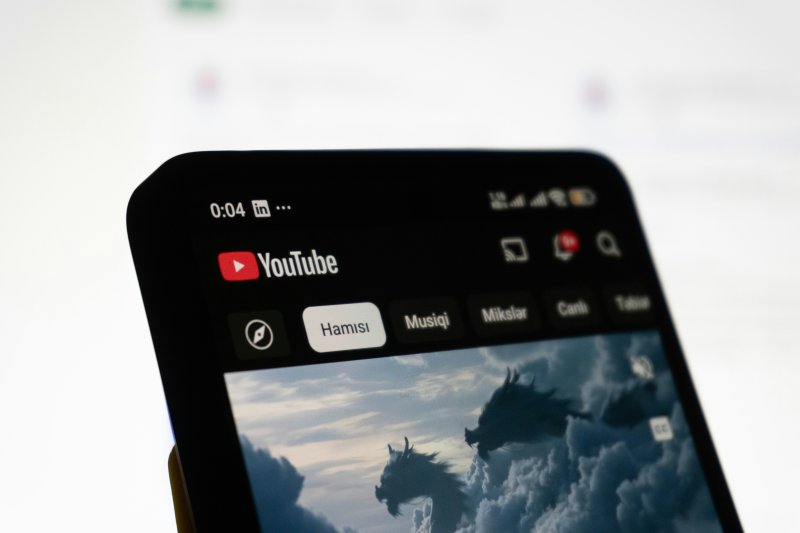
Phone verification helps YouTube reduce spam accounts, automated registrations, and abusive behavior.
Instead of relying only on an email address, YouTube may request a phone number to confirm that an account is being used by a real person.
This verification is commonly triggered when:
Phone verification is also required to access certain creator features.
After verifying your phone number, you can unlock features such as:
If you're setting up a new YouTube channel, this is one of the most common reasons you'll see the Verify your phone number prompt.
If you've been using your account for a while and suddenly receive a verification request, it's usually related to Google's security system.
For example, Google may ask you to verify your identity after:
These checks are designed to protect your account from unauthorized access rather than indicating that something is wrong with your YouTube account.
| Error Message | What It Usually Means |
|---|---|
| Couldn't verify this phone number | The phone number cannot be used for verification or additional security checks are required. |
| This phone number has already been used too many times | The phone number has reached YouTube's verification limit. |
| Verify your phone number | Standard phone verification required before accessing certain features. |
| We need to verify it's you | YouTube detected a sign-in or activity that requires identity verification. |
| Verification code not received | SMS delivery failed or your carrier couldn't receive the verification message. |
One of the most common reasons for verification failure is the phone number itself.
Some phone numbers may not be accepted by Google's verification system, especially if they have already been used to verify multiple accounts or are considered unsuitable for SMS verification .
You need to confirm:
If you never receive the verification code, avoid requesting it repeatedly. Instead, verify that your phone number is working correctly before trying again.
If you see the message:
This phone number has already been used too many times
your phone number has likely reached Google's verification limit.
Google restricts how many YouTube channels or Google accounts can be verified with the same phone number to reduce abuse.
Similarly, requesting verification codes repeatedly within a short period may temporarily limit new verification attempts.
How to fix it
Repeated attempts during the waiting period may extend the temporary restriction.
Phone verification isn't based only on your phone number.
YouTube also evaluates the device used during verification.
If your browser, app data, or login environment changes significantly, additional verification may be required.
For desktop users, try:
For Android or iPhone users, try:
A cleaner and more consistent device environment often improves verification success.
Your network connection can also affect YouTube phone verification.
Google may perform additional security checks if the verification request comes from an unstable or unusual network environment.
This may happen if you:
These situations don't automatically cause verification failure, but they may increase the likelihood of additional security checks.
How to fix it
Before requesting another verification code:
A consistent verification environment is generally more reliable than repeatedly changing networks or devices.
Passing phone verification once doesn't guarantee that YouTube will never ask you to verify your identity again.
If your account is frequently used in different environments, Google may request additional verification in the future.
Keeping your account environment consistent can significantly reduce repeated verification requests.
Try to use the same phone or computer for your YouTube account instead of constantly switching devices.
A consistent device helps YouTube recognize your normal sign-in behavior and reduces unnecessary security checks.
Regularly switching between different IP addresses or countries may increase the likelihood of identity verification.
If you mainly use YouTube from one location, keeping your network environment consistent is generally a better long-term approach.
If you need to access content from different regions, consider using separate accounts instead of constantly changing the environment for one account.
Managing multiple YouTube accounts on the same device can make account management more complicated, especially if you're frequently signing in and out.
If you mainly manage YouTube accounts on a desktop computer, different browser profiles or anti-detect browsers can help separate your accounts.
For mobile-first workflows, using a dedicated Android environment for each account is often a more practical solution.
For example, DuoPlus Cloud Phone allows you to create and manage multiple independent Android devices in the cloud. Each YouTube account can run in its own cloud phone environment, making it easier to keep different accounts and their device settings separate.
Configure Network and Location Settings Separately
DuoPlus allows users to configure proxy settings for individual cloud phones and manage location-related settings such as GPS, language, time zone, and SIM information.
This can help users maintain a consistent environment when operating YouTube accounts for different markets.
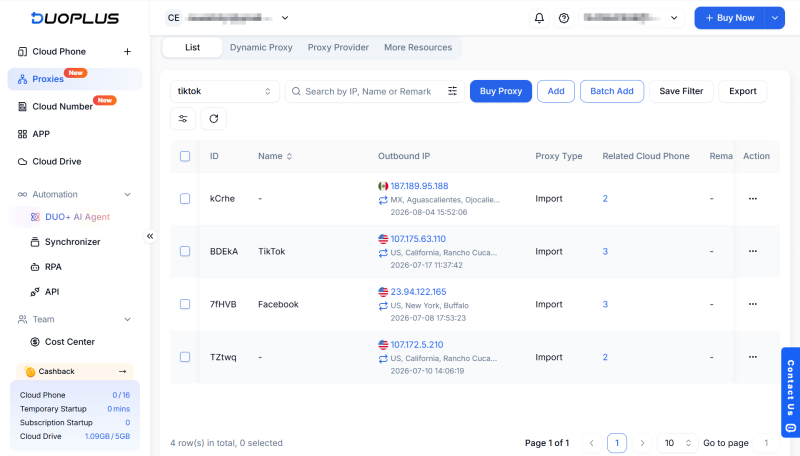
Manage Multiple YouTube Accounts simultaneously
You can access and manage multiple cloud phones from a single computer without multiple physical devices.
With DuoPlus Synchronizer, you can also synchronize operations across multiple cloud phones, making it easier to perform the same actions across multiple YouTube accounts when needed.
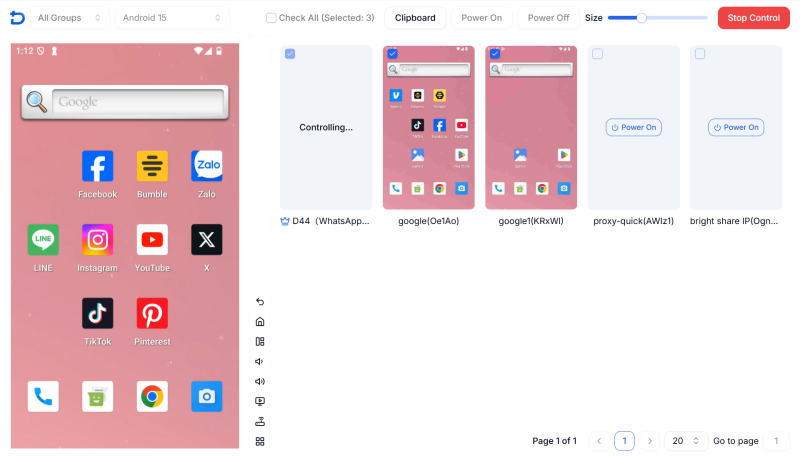
Automate Repetitive YouTube Tasks
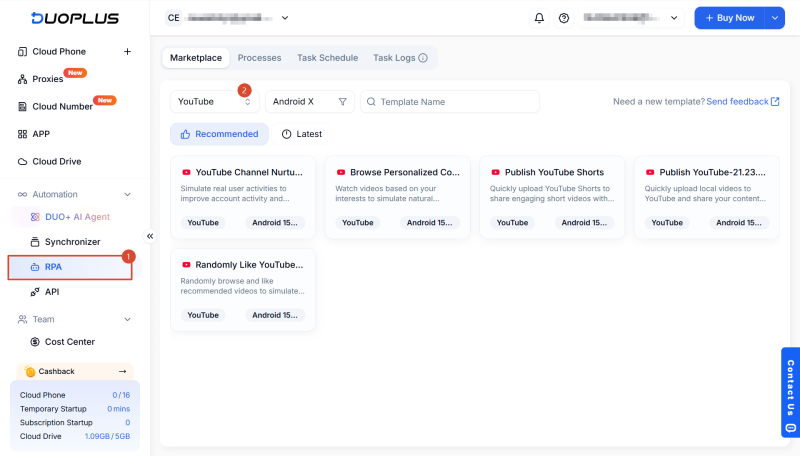
For users who need to manage repetitive tasks across multiple YouTube accounts, DuoPlus also provides RPA workflows that can automate predefined actions.
YouTube phone verification failures are usually caused by phone number restrictions, verification limits, device changes, or Google's security checks rather than problems with your YouTube account itself.
The best approach is to identify the exact verification message you're seeing, apply the appropriate solution, and avoid repeatedly requesting verification codes.
Google generally allows one phone number to verify up to two YouTube channels per year. If you exceed the limit, you may see the message "This phone number has already been used too many times."
If your verification attempt was temporarily blocked because of too many requests or repeated verification attempts, it's generally recommended to wait 24 to 72 hours before trying again.
Some virtual (VoIP) phone numbers may work for YouTube verification, while others may be rejected by Google's verification system. If verification repeatedly fails with a virtual number, using a real mobile phone number is generally more reliable.
Yes. After your YouTube account or channel has been verified, you can update the phone number associated with your Google Account if needed.
If you only manage one or two personal accounts, using the same device is usually sufficient. However, if you manage multiple YouTube accounts for content creation, brand marketing, or testing, keeping each account in its own device environment can make long-term account management more consistent.
Muse has recently become one of the most talked-about AI Agent products in the AI tools space. As a new AI Agent from …

OpenAI Codex is an AI coding agent designed to help developers write, modify, review, and deliver code. It is available …

VK (VKontakte) is one of the major social media platforms in Russia. In addition to account management, content …
No need to purchase multiple real phones.
With DuoPlus, one person can operate numerous cloud phones and social media accounts from a single computer, driving traffic and boosting sales for you.

