
How AI Short Videos Are Driving $200K per Month: The Untold Strategy Behind TikTok Shop Affiliate Growth
In TikTok’s fast-growing eCommerce ecosystem, TikTok Shop Affiliate is fueling a revolution of zero-inventory, …


Table of Contents
Many users have wondered:Every day you post carefully edited Reels and aesthetic photos — but who’s secretly viewing your Instagram profile? Who’s always there, silently checking your stories?
Unfortunately, Instagram still doesn’t provide an official feature to see who viewed your profile. However, there are safe and effective methods to understand your profile visit trends, and even ways to improve your analytics using secure, cloud‑based tools.
In this 2026 updated guide, you’ll learn step by step how to track profile activity securely, what to avoid, and why experienced creators manage their accounts through DuoPlus Cloud Phone — a smart solution for professional social media operations.
Instagram allows users with Professional Accounts to view limited audience insights, such as:
Although Instagram won’t show exact usernames, these insights are invaluable for identifying audience patterns and improving content strategies.
(Tip: To check your connection security while browsing, tools like Whoer.net or testing your IP score can be helpful when managing multiple accounts in browser or incognito mode.)

If you still use a personal Instagram profile, switch to a Professional Account. The process takes less than one minute and works on both Android and iOS:
1️⃣ Open Instagram and go to your Profile page. 2️⃣ Tap the menu icon (☰) in the top‑right corner. 3️⃣ Choose “Account type and tools.” 4️⃣ Select “Switch to Professional Account.” 5️⃣ Pick a category like Digital Creator, Artist, or Brand. 6️⃣ Choose between Creator or Business, then confirm.
Once done, your new Professional Dashboard will display traffic and activity insights directly from Meta.
If you manage multiple Instagram profiles — for personal branding, a company, or regional accounts — switching between them manually on one device can be slow and unsafe.
That’s where DuoPlus Cloud Phone naturally becomes the smarter option.
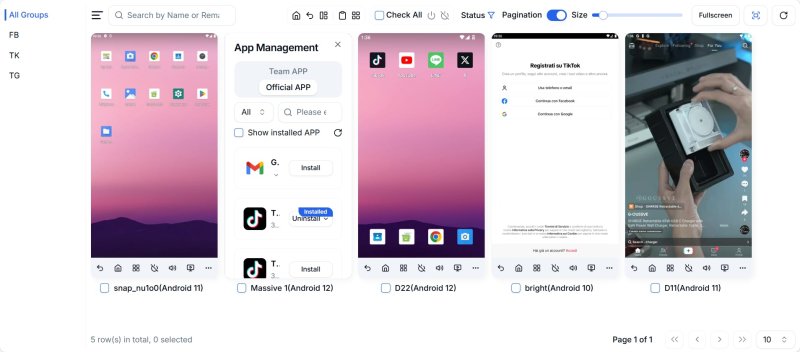
Instead of running several physical phones or emulators, you can host all your accounts in isolation within the cloud. Each account stays constantly online, secured with two‑factor (2FA Auth) support, helping you monitor analytics for all brands at the same time.
You’ve probably seen apps on the App Store or Google Play claiming to reveal who visited your Instagram profile. While their ads may look convincing, the truth is simple:
🚫 Instagram has never authorized any “profile visitor tracker” application. 🚫 These apps usually ask for your Instagram login credentials — risking serious privacy leaks. 🚫 Most show fake visitor lists, auto‑generated from your likes or interactions, not real data.
In short, entering your Instagram credentials in an unofficial instagram profile viewer app can easily lead to account theft or bans.
If you truly want to monitor your audience safely and effectively, rely on Instagram Insights or Meta Business Suite — both officially supported by Meta. These panels allow you to:
No third‑party risks, no misleading data — only verified information direct from Meta.
However, keeping these analytics updated often requires Instagram to stay online continuously. That’s where DuoPlus Cloud Phone makes your workflow easier — it allows your Instagram app to run persistently in the cloud, 24 hours a day, without occupying your own phone or computer.
You don’t collect data through DuoPlus, but it ensures your app stays connected for notifications, automated posting, message handling, and long‑term account stability — a safe, always‑on environment for creators and social media teams.
There’s no official way to know exactly who viewed your Instagram profile, despite what viral “apps” promise. Instead of risking your privacy, focus on these proven steps:
In 2026, growth on social media means combining data analytics with security.
With its stable cloud infrastructure, built‑in privacy layers, and compatibility with web utilities like telegram web, discord web browser, incognito browsing, and anonymous proxy services, DuoPlus Cloud Phone offers a professional, scalable foundation for creators who take security and performance seriously.
DuoPlus Cloud Phone
Protect your multiple accounts from being
In TikTok’s fast-growing eCommerce ecosystem, TikTok Shop Affiliate is fueling a revolution of zero-inventory, …

In today's digital world, thousands of people join social media platforms every day. They browse websites, read blogs, …
No need to purchase multiple real phones.
With DuoPlus, one person can operate numerous cloud phones and social media accounts from a single computer, driving traffic and boosting sales for you.
