




How to Sell More on Avito: A Comprehensive Guide in 2026
Avito is one of the most popular online marketplaces in Russia. It is widely used by individuals, local businesses, …
Table of Contents
Get an AI-Powered Summary of This Article
Venmo has become one of the most widely used mobile payment apps in the U.S., making it easy to split bills, send money to friends, and manage everyday payments. But while Venmo is convenient, understanding its different payment methods and account limits is just as important — especially if you regularly move larger amounts of money.
In this guide, we’ll break down the differences between the Venmo Debit Card and Venmo Credit Card, explain the current Venmo money transfer limit rules, and cover everything you need to know about Venmo cash withdrawal limits and sending restrictions.
The Venmo Debit Card works like a prepaid debit card connected directly to your Venmo balance. You can only spend the money already available in your account, which makes it easier to manage your budget and avoid overspending.
The Venmo Credit Card works differently because it uses a credit line rather than your existing balance. This gives you more flexibility for purchases, but it also requires responsible repayment and credit management.
Venmo Debit Card
Venmo Credit Card
Venmo Debit Card
The Venmo Debit Card mainly focuses on simple, low-fee transactions and generally does not include cashback rewards.
Venmo Credit Card
The Venmo Credit Card offers cashback on eligible purchases, including:
Depending on your spending habits, this can be useful for earning rewards on everyday purchases.
Venmo Debit Card
Using the Venmo Debit Card does not affect your credit score because it does not involve borrowing money.
Venmo Credit Card
The Venmo Credit Card can impact your credit score through:
You can understand the differences between the two through the comparison table below:
| Comparison Metrics | Venmo Debit Card | Venmo Credit Card |
|---|---|---|
| Payment Source | Directly linked to Venmo balance or bank account, using available funds | Uses credit limit provided by the bank, can spend beyond available cash |
| Annual Fees | No annual fees; personal transfers are free; standard transfers are free | 3% transaction fee for credit card payments; potential annual fees and interest |
| Rewards and Cashback | Typically does not offer cashback or rewards | Offers3% cashback; can be used for free transactions or to purchase additional funds |
| Impact on Credit Score | No impact, does not involve credit limits | Has an impact, linked to credit utilization and payment history |
| Instant Transfer Fees | Charges1.5% (minimum $0.25, maximum $15) | Not applicable (credit card cannot be used for instant transfers) |
| Best Use Cases | Everyday personal transfers, budget control, avoid overdrafts | Ideal for larger purchases, cashback opportunities, and credit building |

Understanding the various limits on Venmo is crucial for effective use of the platform. Below are the main types of limits:
Unverified Users: Venmo will impose strict transfer limits on accounts that have not verified their identity.
Verified Users: By providing Venmo with your legal name, address, date of birth, and Social Security Number (SSN) to verify your identity, your account will unlock higher transfer limits.
If you use the Venmo Debit Card, you can also withdraw cash from ATMs. However, Venmo cash withdrawal limits apply to all accounts.
The current Venmo cash withdrawal limit for debit card users includes:
Your available withdrawal amount may vary based on account verification and security checks.
If you regularly rely on ATM access, it’s important to monitor your Venmo cash withdrawal activity to avoid reaching daily limits unexpectedly.
Standard Transfer: Transfers from Venmo to your bank account typically take 1-3 business days, free of charge
Instant Transfer: Funds are available in 30 minutes, with a fee of 1.5% (minimum $0.25, maximum $15)
For users with larger transaction amounts, Venmo's transfer limits may seem insufficient. You can request to increase your account limits by verifying your identity through official channels, and also maintain multiple Venmo accounts to help resolve limit issues.
If you have different projects or brands that require separate income management, having multiple independent Venmo accounts is often necessary. According to Venmo's User Agreement , each user can only hold one personal account. If you attempt to create multiple Venmo accounts on a single device, it may result in all related accounts being temporarily suspended, affecting business operations.
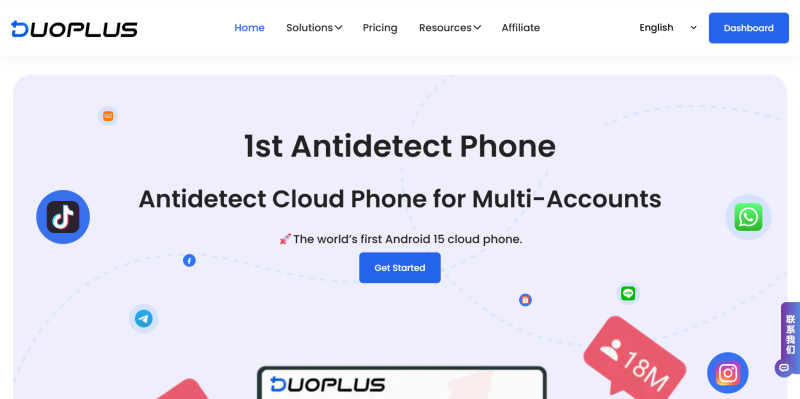
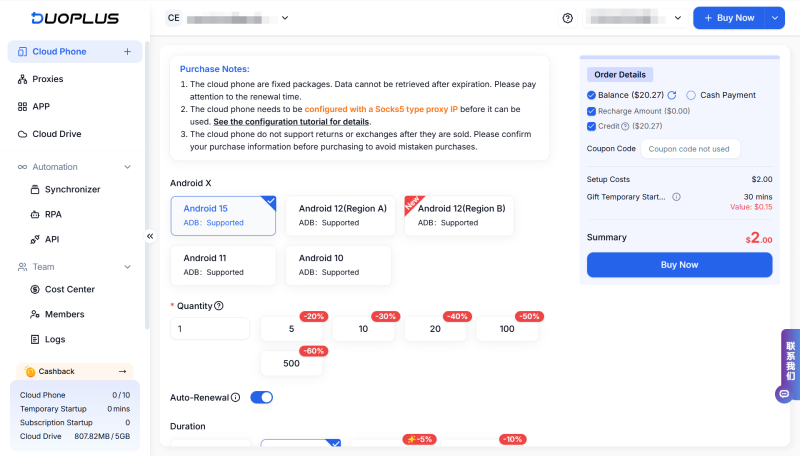
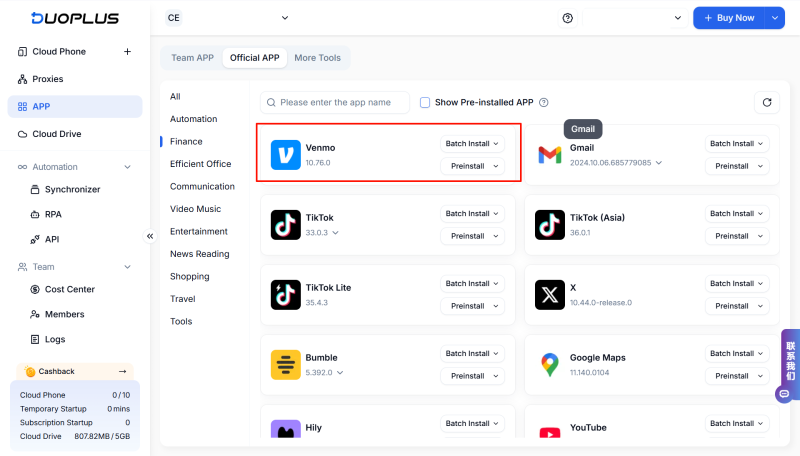
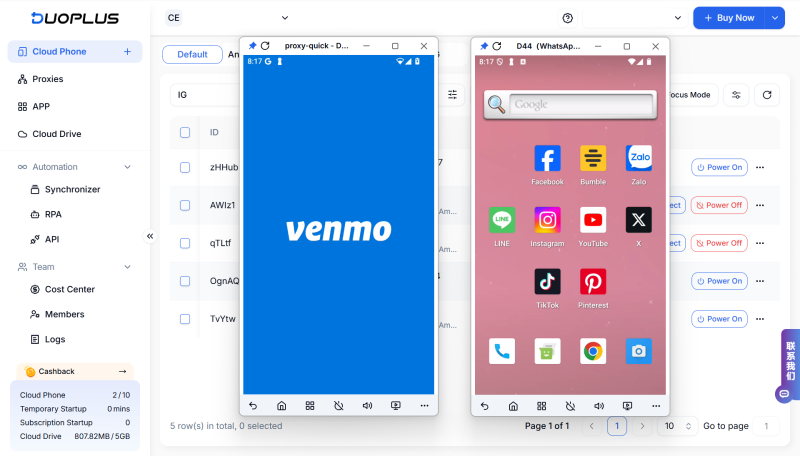
So, is there a safe and effective tool to help you manage multiple Venmo accounts? DuoPlus is your best choice.
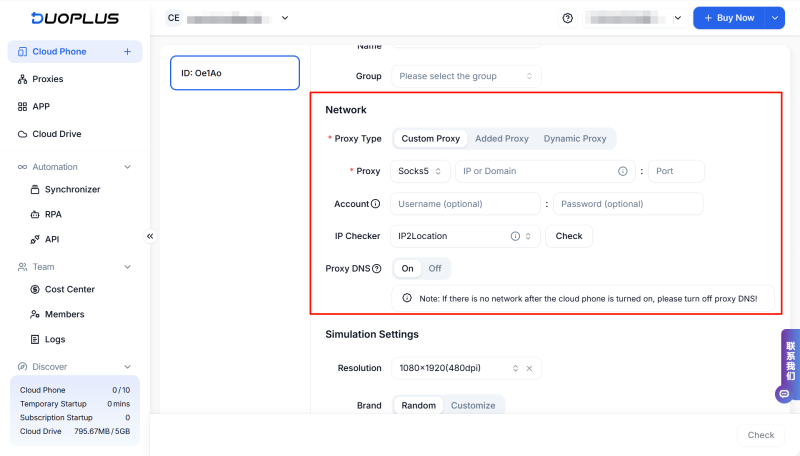
DuoPlus can provide each Venmo account with a separate, clean mobile device environment, perfectly solving account-related issues. Based on real ARM architecture, DuoPlus mobile device environment supports different device configurations for each phone, and also supports different proxy IPs for each device, simulating real Venmo users.
Using DuoPlus to Manage Multiple Venmo Accounts
1. Does Venmo support international transfers?
Venmo is currently only available within the United States, and does not support international transfers. If you need to make international payments, you may consider using other platforms, such as PayPal or Wise.
2. Is there a fee for using Venmo?
Using Venmo for personal transfers is typically free, provided you use a bank account or Venmo balance for payments. If you use a credit card for payments, Venmo will charge 3% transaction fees. Instant transfers will also incur a 1.5% fee (minimum $0.25, maximum $15).
3. How can I Keep my Venmo account is secure?
To secure your account, enable two-factor authentication, use a strong password, and regularly update your password. Also, avoid sharing account information with others and refrain from conducting transactions over public Wi-Fi networks. Set your transaction settings to private mode, which can enhance privacy protection.
Understanding the distinctions between Venmo debit and credit cards, as well as the various platform limit policies, is crucial for effectively managing your finances. Regardless of which payment method you choose, always ensure you understand Venmo's limit policies and take necessary security measures to protect your account.
DuoPlus Cloud Phone
Protect your multiple accounts from being
Avito is one of the most popular online marketplaces in Russia. It is widely used by individuals, local businesses, …

TikTok has become one of the most important platforms for brands, eCommerce businesses, and content creators to reach …
No need to purchase multiple real phones.
With DuoPlus, one person can operate numerous cloud phones and social media accounts from a single computer, driving traffic and boosting sales for you.
