How to Safely Manage Multiple Social Media Accounts Without Getting Banned in 2026
A lot of people still approach multi-account management the way it worked a few years ago — create several profiles, add …


Table of Contents
If you've been trying to reach users in Russia via WhatsApp or Telegram, you may have noticed things aren't as smooth as before.
Over the past year, access to certain messaging platforms has become less reliable. WhatsApp is no longer widely used in the Russian market, and while Telegram is still accessible, users often report:
For anyone trying to maintain communication with Russian users, relying on a single platform is becoming increasingly risky. That's why more people are starting to look for alternatives—and VKontakte is one of the most practical options right now.
When exploring new ways to connect with Russian users, VKontakte is hard to ignore.
It's one of the most widely used social platforms in Russia, with an established user base and familiar interface for local users. Unlike external messaging apps, VKontakte is deeply integrated into the local digital ecosystem.
From a usability standpoint, VKontakte is easy to register and access across both web and mobile platforms that make it convenient to use from the start.
More importantly, VKontakte is not just a messaging app—it combines content distribution, community building, and direct messaging in one platform.
VKontakte's messaging system works similarly to WhatsApp. You can chat directly with users, follow up on inquiries and use bots for automated replies.
It's suitable for ongoing conversations, support, and relationship building.
VKontakte allows you to create and manage groups, similar to Telegram groups or Discord communities.
Groups can be used to gather users in one place, share updates and content and maintain long-term engagement.
This makes them useful for building a consistent audience rather than relying on one-off interactions.
A VKontakte profile or page acts as your public identity. You can share content, showcase relevant information, and gradually build credibility with new users.
VKontakte also offers its own advertising system, allowing users to run feed ads, promote communities, and launch campaigns that drive traffic to external links. Compared to platforms like Facebook or TikTok, the level of competition is often lower, making it easier to reach Russian-speaking audiences.
VKontakte can support the entire user journey—from traffic acquisition to audience retention and direct conversion. In practice, a typical workflow looks like this:
Create a VKontakte page → Run targeted ads → Guide users into groups → Convert through direct messaging
This structure allows you to move users seamlessly from discovery to engagement and ultimately into one-on-one conversations.
Before starting the VKontakte account registration, it's recommended to use a stable internet connection to avoid verification issues.
You can register on both desktop and mobile. Here's a simple step-by-step guide to registering a VKontakte account(using DuoPlus Cloud Phone ):
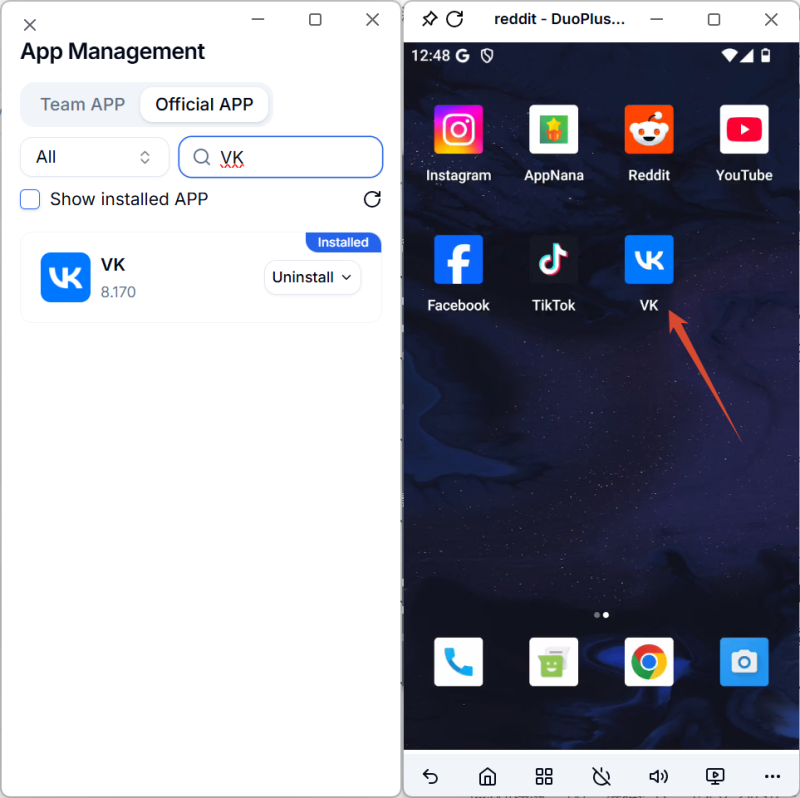
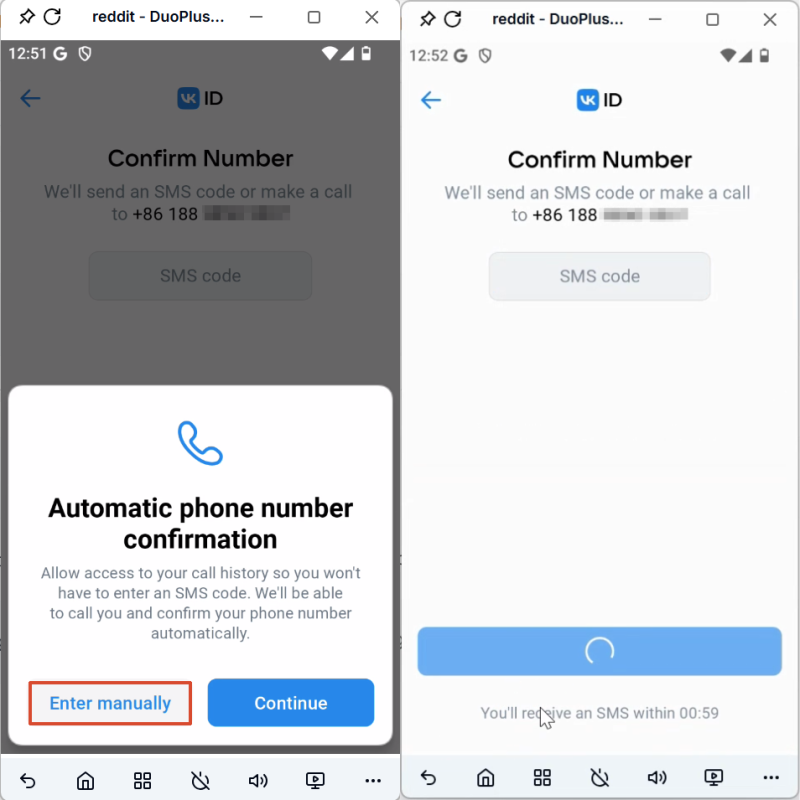
Open VKontakte, click“Sign up,” then select your country code and enter your phone number
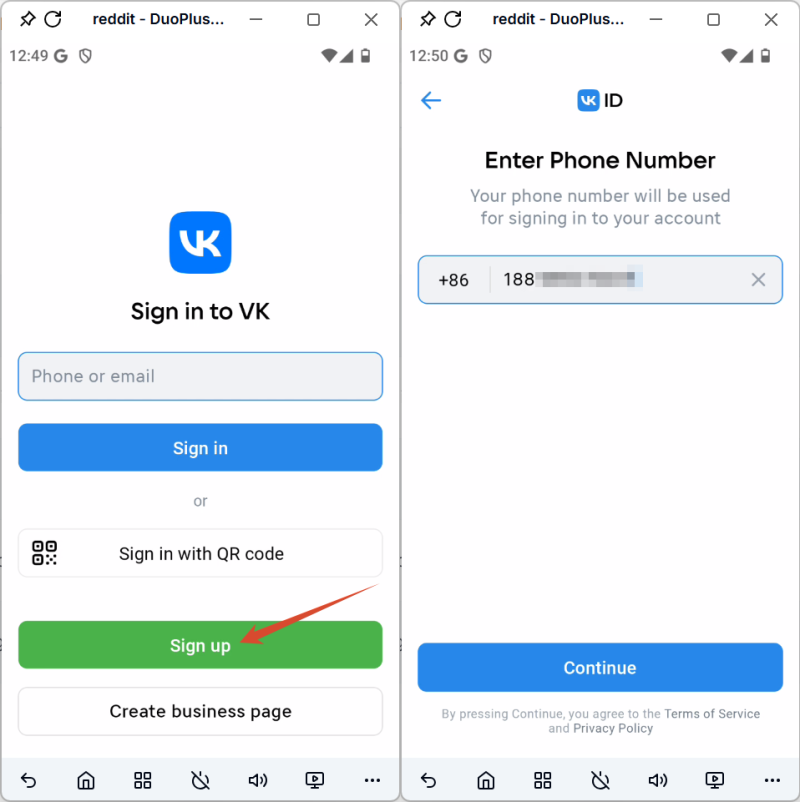
Choose SMS verification and enter the code you receive
If the code doesn’t arrive, wait for a moment and request it again, and if necessary, try using a different network connection.
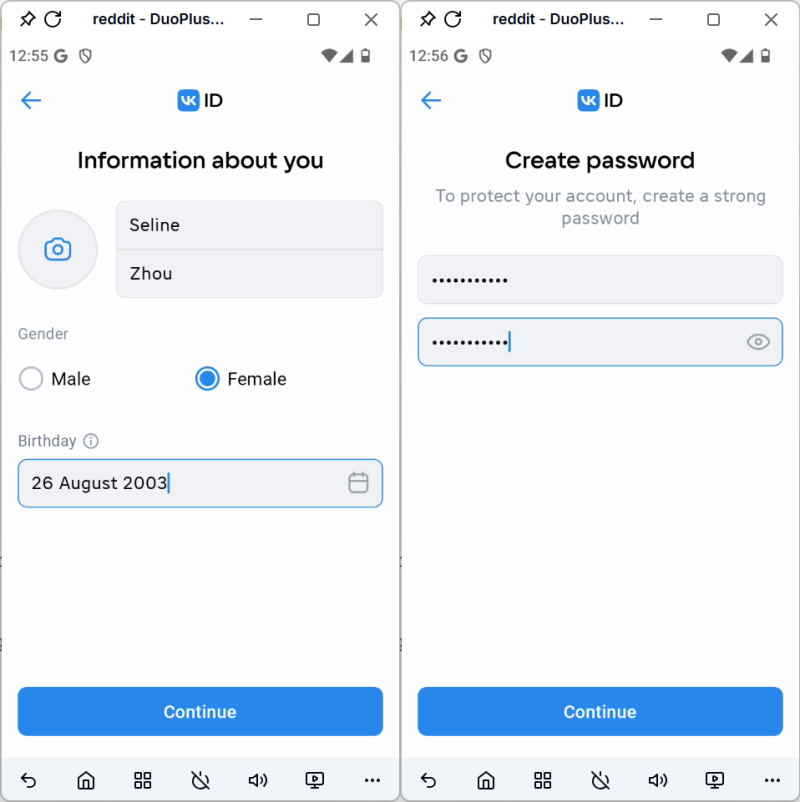
Fill in basic profile information and create a password
Once completed, your VKontakte account is ready to use. You can start browsing content or connecting with others.
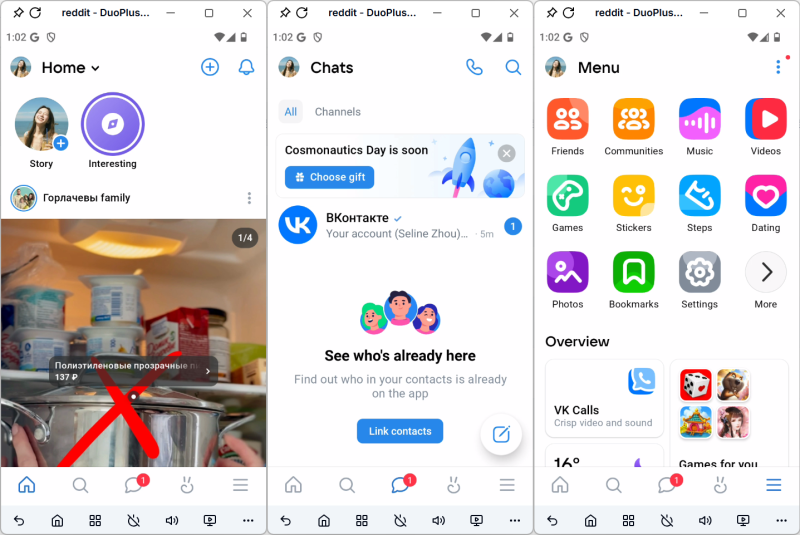
When setting up a new VKontakte account, it's important to make it look as natural and complete as possible. Start by filling in your basic profile details, such as your profile photo, bio, and personal information.
It also helps to spend some time interacting with the platform—browsing content, following a few users, and engaging lightly. At the same time, avoid sending bulk messages or pushing promotional content too early, as this can trigger restrictions.
Establishing a natural usage pattern early on will make your account more stable over time.
After registration, a few basic settings can improve usability and account reliability.
By default, VKontakte may appear in Russian. You can switch it to English in the settings menu to make navigation easier.
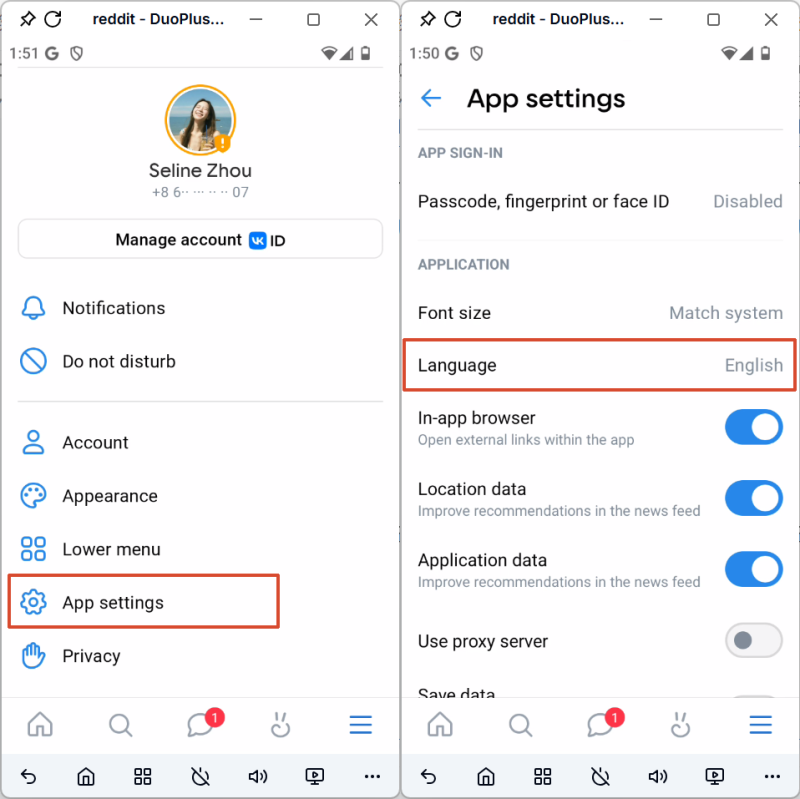
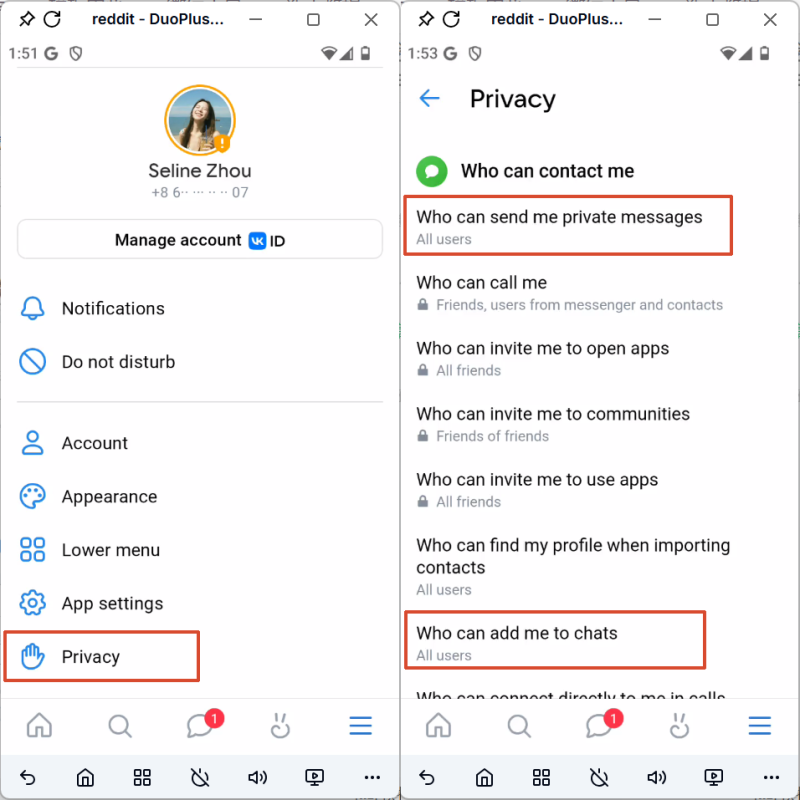
To avoid missing messages or receiving unwanted requests, review:
This helps maintain a cleaner communication flow.
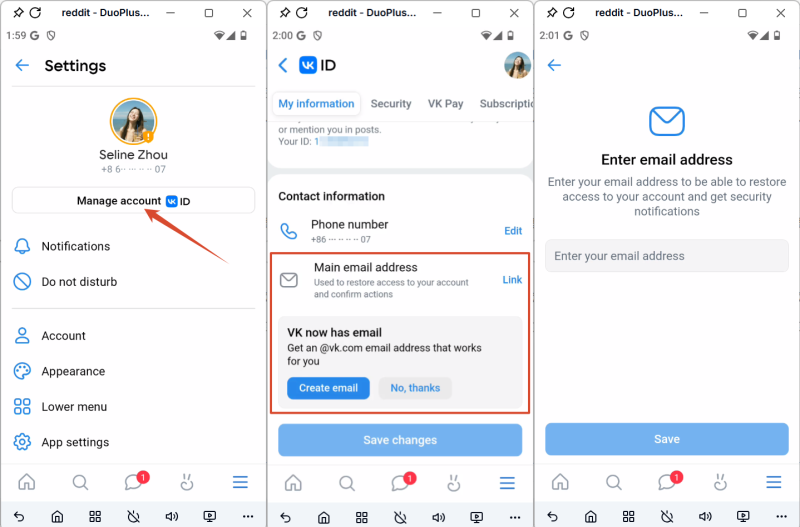
To improve account security, it’s recommended to enable two-factor authentication and sign in with email. VKontakte requires phone verification during registration, there are cases—such as stricter platform checks—where you may not receive verification codes reliably.
Linking your email not only adds an extra layer of protection but also makes it much easier to recover your VKontakte account if you run into login issues.
As platform accessibility continues to evolve, relying on a single communication channel is no longer a reliable approach. If you need to stay connected with users in Russia, setting up a VKontakte account is a practical and increasingly necessary step.
VKontakte offers a familiar environment for local users while providing multiple ways to communicate and engage within one platform, making it a more stable alternative to WhatsApp in this context.
Even if you continue using other channels, incorporating VKontakte into your setup gives you greater flexibility and helps ensure more consistent communication.
DuoPlus Cloud Phone
Protect your multiple accounts from being
A lot of people still approach multi-account management the way it worked a few years ago — create several profiles, add …

In the digital era, proxy IP has become a core tool for businesses and individuals to conduct online operations. Whether …
No need to purchase multiple real phones.
With DuoPlus, one person can operate numerous cloud phones and social media accounts from a single computer, driving traffic and boosting sales for you.
