





How to Log In to Codex: What to Do If You Don't Receive the Phone Verification Code
OpenAI Codex is an AI coding agent designed to help developers write, modify, review, and deliver code. It is available …
This article explains the principles of TikTok account warming, common automation solutions, and their use cases. Compare fingerprint browsers, automation scripts, hardware farms, and cloud phones to learn how DuoPlus AI Agent's no-code automation adaptively simulates human-like interactions to reduce detection risks and improve efficiency.

Get an AI-Powered Summary of This Article
In 2026, as TikTok's user base continues to grow, more individual creators, brands, and operations teams are using the platform for content distribution, audience engagement, and account management. In practice, new TikTok accounts typically need a period of normal usage and interaction before they can be used for regular content operations. This initial phase is commonly referred to as "account warming".
The traditional approach to account warming relies on manual operations. However, when managing multiple TikTok accounts, repeating the same tasks can be time-consuming and increases management complexity. As a result, many users are looking into automation tools to improve efficiency.
TikTok account warming refers to the process where a newly registered account goes through a period of normal usage before it begins regular content publishing. The platform needs to observe real usage patterns to understand the account's preferences, such as content interests, browsing habits, and interaction behavior. Therefore, operators typically start by using the account like a regular user to establish a natural activity profile.
Common warming activities include:
For example, if you plan to run a beauty‑focused TikTok account, you can start warming it up 7–14 days before posting any original content. Browse beauty and skincare content, follow relevant accounts, and engage with posts normally — this helps the platform understand your content direction.
For a newly registered TikTok account, the platform needs to observe normal usage behavior to understand its interaction patterns. Account warming serves several important purposes:
If a newly registered TikTok account immediately starts publishing content or running marketing tasks without any prior browsing or interaction history, it is more likely to trigger security reviews. This often results in low view counts, reduced recommendation priority, or even temporary restrictions. By establishing a regular pattern of browsing and interaction, you can improve the account's overall security standing.
TikTok's recommendation algorithm relies heavily on user behavior data. If an account has no activity history, the platform has little information to determine who might be interested in its content. During the warming phase, actively searching for and engaging with content relevant to your niche helps the system identify your content direction. When you later publish original content, the platform can more accurately recommend it to the right audience.
Account warming is not just about meeting platform requirements — it's also an opportunity for your team to learn about the market. By consistently watching content from successful creators in your niche and monitoring trending topics, you can gain insights into local audience preferences, popular music styles, and the characteristics of viral videos. This upfront research provides a solid reference for future content creation and testing.
In short, TikTok account warming is about establishing stable, realistic usage patterns to build a strong foundation for future content distribution and account stability. However, as the number of accounts grows, finding ways to reduce repetitive tasks becomes important for maintaining team efficiency.
For a single account, performing daily browsing, interaction, and profile maintenance manually is relatively simple. But when managing multiple accounts over the long term, relying entirely on manual work can lead to several issues:
While browsing, searching, liking, and commenting are not technically complex, they require daily attention. When managing multiple TikTok accounts, operators must log in to each account and repeat the same steps. This can take up a significant portion of the workday.
Different TikTok accounts often serve different audiences and content strategies. Teams need to track each account's usage history, niche positioning, and activity schedule. As the number of accounts grows, relying on spreadsheets can lead to missed updates or accounts falling out of regular maintenance.
Manual operations are influenced by individual habits, workload, and daily routines. Different operators may have different browsing durations and interaction frequencies. This variability makes it harder to maintain consistent standards across accounts, which can affect overall management quality.
TikTok account warming is an ongoing process. As business scales and the number of accounts increases, simply adding more staff is not an efficient solution — it raises costs and does not address the underlying need for standardized operations.
To improve efficiency, many operations teams are turning to different types of automation tools to streamline TikTok workflows.
Hardware farms involve deploying physical mobile devices in a centralized location and using control software to synchronize and manage them from a single dashboard.

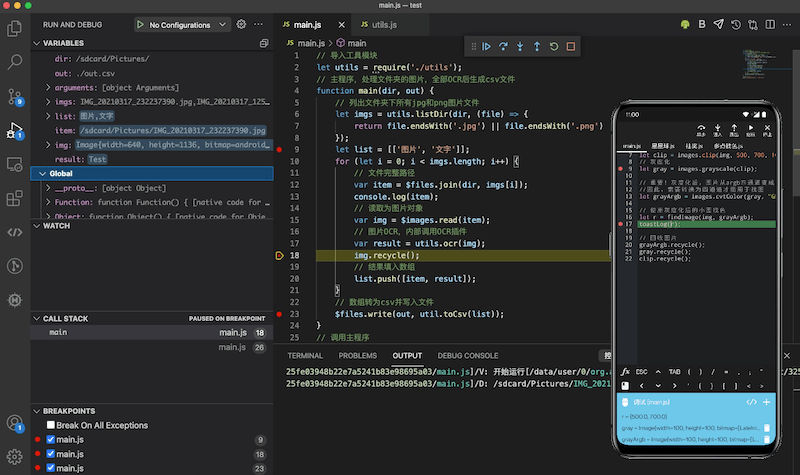
Automation scripts are programs written by developers based on automation testing frameworks. They execute predefined instructions to control devices. Common examples include Auto.js , Tasker , UiAutomator , and Python‑based automation frameworks.
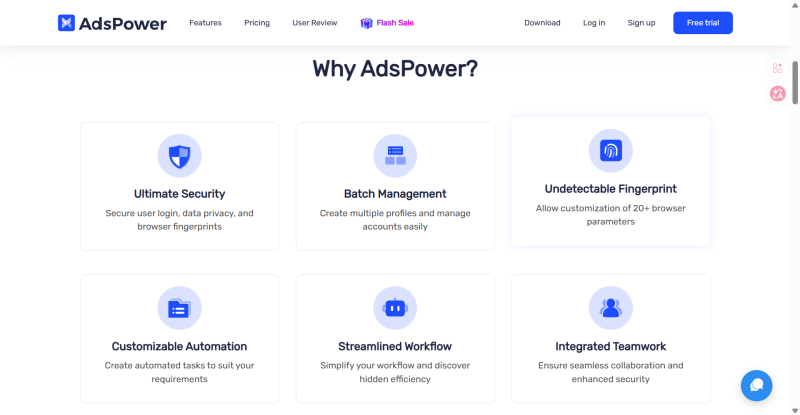
For teams primarily using TikTok Web, some combine Anti-detect browsers with RPA templates to automate tasks like login and content management. Anti-detect browsers (such as AdsPower ) modify browser fingerprints (User‑Agent, Cookies, Canvas fingerprints, etc.) to simulate multiple independent computer environments. RPA templates are pre‑built automation workflows that can be applied to repetitive tasks like bulk account warming.
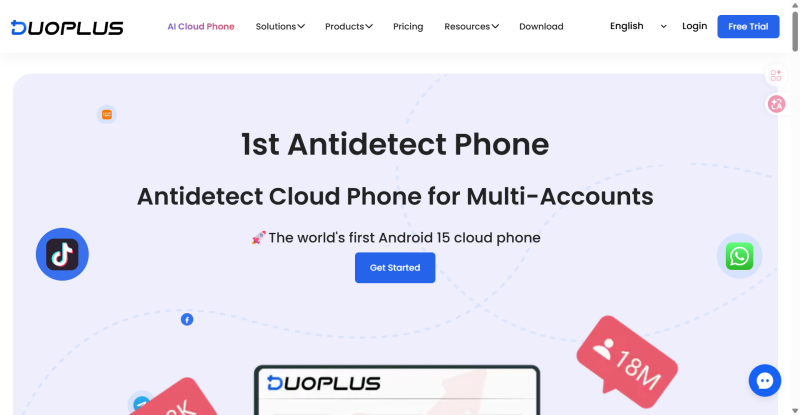
Cloud phones are Android devices running in the cloud. Each device has an independent system environment and device parameters, and can be managed remotely from a computer. DuoPlus Cloud Phone , for example, runs on native Android ARM architecture, providing fully isolated device hardware parameters for each account. This addresses the fundamental environment isolation requirements for multi‑account management.
In addition, DuoPlus Cloud Phone offers automation capabilities such as AI Agent and RPA to further reduce repetitive tasks and improve warming efficiency.
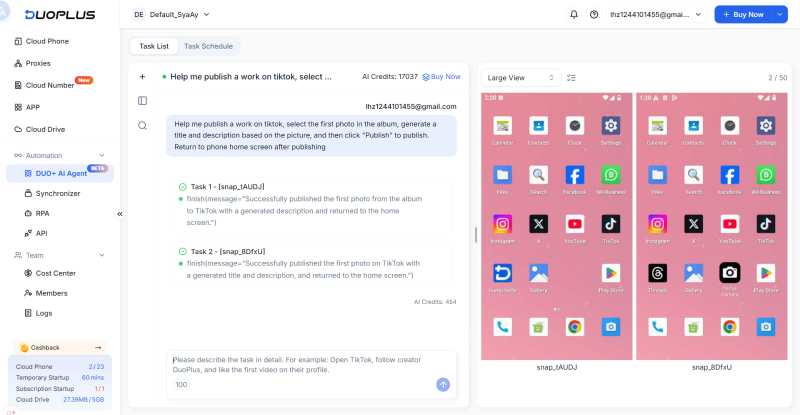
While traditional automation tools each have their strengths, DUO+ AI Agent appears to be a more suitable option for platforms like TikTok, which frequently updates its interface and rules.
In practice, TikTok warming tasks mostly consist of routine interactions like browsing, liking, and following. However, two common challenges arise: frequent UI updates that break traditional automation tools, and the platform's strict detection of mechanical, fixed‑pattern mass actions.
In comparison, DuoPlus Cloud Phone's DUO+ AI Agent offers the following advantages for daily, repetitive, and variable mobile interactions:
Traditional scripts and RPA configurations usually require technical expertise to maintain. DUO+ AI Agent is a completely no‑code automation solution.
Operators do not need to understand complex flowcharts. They simply type natural language commands in the dialog box (e.g., "Open TikTok, search for a specific hashtag, and randomly like 3 of the recommended videos while browsing"). The system automatically parses the instruction and executes it, making it accessible to team members without technical backgrounds.
TikTok frequently adjusts its interface layout, button names, and pop‑up notifications. Traditional scripts and RPA rely on fixed coordinates or specific UI element IDs; if the platform updates, the automation may break and require debugging.
DUO+ AI Agent uses AI vision and logic models to dynamically identify on‑screen elements, similar to how a real person would. Even if buttons change position or appearance, the AI can still recognize and complete the task, reducing downtime caused by platform updates.
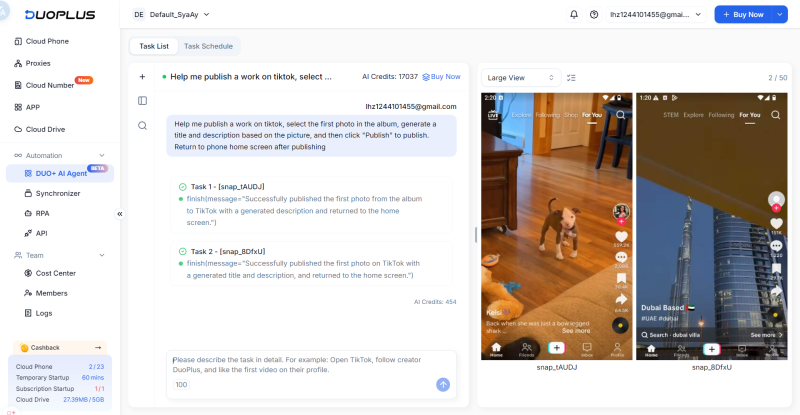
TikTok's risk control system can identify automated behavior by detecting precise movements and fixed time intervals. DUO+ AI Agent's operation patterns are closer to those of real users.
When identifying screen elements, navigating between pages, and scrolling, the AI produces natural movement trajectories and reasonable time delays. This human‑like rhythm helps avoid automated bot detection, making bulk account management safer and more stable.
TikTok warming sometimes requires interactions beyond the app itself — for example, retrieving and saving materials from a browser, switching to the gallery to review them, and then uploading to a social platform.
DUO+ AI Agent can coordinate and switch seamlessly between multiple mobile applications. Combined with the cloud phone's batch management framework, operators can issue a single natural language command and distribute the task to up to 50 cloud phones simultaneously, achieving efficient scaling without sacrificing flexibility.
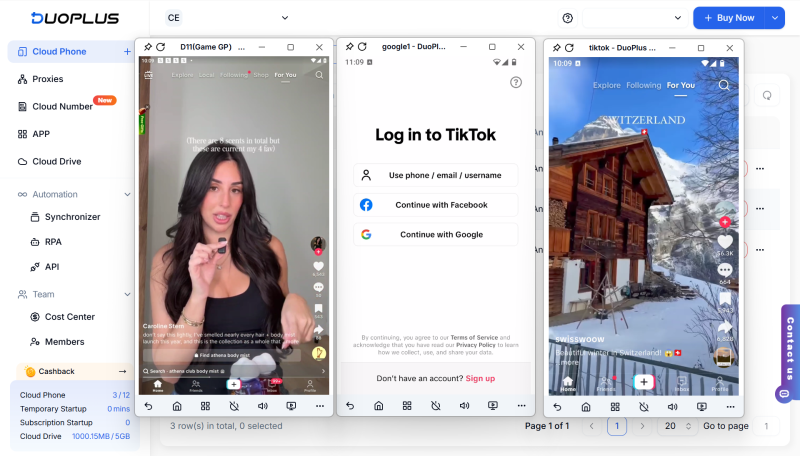
Improving the efficiency of managing multiple TikTok accounts depends on choosing the right tools for the right tasks. Scripts and RPA are better suited for fixed, repetitive, high‑frequency tasks, while DUO+ AI Agent's natural language interface lowers the technical barrier and is better for mobile warming scenarios where interfaces change frequently. These tools are not replacements for each other — teams should combine them based on their technical capabilities and business needs to achieve a balance of stability and flexibility.
DuoPlus Cloud Phone provides isolated device hardware parameters and independent IPs to prevent association at the infrastructure level. For behavior patterns, DUO+ AI Agent uses large models to dynamically identify interface elements, with natural variations in timing and interaction patterns. This human‑like execution rhythm helps avoid automated detection and supports long‑term account stability.
Yes. This is a fully no‑code automation feature. Operators do not need to write code or configure complex flowcharts. Users simply describe the task in clear natural language, and the system autonomously parses the instructions and executes them on the cloud phone.
These three approaches are complementary. For fixed, repetitive tasks where speed is the priority, scripts and RPA templates are more efficient. DUO+ AI Agent is better suited for social media maintenance scenarios where applications update frequently and interactions are more variable.
In terms of pure execution speed, scripts and RPA are generally faster than AI Agent, because AI Agent needs time for visual recognition and path planning, resulting in slight delays between steps. However, in multi‑account operations, this moderate, human‑like pacing actually helps avoid risk control flags. When distributed across multiple devices in parallel, the overall efficiency is more than sufficient for scaled management needs.
OpenAI Codex is an AI coding agent designed to help developers write, modify, review, and deliver code. It is available …
VK (VKontakte) is one of the major social media platforms in Russia. In addition to account management, content …
ChatGPT is available through both the web version and desktop/mobile apps. The web version requires no installation and …
No need to purchase multiple real phones.
With DuoPlus, one person can operate numerous cloud phones and social media accounts from a single computer, driving traffic and boosting sales for you.
