
Does Telegram Support Video Calls? A Guide to Video Calls and Screen Sharing
Telegram supports more than text messaging and file transfers. It also offers voice and video calls. Users can …
Compare Telegram and Telegram X in terms of interface design, performance, features, platform support, and account synchronization. Learn how to choose the right client and manage multiple Telegram work accounts with DuoPlus Cloud Phone.

Get an AI-Powered Summary of This Article
Telegram offers two client apps: Telegram and Telegram X. Because their names are similar but their features and user experiences differ, you may be wondering what sets them apart and which one is better suited to your needs.
This guide compares Telegram and Telegram X in terms of interface design, feature updates, platform availability, and account data. It also explains how to download and install Telegram X. Finally, it looks at how the two clients fit different usage scenarios and how DuoPlus Cloud Phone can help you manage multiple Telegram work accounts.
Telegram X is an alternative Android client officially released by Telegram. It is built on the Telegram Database Library (TDLib). It is not a separate social platform or a third-party imitation unrelated to Telegram. Instead, it is another client for accessing Telegram services. Telegram's official app page lists Telegram X among its Android client projects and describes it as an experimental client based on TDLib.
Telegram and Telegram X use the same Telegram platform. You can sign in to Telegram X with your Telegram account and access the account's cloud-based chat history, contacts, groups, channels, and other information.
Telegram and Telegram X share the same Telegram account system, but differ in client design, feature updates, and device support. The main differences are outlined below.
The main Telegram app uses a conventional message-bubble layout. Its chat list, contacts, and settings are organized in a way that is familiar to users of instant messaging apps, making the interface relatively straightforward to navigate.
Telegram X offers a bubble-free chat display mode, with more space between messages and images. Images in channels can also extend across the full screen width. In terms of interaction, Telegram X lets you long-press a chat item to preview its contents without opening the conversation. You can swipe left or right on the main screen to switch between the Chats and Calls pages, and swipe right on a message to open the forwarding menu directly.
Telegram X also redesigns the music player and attachment menu. On a profile page, you can swipe to switch between shared media types. By comparison, the main Telegram app uses more conventional page navigation and media display.
These design choices make Telegram X more reliant on gestures and dynamic interactions, while the main Telegram app follows a layout that is closer to a traditional instant messaging app.
Telegram is the primary client for the Telegram platform. It generally receives new platform features first and continues to expand its capabilities for messaging, group management , and channel management. For example, Telegram offers a rich-text editor, temporary messages in groups, welcome messages, and bot automation.
Telegram X places more emphasis on the interaction experience, performance, and stability of its Android client. Its features include a full-screen media viewer, support for system navigation gestures, and the ability to view topics directly from the message reply menu. Recent stable-version updates have mainly focused on security, stability, and device compatibility fixes.
The two apps therefore have different update priorities. The main Telegram app continues to expand platform features, while Telegram X retains its distinct Android client design and focuses on usability and runtime performance.
The main Telegram app is available on Android and iOS, as well as desktop and web platforms. Telegram X is primarily designed for Android. There is currently no separate official Telegram X client for iOS or a corresponding Telegram X desktop version.
| Platform | Telegram | Telegram X |
|---|---|---|
| Android | Available | Available |
| iOS | Available | No separate current official client |
| Windows, macOS, and Linux | Dedicated clients available | No corresponding Telegram X desktop version |
| Web | Available | No separate Telegram X web version |
Telegram chat data is generally divided into two types: cloud chats and Secret Chats.
Cloud chats are stored in the Telegram cloud and can be accessed from multiple devices where you are signed in. Regular private chats and group chats generally fall into this category.
Secret Chats use end-to-end encryption and are tied to the device and login session on which they were created. They are not synchronized to other devices. Even if you sign in with the same account on a new device, you cannot directly restore the original Secret Chat history.
Both Telegram and Telegram X support the same Telegram account. This means the two clients can share account access and cloud chat data, while Secret Chats remain restricted to the devices and sessions where they were created.
Telegram X is available through Android app stores and the project's official release channels. For most users, Google Play is the recommended option. If you cannot download the app through the app store, you can obtain the APK installation file from the official Telegram X project page.
If you use an Android phone, you can search for Telegram X directly in Google Play.
Follow these steps:
①Open Google Play on your Android phone.
②Enter Telegram X in the search bar.
③Check that the developer is Telegram FZ-LLC, then open the app details page.
④Tap Install and wait for the app to download and install automatically.
⑤Once installation is complete, open Telegram X and sign in by following the on-screen instructions.
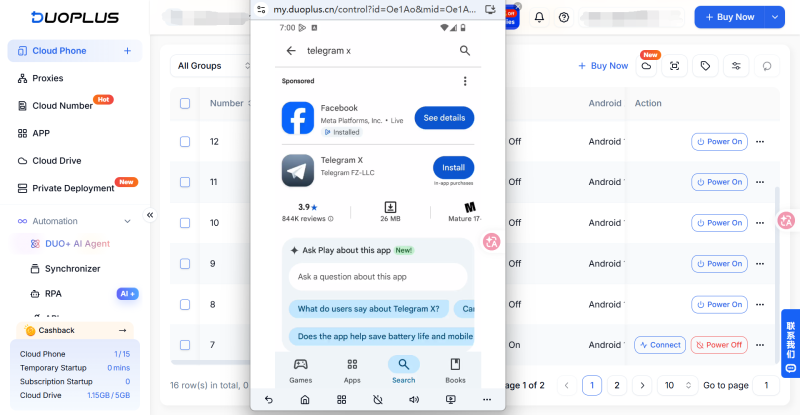
If Google Play is unavailable or you need to obtain the installation file manually, you can download it from the official Telegram X GitHub project page. The project page provides links to Google Play, GitHub Releases, APK downloads, and build information.
Follow these steps:
①Open the official Telegram X GitHub project page.
②Go to Releases or APKs and Build Info to view the available versions.
③Choose and download the APK file that is compatible with your device.
④After the download finishes, open your phone's file manager and locate the APK file. If the system blocks installation from unknown sources, open system settings and allow the browser or file manager you are using to install unknown apps.
⑤Return to the installation screen and follow the prompts to complete the installation.
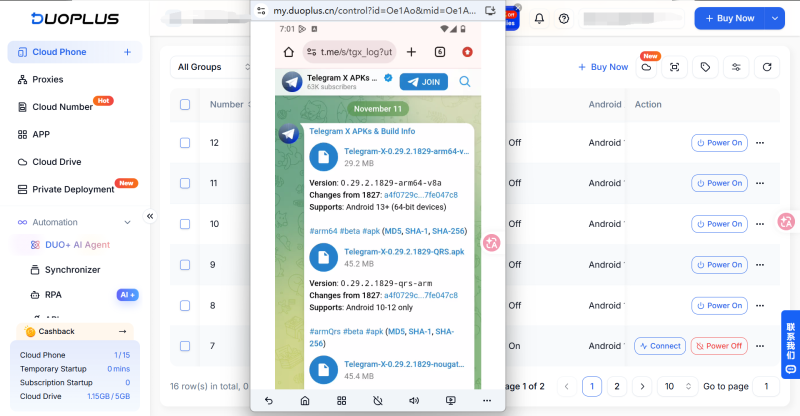
The official release page distinguishes stable releases from preview releases. Most users should choose a stable version and avoid installing a Beta version unless they specifically need to test it.
When downloading an APK manually, make sure the file comes from a channel provided by the official Telegram X project. The official GitHub Releases page lists verification information for some installation packages. You can use the checksum or the verification bot provided by the project to check file integrity and reduce the risk of downloading an unofficial modified version.
After comparing the features and user experiences of the two clients, you can make a choice based on your device, everyday needs, and account management workflow.
If you mainly use Telegram for everyday messaging, joining groups, following channels, sending and receiving files, or using bots, the main Telegram app is usually the more straightforward choice.
It is Telegram's primary client for general users and is available on Android and iOS, as well as desktop and web platforms. You can choose the version that matches your device and use its familiar interface for everyday communication.
If you use an Android phone and want to try a different interface layout, animations, and interaction style, Telegram X may be worth trying.
It offers Android users an interaction experience that differs from the main app. You can decide whether it suits your long-term needs based on your usage habits and how it performs on your device.
Telegram X is currently focused on Android. iPhone users cannot download a separate Telegram X app directly from the App Store. If you want to try Telegram X's interface and interaction style, you can use an Android device or a cloud phone to run the client.
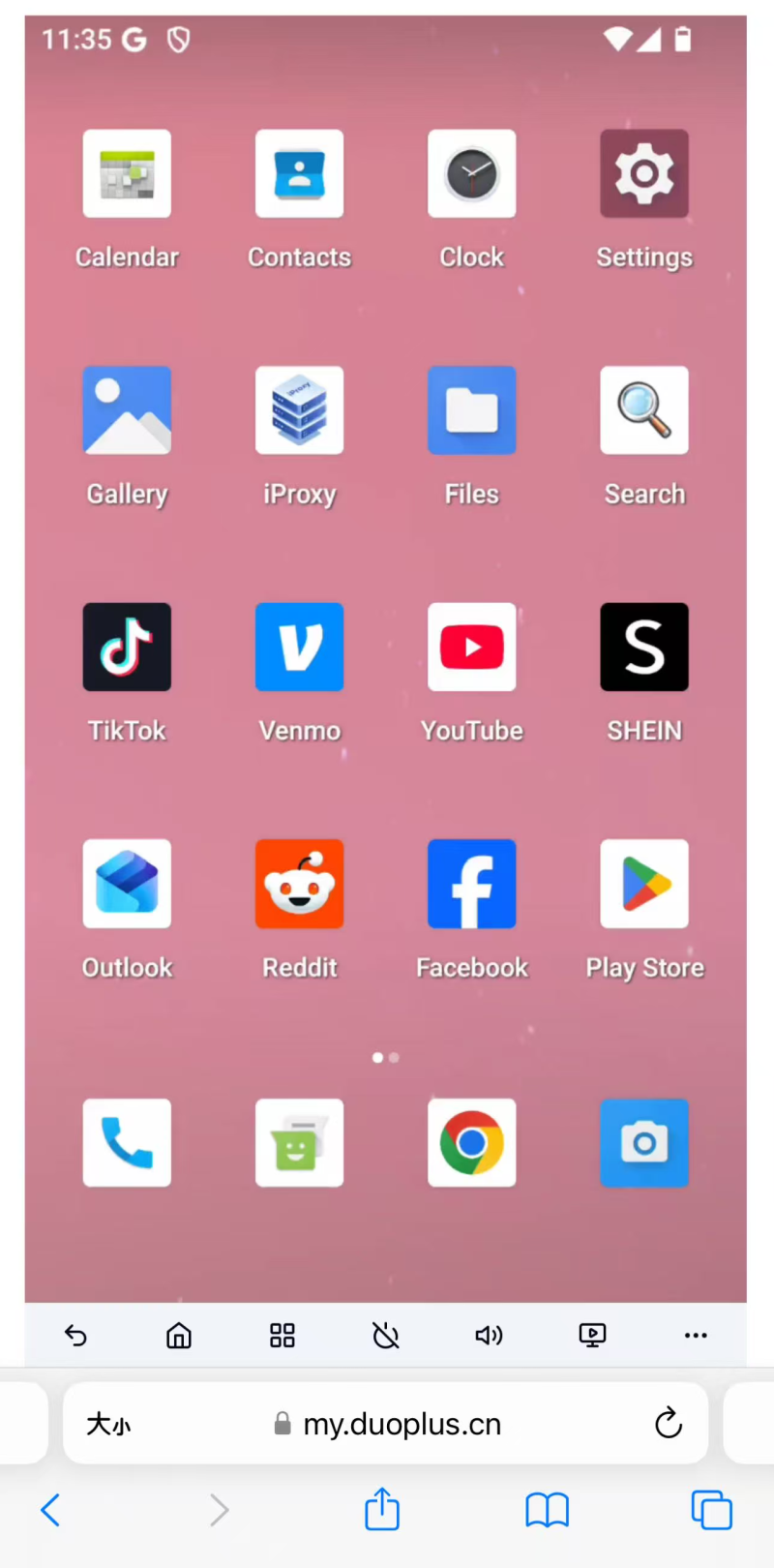
If you use an iPhone for everyday tasks but need an Android environment for work, a cloud phone can provide an Android device environment that you can access remotely from a computer or phone. You can install and sign in to Telegram X without purchasing another Android phone.
If you only use a small number of Telegram accounts, the built-in multi-account feature in the Telegram client may be sufficient for switching between them.
However, if you need to maintain multiple Telegram accounts—for example, to handle customer communication, community management, business notifications, and personal messages—choosing between Telegram and Telegram X is only one part of the process.
A more important consideration is how to distinguish the environments used by different accounts and reduce the operational burden of switching between accounts frequently.
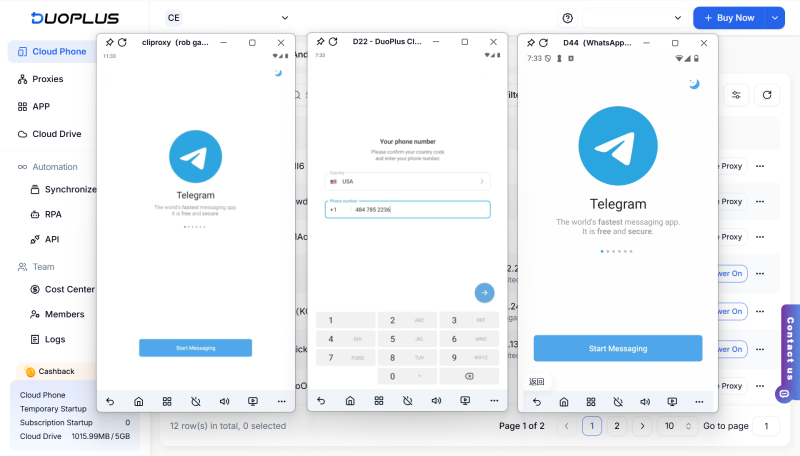
DuoPlus Cloud Phone can provide independent Android device environments for different accounts. You can install Telegram or Telegram X on separate cloud phones and assign devices according to your actual business needs. This allows accounts used for different purposes to run on separate cloud phones, reducing the need to switch repeatedly between accounts on a single phone.
For device management, you can configure a proxy, device brand and model, language, and time zone for each cloud phone based on the account's usage requirements. You can also use device names, tags, and groups to distinguish devices by purpose.
For example, you can organize the cloud phones used for customer service and community management into separate groups, making devices easier to identify and manage centrally. You can choose Telegram or Telegram X based on your client preferences and use cloud phones according to your operational requirements.
Both Telegram and Telegram X provide access to the Telegram platform, but they differ in interface design, interaction experience, feature updates, and platform availability. The main Telegram app supports more platforms and is suitable for most everyday communication needs. Telegram X offers Android users an alternative client experience.
When choosing between them, consider your device's operating system, the features you use most often, and your personal interaction preferences. If you need to manage multiple Telegram accounts, you should also consider how to separate and manage different device environments efficiently. Choosing an appropriate client and device management setup can make everyday communication and multi-account workflows easier to organize.
Yes. On supported Android devices, you can install both Telegram and Telegram X and sign in to your Telegram account in each app. Their login states and local settings are independent. When you sign in to the same account, both clients can access the corresponding cloud chat data.
Usually not. Regular cloud chat history is stored in the Telegram cloud, so uninstalling the client does not directly delete that content. You can sign in again later through the main Telegram app or another device to access your cloud chats. Secret Chats are tied to a device and login session, so you may no longer be able to access them after uninstalling the app or signing out.
Yes. Telegram X uses Telegram accounts for sign-in, and you can receive login codes through the verification methods provided by Telegram. If your account is already signed in on another device, the code may be sent to the Telegram app on that device first rather than by SMS.
No. Telegram X is primarily designed for Android and does not have a corresponding desktop or web version. If you want to use Telegram on a computer, you can choose the official Telegram desktop client or Telegram Web and sign in with the same account.
Telegram supports more than text messaging and file transfers. It also offers voice and video calls. Users can …
As social media operations scale, managing TikTok, Facebook, Instagram and other mobile accounts across physical phones …

Joining groups, opening invite links, and accessing chat pages are common tasks when using Telegram. However, users may …
No need to purchase multiple real phones.
With DuoPlus, one person can operate numerous cloud phones and social media accounts from a single computer, driving traffic and boosting sales for you.