How to Install DuoPlus AI Skill in AI Agents and Automate Cloud Phones
Many cloud phone tasks used in account operations, multi-account management, and mobile app testing are simple but …
Learn how to find and join Telegram groups, troubleshoot invite links that won’t open, manage member permissions and admins, and handle day-to-day group operations more efficiently with DuoPlus Cloud Phone.

Get an AI-Powered Summary of This Article
Joining groups, opening invite links, and accessing chat pages are common tasks when using Telegram. However, users may sometimes encounter expired links, problems joining a group, or chat pages that fail to load. For group operators, as membership and daily communication tasks increase, managing admin permissions, maintaining messages, and organizing operational materials also become more important.
This article covers the main features of Telegram groups, how to find and join them, solutions to common access problems, and day-to-day group management practices. It also explains how DuoPlus Cloud Phone can help improve group operations.
A Telegram group is a chat space where multiple people can communicate. Members can send messages, share files, and discuss topics. Admin permissions and member management features also help maintain order within the community.
In addition to basic messaging, Telegram groups offer several features designed for communication and collaboration among multiple people:
These features make Telegram groups useful for both everyday conversations and the operation of larger online communities.
Both Telegram groups and channels can be used to share information, but they serve different primary purposes.
| Comparison | Telegram Group | Telegram Channel |
|---|---|---|
| Primary purpose | Group discussions and interaction among multiple members | Sharing information with subscribers |
| Who can post | Members can participate in conversations according to their permissions | Typically, channel admins publish posts |
| Member relationship | Group members participate in discussions together | Users subscribe to receive channel content |
| Typical use cases | Customer communities, interest-based discussions, and team collaboration | Announcements, news updates, and content publishing |
Public groups usually have a public username and can be found by searching for the username or related information. Follow these steps:
①Open Telegram and go to the chat list.
②Tap the search bar at the top and enter the group name or public username. Find the relevant group in the search results.
③Open the group page and review its name, description, and other public information.
④Once you have confirmed that it is the group you want, tap the Join button to become a member.
Search results may not include every relevant group. If several groups have similar names, compare their descriptions, public usernames, and the sources from which the links were shared to identify the correct one.
If you already have a Telegram group invite link, you can use it to access the group directly. Follow these steps:
①Get the invite link from the group admin or a member you trust.
②Tap the link on your phone or computer to open the Telegram client.
③Wait for the group information to load, then check the group name and related details.
④Tap Join Group to enter the chat. If the page displays a join request option, submit your request as instructed and wait for admin approval.
Group admins can also create invite links themselves. On the group information page, go to Add Members and select Invite to Group via Link to generate a link.
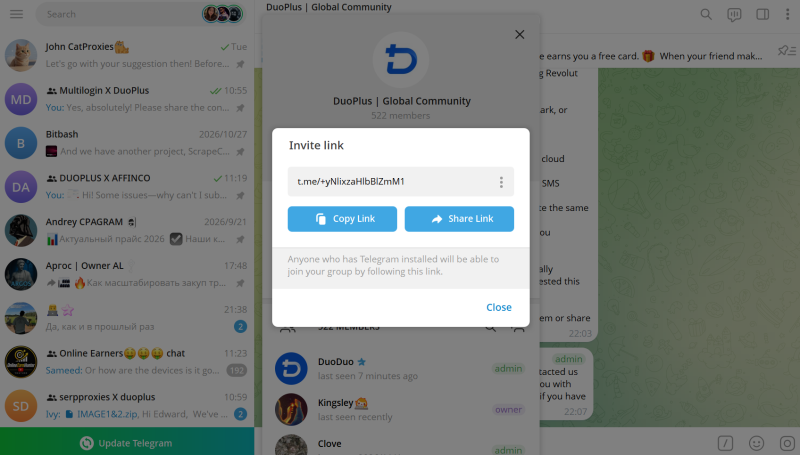
A Telegram group chat may fail to open in several ways: an invite link may not let you join, the chat page may fail to load, or only a specific group may be inaccessible. These issues can have different causes, including the invite link status, group joining settings, account permissions, or client performance. Start by identifying where the problem occurs, then apply the relevant solution.
Private invite links may have an expiration date or a limit on the number of users who can join. A link may stop working after it expires, reaches its usage limit, or is revoked by an admin.
Contact the Telegram group admin to check whether the link is still valid and ask them to generate a new one if necessary. The admin can open the group information page, select Add Members → Invite to Group via Link, and create another invite link.
If the admin has revoked the original link, it can no longer be used to join the group, even if you saved it previously.
Some Telegram groups enable join requests. When users tap an invite link, they may need to submit a request instead of entering the group immediately.
After opening the group page through the invite link, tap the option to request to join if it appears. Submit the request and wait for an admin to review it. You can contact the group admin to check its status; there is no need to keep tapping the link.
If a user violates group rules, an admin may remove them from the Telegram group or restrict them from joining again. In this case, the user may still be unable to enter the group even after obtaining a new invite link.
Contact the group admin to confirm whether your account has been restricted. If the restriction was a mistake, explain the situation and ask the admin to lift it. Ordinary members cannot remove a ban imposed by a group admin themselves.
Sometimes the problem is not with the invite link itself. The Telegram client may be unable to open the link correctly, or the app may fail to load the full chat page.
Try the following troubleshooting steps in order:
If you cannot find a group through Telegram search, first check whether the search terms are correct. Some groups have similar names, so searching by name alone may lead to the wrong result. A public username or group link provided by the admin is usually more precise.
You should also check whether the group is public or private. Public groups can be accessed through a username or public link. Private groups generally do not appear in public search results for everyone, so you need to get an invite link from the group admin or an existing member, or ask an admin to add you directly.
If you could find the group before but cannot find it now, ask the admin whether the group name, public username, or group type has changed. Once you have confirmed the group’s status, use its latest public link or invite link to join.
After a group has been created or joined, admins still need to configure basic permissions and handle routine maintenance. For community operators, the priorities are to define management responsibilities, control member permissions, and promptly address content that disrupts normal communication.
Telegram supports multiple admins, and the group owner can assign different permissions according to the group’s needs, such as managing members, deleting messages, pinning content, and inviting new members.
For groups maintained by several people, assign permissions based on each person’s responsibilities and define the scope of their work. This helps prevent excessive concentration of permissions or unnecessary actions from disrupting normal group operations.
As a group grows, spam, repeated messages, and malicious links may interfere with normal conversations. Admins can set member posting permissions according to the group’s size, restrict inappropriate content, and take action against members who violate the rules.
Larger groups can also use Telegram’s anti-spam tools. Admins should regularly review changes in membership and message activity, check whether invite links are still valid, and adjust group rules based on the community’s actual needs.
When managing multiple Telegram groups at the same time, operators need to handle not only permissions and messages within each group but also the accounts, operational materials, and team tasks associated with different groups. A cloud phone can help centralize Telegram device environments and daily workflows.
For teams that need to maintain multiple Telegram groups, daily work involves more than managing members and messages within each group. It may also include configuring devices for different accounts, distributing group materials, and coordinating tasks among team members.
DuoPlus Cloud Phone provides cloud-based Android device environments. Features such as Cloud Drive file delivery and Team Management support device use and material management in group operations.
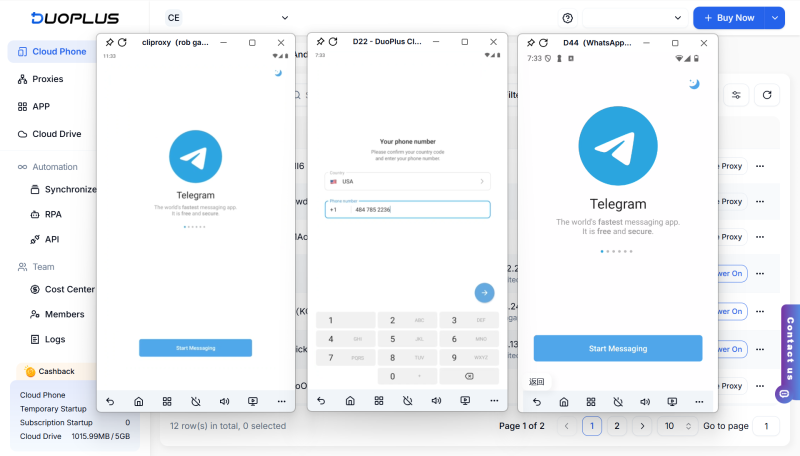
When different Telegram groups are used for customer communication, community discussions, or project operations, you can assign separate cloud phones to the corresponding accounts based on your team’s workflow.
DuoPlus Cloud Phone supports configuring proxies, device brands and models, languages, and time zones. You can configure each device environment according to the account’s actual usage requirements, then install and run Telegram on the cloud phone.
Compared with switching between multiple physical phones, cloud phones let you view and operate different devices through a unified management console, reducing the costs of purchasing and maintaining physical devices.
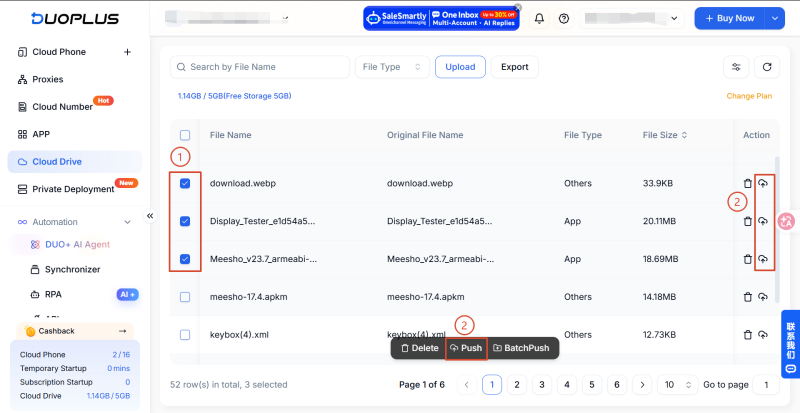
Telegram group operations often involve materials such as announcement images, event posters, product information, and videos. If different files need to be distributed to multiple cloud phones, uploading and transferring them one device at a time can create repetitive work.
DuoPlus Cloud Drive supports pushing files to designated cloud phones. Operators can first upload the required images, videos, or documents to Cloud Drive and then push them to the selected devices.
If different accounts need different group materials, you can also use Batch Push to send different files to different cloud phones in batches. This supports more granular “one device, one account, one set of materials” management and helps improve operational efficiency.
When several operators work together to maintain a Telegram community, device assignment and task handoffs also need to be managed in a consistent way.
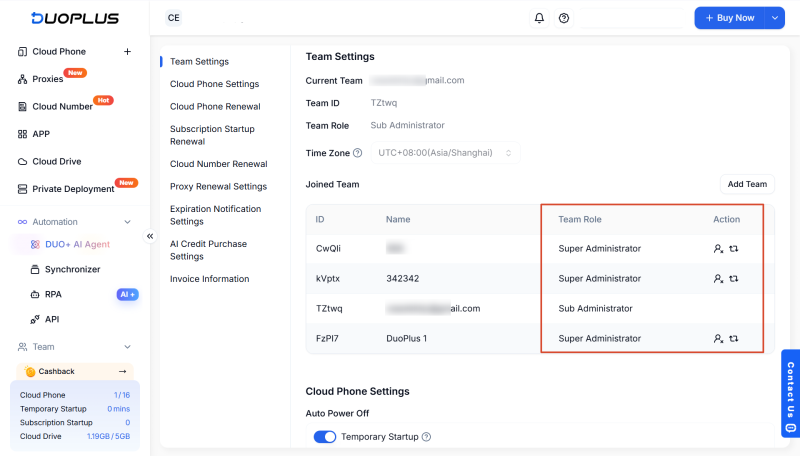
DuoPlus supports creating teams, inviting members , and setting feature permissions and cloud phone access permissions for different members. Team members can access the devices relevant to their responsibilities, while managers can coordinate device use across projects. This helps reduce communication costs related to device handoffs and permission management.
DuoPlus Cloud Phone Free Trial
Telegram groups can be used for interest-based discussions, customer communication, and team collaboration. From finding public groups and joining through invite links to troubleshooting access issues and configuring admin permissions, users can make use of the platform’s features according to their needs.
For teams that continuously manage multiple Telegram groups, the work also involves coordinating accounts, devices, materials, and team members. DuoPlus Cloud Phone supports these workflows through separate cloud device environments, device grouping, file delivery, and synchronized operations, helping operators organize their day-to-day work.
Yes. Telegram group admins can create additional invite links and set an expiration date and a limit on the number of users who can join. They can also require admin approval before users are allowed to join. A link can no longer be used to join the group after it expires or reaches its usage limit.
That depends on the group’s chat history visibility settings. In groups that support this setting, admins can choose whether new members can see messages sent before they joined.
Not necessarily. Telegram allows users to join groups and send messages without making their phone numbers public. By default, a phone number is generally visible only to contacts who have added the user to their address book. You can also adjust its visibility under Settings → Privacy and Security → Phone Number.
Yes. Telegram supports viewing which members joined through different invite links. For admins who create and manage invite links, this can help them understand how different links bring members into the group and assess which channels are more suitable for group promotion and member invitations.
No. Regular Telegram groups are Cloud Chats and use encryption between the client and the server; they are not end-to-end encrypted. Telegram’s end-to-end encrypted Secret Chats are designed primarily for one-to-one conversations and are not available for regular groups.
Many cloud phone tasks used in account operations, multi-account management, and mobile app testing are simple but …
Instagram accounts may face security risks due to password leaks, suspicious login attempts, or device changes. Enabling …

Mobile-first platforms like TikTok, Instagram and Facebook treat the phone as the main device. That’s why teams that run …
No need to purchase multiple real phones.
With DuoPlus, one person can operate numerous cloud phones and social media accounts from a single computer, driving traffic and boosting sales for you.