




LINE Friend & OpenChat Guide: From Getting Started to Managing Multiple Accounts
For users who are new to LINE, adding friends and joining communities are usually the first steps after completing …
Learn how to change Telegram to Chinese and discover the best way to register and manage multiple Telegram accounts using cloud phones and dedicated numbers for improved account stability and verification.

Get an AI-Powered Summary of This Article
Telegram has recently introduced official support for Chinese, including both Simplified and Traditional options. Users no longer need to install third-party language packs, as the language can now be changed directly within the app.
At the moment, Chinese language support is available on mobile devices (iOS and Android), while desktop and web versions have not yet been updated.
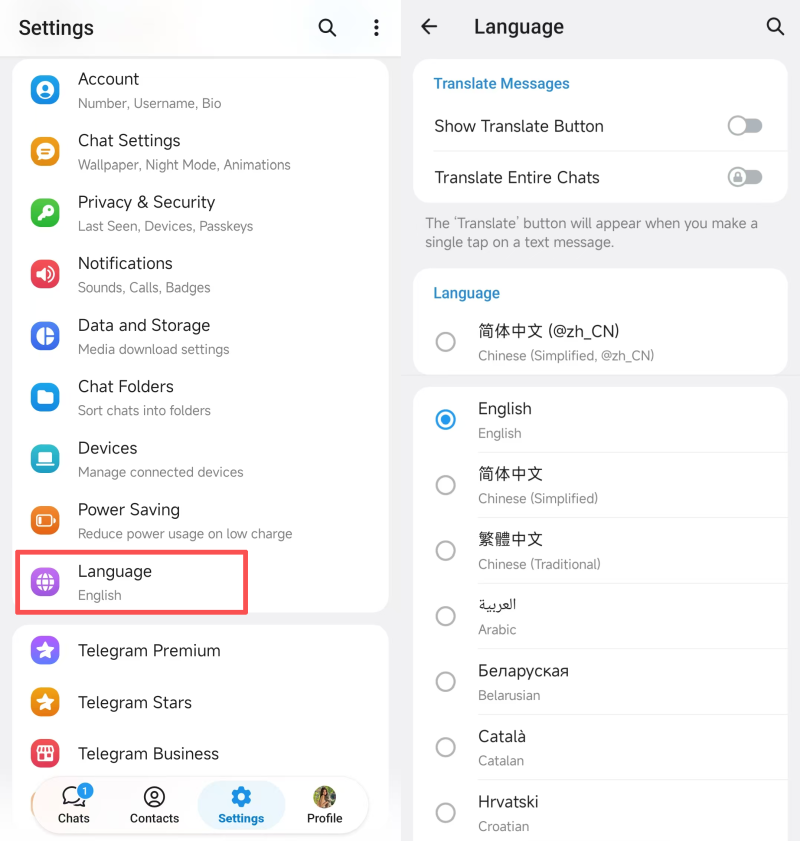
If your Telegram app is updated to the latest version, you can switch the language by following these steps:
The interface will update instantly, and no restart is required.
As Telegram continues to grow, it has evolved beyond a simple messaging app into a platform for content distribution and community interaction.
Typical use cases include:
In many of these scenarios, accounts are used long-term and across multiple devices, which makes account stability increasingly important.
Unlike some other platforms, Telegram uses phone numbers as a core part of its account system.
Phone verification is required for:
This means your phone number is not just for sign-up—it directly affects your ability to access and maintain your account over time.
While Telegram allows multiple accounts on the same device, each account must be linked to a unique phone number. In practice, users may encounter issues such as:
Choosing a reliable phone number solution is therefore essential for long-term use.
For users who need a more stable setup, combining a cloud phone with a dedicated phone number can help ensure consistency across registration, login, and ongoing use.
DuoPlus provides:
This setup keeps both your device environment and number consistent, which can improve account reliability.
Note: Cloud numbers are designed for receiving SMS verification codes and do not support voice calls.
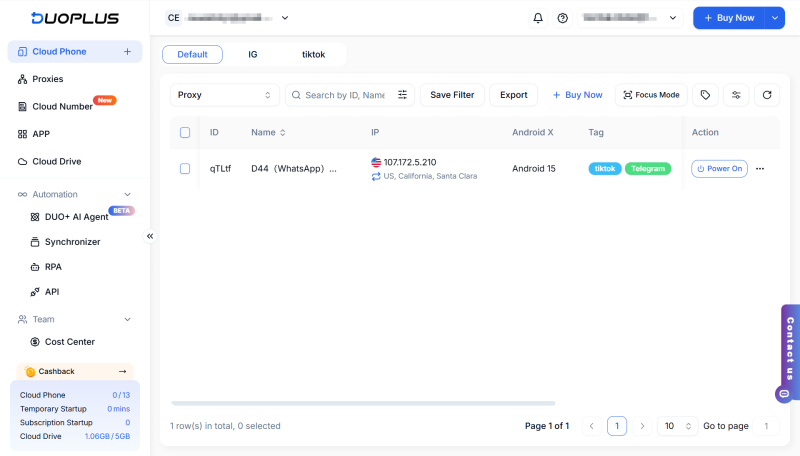
1.Create a cloud phone
Set up a dedicated Android environment for your Telegram account
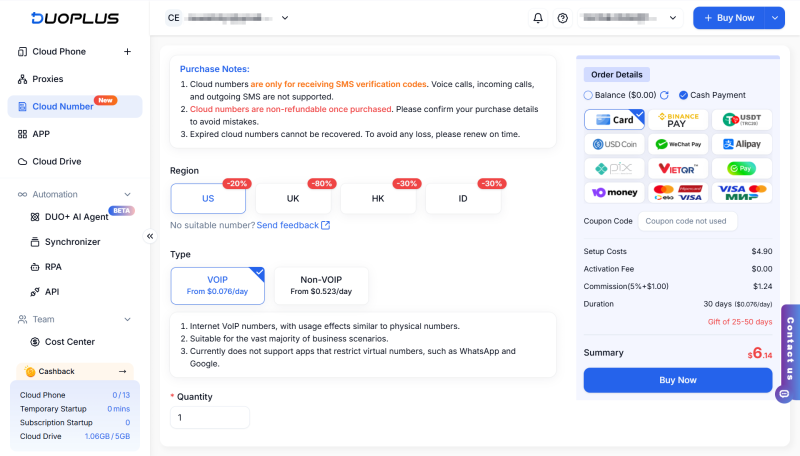
2.Get a phone number
Use a number that supports SMS verification
3.Install and open Telegram
Download the app and start the sign-up process
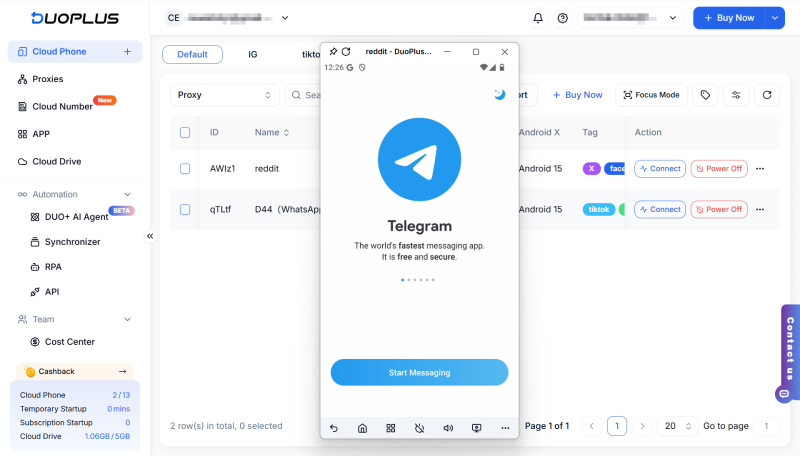
4.Enter the number and verify
Receive the code and complete verification
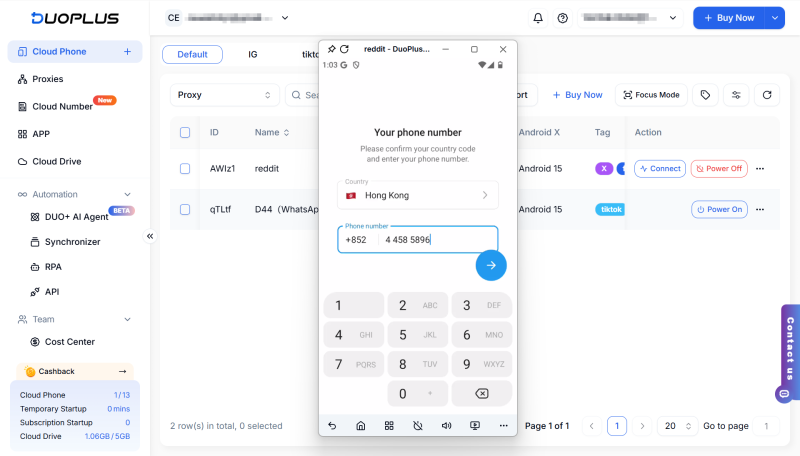
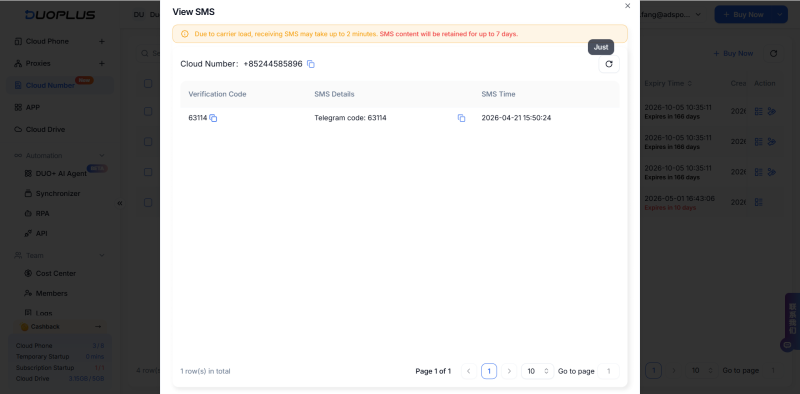
5.Complete your profile
Set your username, avatar, and basic information
Compared to using temporary numbers on local devices, this approach offers:
1.Why am I not receiving a Telegram verification code?
This can happen due to several reasons:
2.Can I use a virtual number to sign up for Telegram?
Some virtual numbers may work, but reliability varies. For long-term use, it’s recommended to use a number that can consistently receive verification codes.
3.Why does Telegram ask for verification again when logging in?
Telegram may require additional verification when detecting a new device or unusual activity, as part of its security system.
👉More questions about Telegram
The introduction of a Chinese interface makes Telegram more accessible for new users, especially when navigating features like channels, groups, and bots.
At the same time, as usage scenarios become more complex, maintaining account stability becomes increasingly important.
If you manage multiple accounts or need a more consistent setup, using tools like cloud phones and dedicated numbers can help improve reliability and overall efficiency.
For users who are new to LINE, adding friends and joining communities are usually the first steps after completing …
LINE is a messaging app widely used in many countries and regions across Asia. In addition to text messaging, it …

Instagram content requires consistent publishing, especially when you regularly post Reels and feed content. Manually …
No need to purchase multiple real phones.
With DuoPlus, one person can operate numerous cloud phones and social media accounts from a single computer, driving traffic and boosting sales for you.
