




How to Use the DuoPlus Clipboard to Manage Multiple Social Media Accounts More Efficiently
When managing multiple social media accounts, you often need to handle large amounts of text, including post captions, …
TamilMV not working? Learn the most common reasons why TamilMV becomes unavailable, including domain changes, regional restrictions, DNS issues, and network configuration problems. Explore practical solutions such as proxies, VPNs, anti-detect browsers, and DuoPlus Cloud Phone for more reliable access.

Get an AI-Powered Summary of This Article
As copyright enforcement continues to tighten, TamilMV frequently becomes unavailable due to domain changes, regional restrictions, or other network-related issues. Many users find that a website which worked yesterday suddenly stops loading, displays connection errors, or redirects to a different page.
In many cases, this doesn't necessarily mean that TamilMV has been shut down. The issue may instead be caused by regional restrictions, domain updates, DNS resolution problems, or your local network configuration.
In this guide, we'll explain the most common reasons why TamilMV may not be accessible and walk through several practical solutions. For users who regularly access overseas websites or need to test different network environments, we'll also explain why more people are choosing DuoPlus Cloud Phone as an isolated browsing solution.
TamilMV is a third-party movie website that primarily offers South Indian entertainment, including the latest Tamil, Telugu, Malayalam, Kannada, and Hindi movies and TV shows. It also provides dubbed movies, regional releases, web series, TV programs, and selected English-language films, making it a popular destination for movie enthusiasts.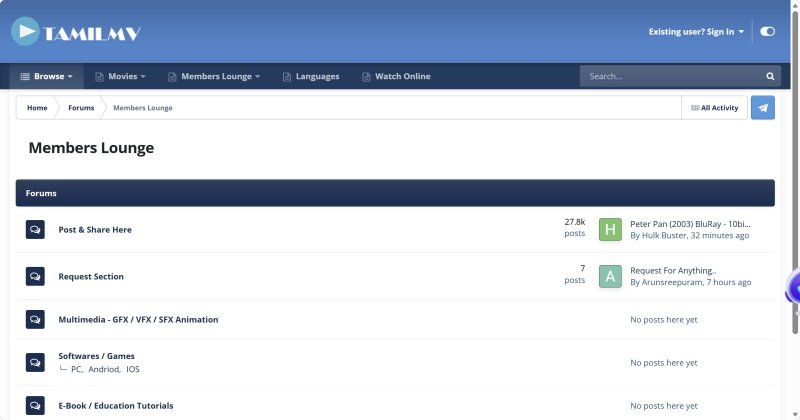
Because TamilMV distributes copyrighted content without authorization, it is subject to copyright enforcement in many countries and regions. As a result, its domains are frequently blocked, suspended, or replaced with new ones.
This is why users often encounter problems such as inaccessible websites, expired domains, or pages that fail to load.
In most cases, accessibility issues are caused by network conditions, domain changes, local configurations, or the website itself.
The following are the most common reasons.
Due to copyright regulations, internet service providers (ISPs) in some countries restrict access to TamilMV.
Even if you're using the correct domain, your browser may display connection errors, timeouts, or messages indicating that the website cannot be reached.
TamilMV changes its domain frequently, and older addresses often become unavailable.
If you're still using an outdated URL, you may encounter "Page Not Found" errors, server connection failures, or unexpected redirects to unrelated websites.
Before troubleshooting anything else, verify that you're using the latest available TamilMV domain.
Sometimes the website is still online, but your local DNS cache hasn't been updated or your DNS provider cannot resolve the latest domain correctly.
In these cases, you may see errors such as:
Like any other website, TamilMV may occasionally become unavailable because of server maintenance, unexpected outages, or heavy traffic.
If you've confirmed that you're using the correct domain and your network connection is working normally, the issue may simply be temporary. Waiting a while and checking the website status again is often the best approach.
If TamilMV isn't loading, it doesn't necessarily mean the website has been shut down. In most cases, the issue is related to domain changes, regional restrictions, or your network environment.
The following troubleshooting steps can help you identify and resolve the problem.
Before changing your network settings, first confirm that TamilMV is currently online.
Sometimes the website is temporarily unavailable due to maintenance, or a specific mirror domain has stopped working while others remain accessible. If the server itself is offline, changing your proxy or DNS settings won't solve the problem.
You can use a website status checker to see whether TamilMV is online, or verify that you're using the latest available domain or mirror site.
Best for:
If the website is accessible to other users but not on your device, the problem may be related to DNS resolution.
Your ISP or local DNS cache may still be pointing to an outdated domain after TamilMV changes its address.
Try clearing your local DNS cache or switching to a public DNS service such as Google Public DNS or Cloudflare DNS, then try accessing the website again.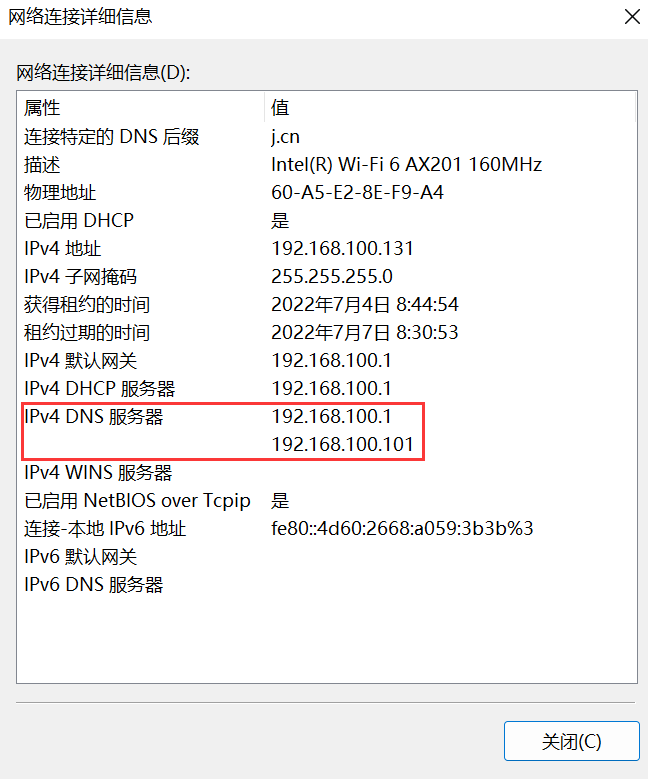
Best for:
If TamilMV is blocked in your region, using a proxy or VPN is usually the most effective solution.
Both route your internet traffic through servers in other locations, helping you bypass local network restrictions. However, they serve slightly different purposes.
A VPN routes most or all of your device's traffic through a secure connection, making it a convenient option for users who simply want to access blocked websites. However, free VPN services often suffer from slower speeds, unstable connections, and limited server availability.
A Proxy typically routes traffic only for a specific browser or application, providing greater flexibility and more control over your network configuration. For users who need stable long-term access, high-quality Residential Proxies or ISP Proxies generally offer better reliability than free proxy services.
If you only need occasional access to TamilMV, a VPN is often sufficient. For users who require a stable browsing environment over the long term, a proxy usually provides greater flexibility.
Best for:
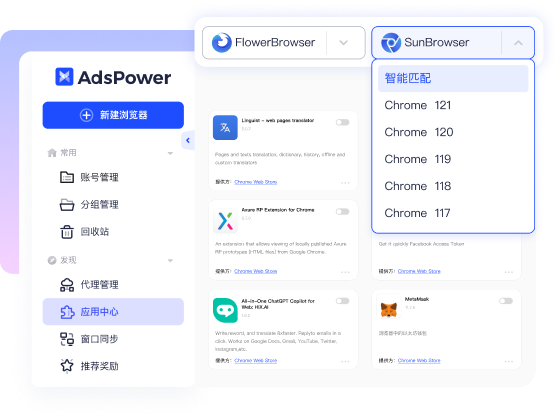
If a standard browser consistently fails to access TamilMV, an anti-detect browser such as AdsPower may be another option.
Anti-detect browsers create isolated browser profiles, each with its own cookies, local storage, browser fingerprint, and proxy configuration.
Although they're primarily designed for multi-account management, they can also help users maintain a consistent browsing environment and reduce issues caused by frequently changing browser settings.
Best for:
If none of the previous methods resolve the issue—or if you want a more stable and isolated browsing environment—you can access TamilMV directly through DuoPlus Cloud Phone.
Each cloud phone runs independently in the cloud and supports its own dedicated Proxy IP. All web traffic originates from the cloud phone rather than your local device, reducing the impact of changes to your local network environment.
With DuoPlus Cloud Phone, simply configure a proxy for the cloud phone and access TamilMV through the built-in browser. There's no need to modify your computer's network settings, and other applications on your local device remain unaffected.
Compared with changing your local network configuration, a cloud phone provides a dedicated browsing environment that's easier to manage. When you need to switch network settings, you only need to update the cloud phone without disrupting your normal workflow.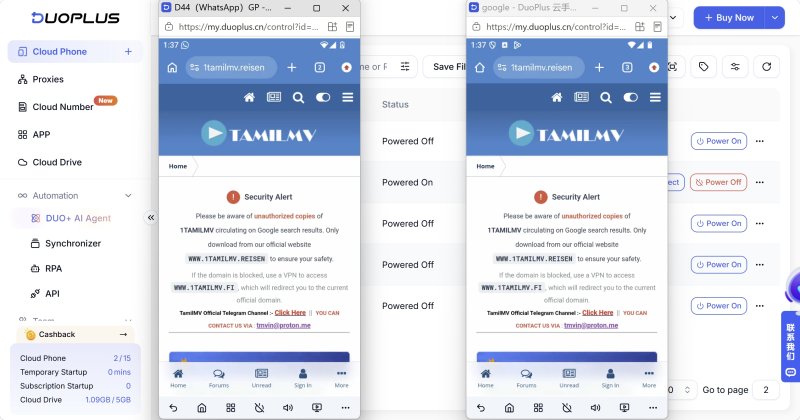
Best for:
If you only access TamilMV occasionally, a working proxy or VPN is usually enough. However, if you frequently encounter connection issues, unstable network performance, or regularly access third-party websites, simply switching proxies isn't always a long-term solution.
A stable browsing environment typically depends on three key factors.
The quality of your proxy has a direct impact on connection stability and accessibility.
Compared with free proxies, reliable Residential Proxies and ISP Proxies generally provide better performance, higher success rates, and more consistent connections.
It's also recommended to avoid frequently switching between different countries or regions, as constantly changing IP locations may lead to unstable connections.
Your browser environment can also affect your browsing experience.
Frequently changing browser settings, clearing cookies, installing or removing extensions, or using the same browser profile for different activities may sometimes lead to loading issues, repeated verification requests, or additional CAPTCHA challenges.
If you regularly access third-party websites, maintaining a dedicated browsing environment can help provide a more consistent experience.
If your local network changes frequently or you regularly switch between different proxy configurations, keeping your browsing environment in the cloud can provide greater stability.
For example, DuoPlus Cloud Phone provides an independent Android environment for each device and supports dedicated Proxy IP configurations. All network traffic originates directly from the cloud phone, reducing the impact of local network changes or device configuration differences.
If you also use platforms such as X, Reddit, TikTok, or Telegram, you can manage website access and your day-to-day activities within the same cloud phone, creating a more consistent and centralized browsing environment.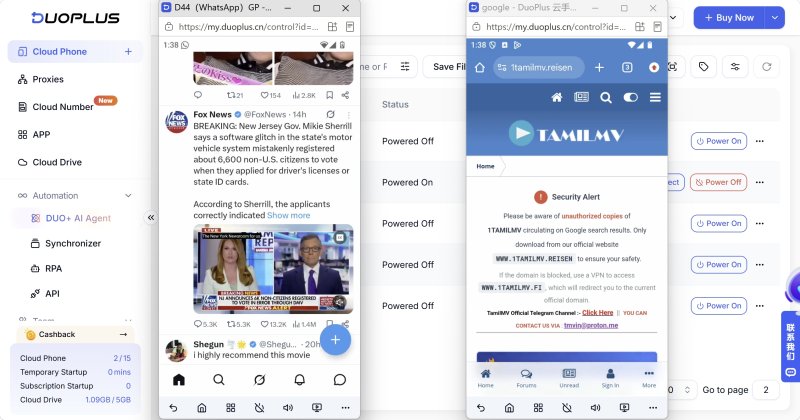
TamilMV becoming unavailable doesn't necessarily mean the website has been shut down. In many cases, the issue is caused by regional restrictions, domain changes, DNS resolution problems, or local network configurations.
By checking the website status, updating your DNS settings, using a reliable proxy, and optimizing your browsing environment, most access issues can be resolved.
If you need long-term access to TamilMV or frequently visit other third-party websites, DuoPlus Cloud Phone provides an isolated device environment where you can manage your proxy, device, and browsing environment in one place for a more stable browsing experience.
TamilMV may become unavailable for several reasons, including:
If you can't access the website, first check whether it's online, then review your DNS settings and network environment before trying a proxy or VPN.
Because TamilMV frequently changes its domain due to copyright enforcement, it doesn't have a permanent official URL.
If your previous link no longer works, look for the latest available domain from a trusted source and avoid using unknown mirror sites that may pose security risks.
In many cases, yes.
If TamilMV is blocked in your region, a proxy or VPN can help bypass local restrictions. However, if the website is offline, the domain has changed, or there is a DNS issue, changing your network alone may not solve the problem.
It's always a good idea to verify the website's status before troubleshooting your network.
DuoPlus Cloud Phone doesn't automatically bypass restrictions, but it provides an independent Android environment for browsing.
Each cloud phone can be configured with its own Proxy IP, allowing you to access websites directly from the cloud without affecting your local network or device. This makes it easier to maintain a stable browsing environmen
When managing multiple social media accounts, you often need to handle large amounts of text, including post captions, …
E-commerce operations and social media content management often require saving product specifications, descriptions, …

Muse has recently become one of the most talked-about AI Agent products in the AI tools space. As a new AI Agent from …
No need to purchase multiple real phones.
With DuoPlus, one person can operate numerous cloud phones and social media accounts from a single computer, driving traffic and boosting sales for you.

