





How to Log In to Codex: What to Do If You Don't Receive the Phone Verification Code
OpenAI Codex is an AI coding agent designed to help developers write, modify, review, and deliver code. It is available …
Discover how to use Facebook Reels for content research and inspiration in 2026. This guide covers the latest algorithm updates, the difference between saving and downloading, and the best tools like FDownloader and SnapSave for archiving video material legally and ethically.

Get an AI-Powered Summary of This Article
For content operations teams, short-form video creators, and cross-platform account managers, Facebook Reels is emerging as a valuable new source for video case studies and creative inspiration.
Historically, most teams turned to TikTok, Instagram Reels, or YouTube Shorts for reference material. However, in 2026, Facebook has significantly strengthened its content recommendation algorithms, creator support programs, and original content protection measures. In March 2026, Meta launched the Creator Fast Track program , which guarantees increased Reels reach and guaranteed monthly earnings for eligible creators. This initiative is successfully attracting established creators from TikTok, Instagram, and YouTube back to Facebook to publish original short-form content.
As a result, more and more content professionals are using Facebook Reels as a research library: gathering trending topics, studying effective video hooks, analyzing comment section insights, and more. Importantly,Saving Facebook Reels for research does not mean reposting or repurposing others' content without permission. The ethical and legal approach is to use these videos for content research, inspiration, and reference for original re-creation, not to download and re-upload them directly.
Meta is redirecting significant resources toward short-form video recommendations and original content. In March 2026, the company updated its original content policy: original videos receive substantially higher reach and monetization opportunities, while non-original or repurposed content sees reduced algorithmic priority.
This means Facebook Reels should be treated as a distinct content testing channel, not just a secondary platform for cross-posting from TikTok or Instagram. For teams focused on affiliate marketing, branded content, tutorials, and product reviews, Facebook Reels offers unique insights into:
These insights are not for copying—they help you understand what makes Facebook users stop scrolling, engage, and share content.
While all three platforms feature short-form video, their user behaviors and content dynamics differ significantly:
When saving Facebook Reels for research, focus not just on the video itself, but also on the account type, comment tone, sharing context, and audience feedback.
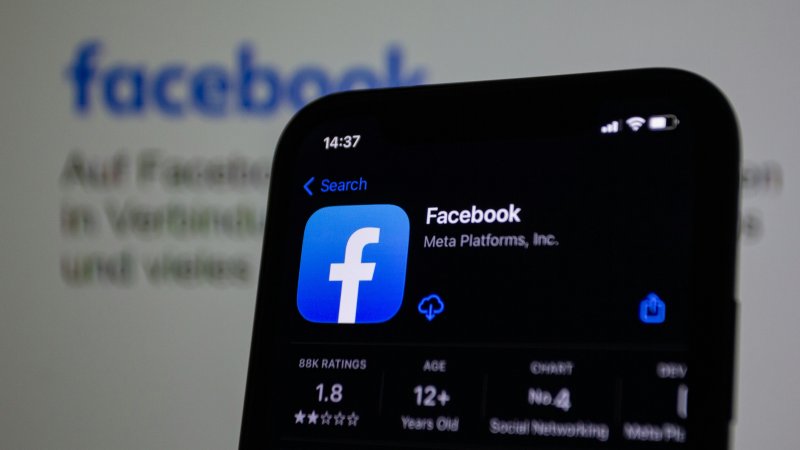
Many users notice that Facebook Reels has a "Save" button, but this does not always allow direct download to your device. Even for videos you published yourself, download availability can vary based on when the content was posted. There are two key reasons for this:
Clicking the "Save" button on Facebook only adds the video to your account's saved collection for later viewing within the Facebook app. It does not download the video file to your phone's gallery or computer.
For casual inspiration, Facebook's built-in Save feature is sufficient. However, if your team needs to archive material in a shared folder, add notes, break down scripts, or organize content across devices, you will need additional methods.
Meta's intellectual property policy explicitly prohibits posting content that infringes on others' copyrights or trademarks. The platform is also actively enforcing original content protection, prioritizing videos created directly by the account owner and reducing visibility for repurposed content.
Saving Facebook Reels for learning, research, and internal reference is acceptable, but you should never download and re-upload someone else's video to another account. This is especially important for videos containing music, human likenesses, branded assets, product demonstrations, film clips, or original scripts.
Instead, extract the core ideas: topic, structure, hook, camera language, and audience feedback. Then film, voiceover, and edit your own original version.

For quick access to videos you want to revisit later, use Facebook's native Save button. This stores the video in your account, not on your device.
If you published the Reel yourself, check if the official download option is available. You can typically download your own Reels to your device, though availability may vary by post date.
However, this method has limitations if you need to build a team research library, archive public case studies, or break down scripts locally.
Online download tools are the most common way to save Facebook Reels. They require no software installation and follow a simple process:
These tools are suitable for saving public Reels for content analysis, script breakdown, topic reference, or internal team reviews. Below are three popular options for different use cases:
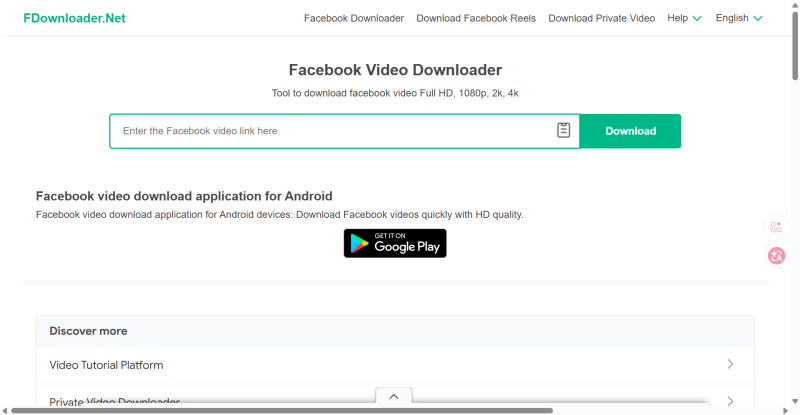
FDownloader supports Facebook video and Reels downloads in HD, 2K, and 4K resolutions, and offers both MP4 video and MP3 audio formats.
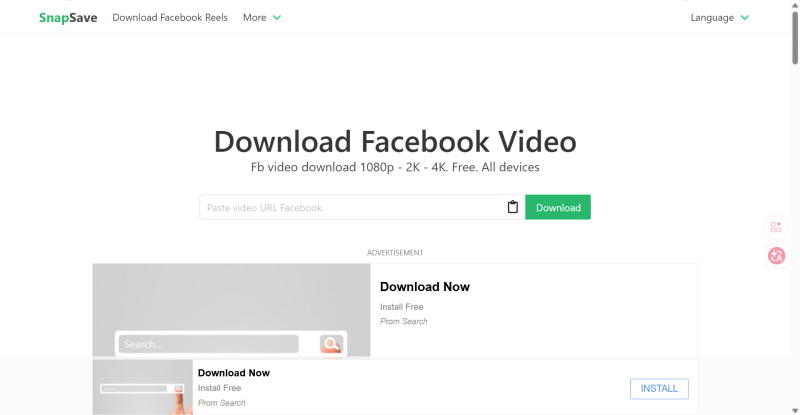
SnapSave is designed for lightweight, fast downloads and works directly in mobile and desktop browsers without app installation.
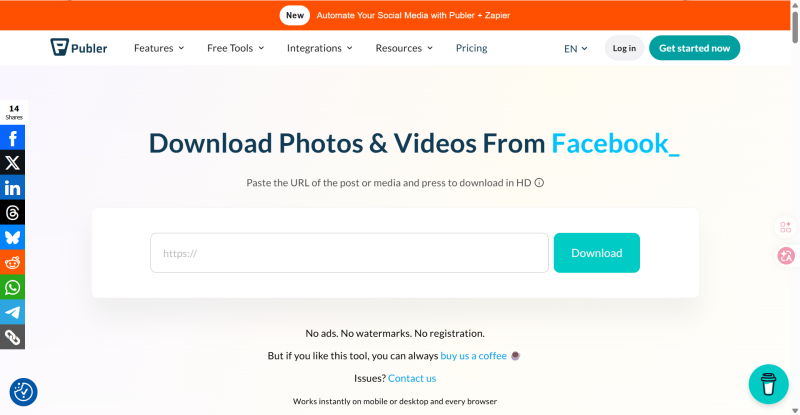
Publer offers a clean, ad-free interface with no registration required and no watermarks on downloaded videos.
| Use Case | Recommended Tool |
|---|---|
| High-quality video preservation | FDownloader |
| Fast mobile downloads | SnapSave |
| Beginner-friendly light use | Publer Free Reels Downloader |
| Long-term team material management | Not recommended to rely solely on web tools |
Important Disclaimer: Third-party download tools only solve the technical problem of saving videos. They do not grant you copyright or commercial use rights. Always use saved Reels for learning, analysis, and internal reference only.
Screen recording is the most direct method, especially for capturing video ideas, comment section feedback, profile layouts, or engagement metrics.
It requires no third-party tools or link parsing, but has drawbacks: inconsistent video and audio quality, large file sizes, and unsuitability for bulk long-term archiving.
Screen recording is best for internal discussions and quick inspiration notes, not for formal material archiving.
When managing multiple Facebook accounts for different purposes—such as "research accounts," "original content accounts," and "testing accounts"—frequently switching between them on a single device can lead to disorganized materials, frequent login verifications, and operational environment issues.
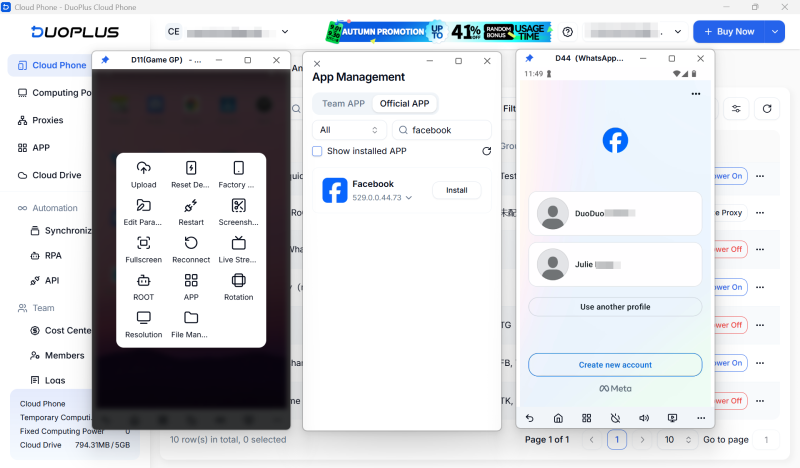
In this case, you can use DuoPlus Cloud Phone to log into different Facebook accounts in separate isolated device environments. This streamlines material organization, content creation, and account publishing, while reducing the risks associated with frequent account switching.
This is usually due to video privacy settings, regional restrictions, or link format issues. Always copy the "Share link" and ensure the video is public. If web tools still fail, use the native Save feature or screen recording for internal reference.
Many Reels use music from Meta's licensed library. Some tools can only parse the video track, not the audio. Meta also reserves the right to mute or restrict audio based on regional copyright agreements.
No. Even if you can download a video, it does not grant you commercial rights to the music, voiceover, or visual content. Meta enforces strict music copyright restrictions and content policies.
Video quality depends on the original upload, platform compression, and the download tool's parsing capabilities. For content teams, the value of Reels research lies in analyzing scripts, shots, and pacing—not preserving perfect video quality.
For individual creators, saving material is a personal habit. But when you manage multiple accounts across Facebook, Instagram, TikTok, and Pinterest, material organization must be integrated with account management, content testing, and publishing records.
In 2026, Facebook Reels has become a valuable short-form video channel worth studying. The goal of saving and organizing material is never to download and repost—it is to analyze, deconstruct, and create original content. For daily inspiration, public research, and long-term team knowledge management, you can flexibly use platform saves, official downloads, online tools, and screen recording.
OpenAI Codex is an AI coding agent designed to help developers write, modify, review, and deliver code. It is available …
VK (VKontakte) is one of the major social media platforms in Russia. In addition to account management, content …
ChatGPT is available through both the web version and desktop/mobile apps. The web version requires no installation and …
No need to purchase multiple real phones.
With DuoPlus, one person can operate numerous cloud phones and social media accounts from a single computer, driving traffic and boosting sales for you.
