





How to Sign Up for Meta Muse and Use a Referral Code
Muse has recently become one of the most talked-about AI Agent products in the AI tools space. As a new AI Agent from …
Discover the partnership between RapidProxy and DuoPlus Cloud Phone, offering a secure and scalable infrastructure for multi-account operations. Access premium residential proxies with global coverage, flexible IP options, and a free trial to enhance your online experience.

Get an AI-Powered Summary of This Article
RapidProxy and DuoPlus Cloud Phone have officially established a friendly partnership to provide users with a secure, stable, and scalable infrastructure for multi-account operations.
RapidProxy – Enterprise-Grade Residential Proxy Infrastructure for Global Connectivity
Global Coverage: Access premium IP resources across 220+ countries and regions with support for precise city-level targeting.
Residential-Grade Anonymity: All IPs originate from real residential networks, effectively mimicking genuine user behavior to avoid detection by anti-fraud systems.
Flexible IP Options: Choose between rotating residential IPs for automation tasks or long-session sticky/ISP proxies for stable identity management.
Non-Expiring Bandwidth: Pay-as-you-go traffic with no expiration limits, allowing for flexible and cost-efficient usage.
High Compatibility: Fully supports HTTP(S) and SOCKS5 protocols, compatible with browsers, scraping tools, automation frameworks, and API clients.
Free Trial Available: Easily test performance and integration with complimentary traffic credits for new users.
Steps to Get proxy details from RapidProxy
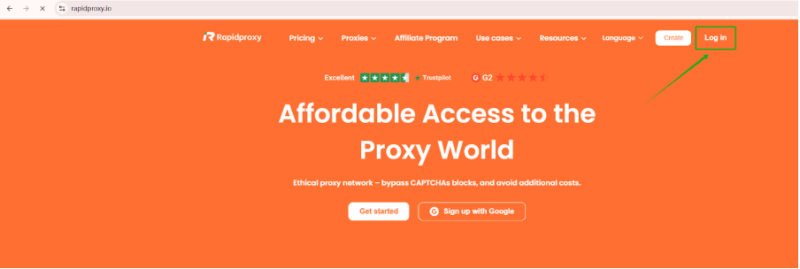
1. Log in to the RapidProxy website
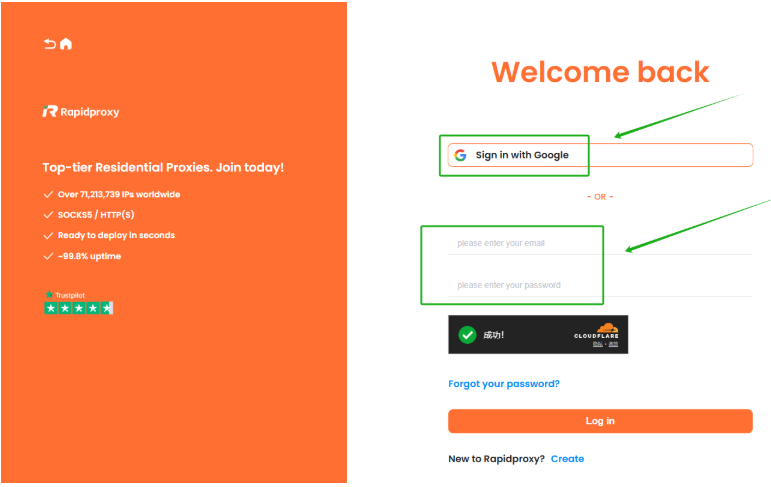
Go to https://www.rapidproxy.io/?ref=dplus and click 【Log in】. There are two login methods:
2. Go to the dashboard
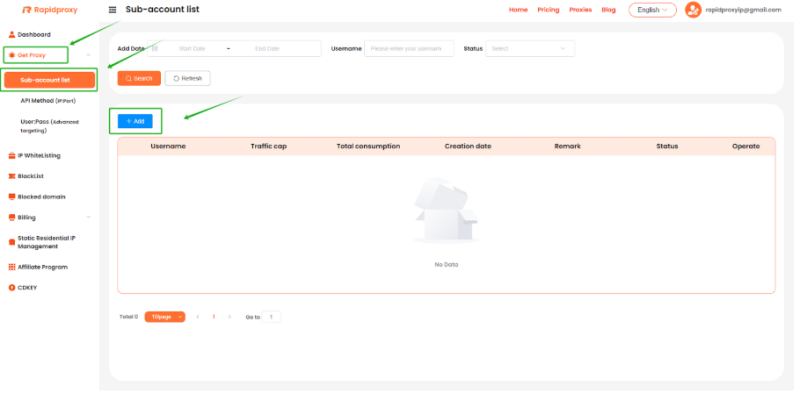
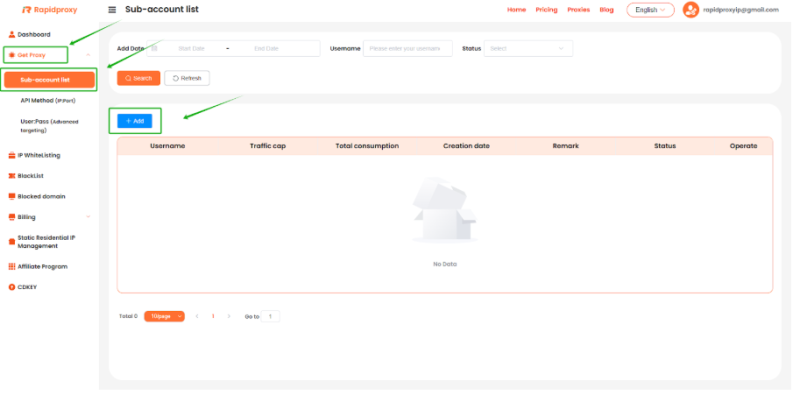
After logging in, go to the RapidProxy dashboard and click: 【Get Proxy】 → 【Sub-account list】 → 【+Add】
3. Enter sub account information
In the pop-up window, fill in the following:
Then click 【Confirm】 to save the sub account.
4. Configure proxy parameters
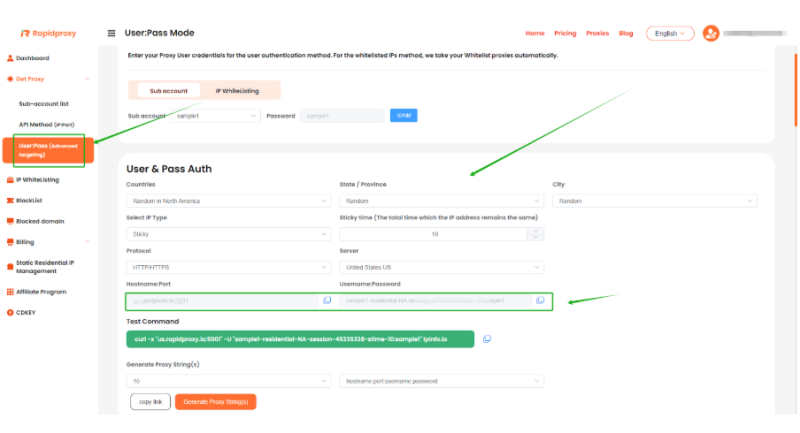
Then just open your DuoPlus Cloud Phone to enjoy your journey.
Muse has recently become one of the most talked-about AI Agent products in the AI tools space. As a new AI Agent from …

OpenAI Codex is an AI coding agent designed to help developers write, modify, review, and deliver code. It is available …

VK (VKontakte) is one of the major social media platforms in Russia. In addition to account management, content …
No need to purchase multiple real phones.
With DuoPlus, one person can operate numerous cloud phones and social media accounts from a single computer, driving traffic and boosting sales for you.

