
How to Safely Manage Multiple Social Media Accounts Without Getting Banned in 2026
A lot of people still approach multi-account management the way it worked a few years ago — create several profiles, add …

Table of Contents
TikTok has become one of the most important growth channels for creators, affiliate marketers, and performance-driven teams. But as the number of accounts increases, so does the operational complexity.
Managing a single TikTok account is relatively straightforward. However, when running multiple TikTok accounts, things quickly become more complicated:
For most teams, these tasks are time-consuming and difficult to sustain manually over the long term.
This is where automation becomes essential. Instead of spending hours on repetitive actions, you can leverage tools that help you focus on strategy and content.
DuoPlus combines cloud phones with an AI Agent to provide a more scalable and efficient way to manage multiple TikTok accounts—especially for tasks like TikTok warming and daily engagement.
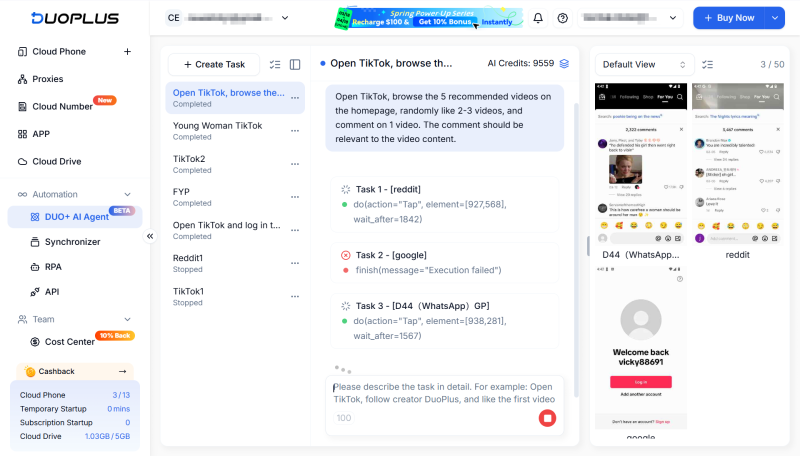
DuoPlus introduces the DUO+ AI Agent, which brings AI-driven task execution directly into a cloud phone environment.
There's no need for plugins, scripts, or third-party integrations. The AI Agent can directly control the cloud phone to perform tasks just like a real user.
More importantly, it supports batch execution across multiple devices.
That means:
A single instruction can trigger actions across dozens of cloud phones simultaneously—handling TikTok warming, engagement, or content posting at scale.
Automation isn't just about saving time—it's also about maintaining account stability.
TikTok's system is highly sensitive to abnormal behavior. If your setup lacks a realistic device environment or shows repetitive patterns, accounts can easily be flagged.
The DUO+ AI Agent works effectively because it combines two key elements:
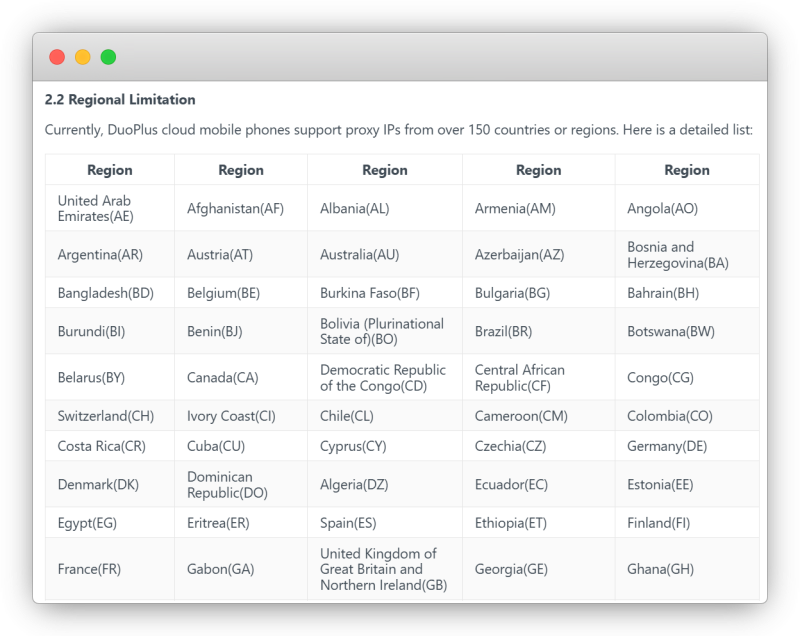
Each TikTok account runs on a dedicated cloud phone, which simulates a real Android device.
DuoPlus uses ARM-based infrastructure to provide:
This ensures that every account behaves like a real user.
A clean, isolated device environment is the foundation for safely managing multiple TikTok accounts.
Traditional automation tools often require scripting, workflow configuration, and ongoing maintenance.
For many affiliate marketers and operators, this creates unnecessary friction.
With the DUO+ AI Agent, you can simply describe what you want:
No coding. No setup. Just clear instructions.
Even better, the system supports up to 50 cloud phones running tasks simultaneously, making it ideal for scaling TikTok operations.
Different tasks require different instructions. To get the best results, you need to provide clear and structured prompts.
Here are some practical examples for common TikTok workflows:
Before any action, accounts need to be logged in.
Example prompts:
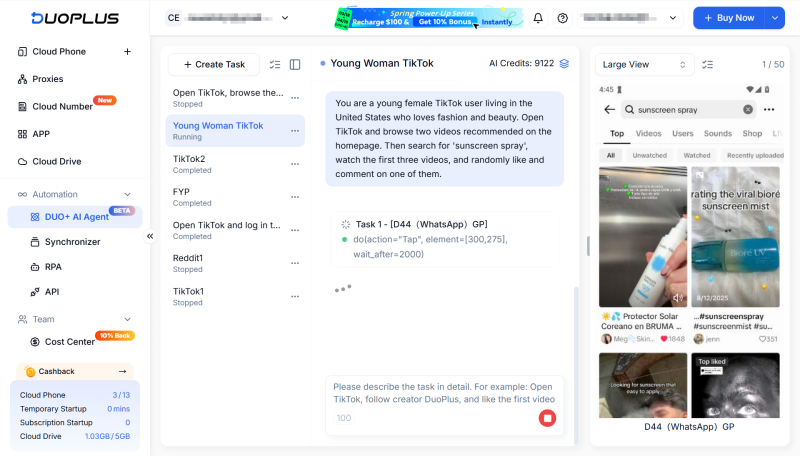
TikTok warming is critical for new accounts. It helps establish normal user behavior and reduces the risk of being flagged.
Instead of doing this manually, the AI Agent can handle it at scale.
Example prompts:
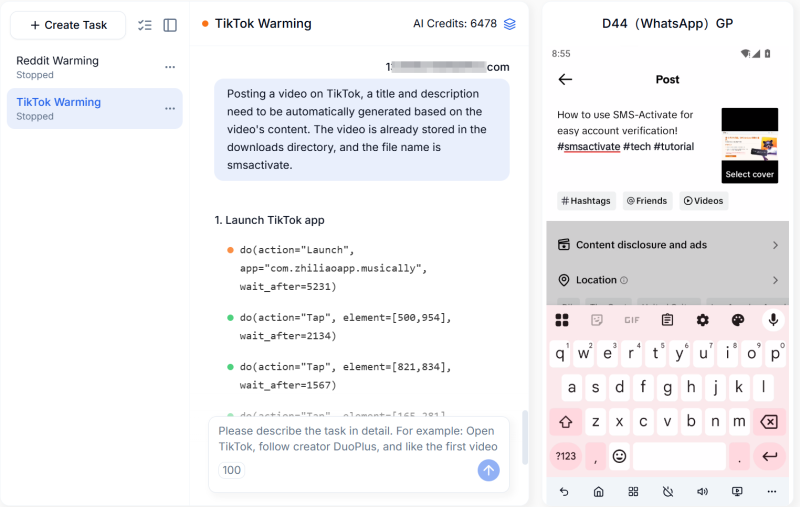
Consistent posting is key to growing TikTok accounts. With the DUO+ AI Agent, you can automate the entire publishing workflow:
Steps:
Example prompt:
The AI Agent will upload the video, generate captions and publish the content.
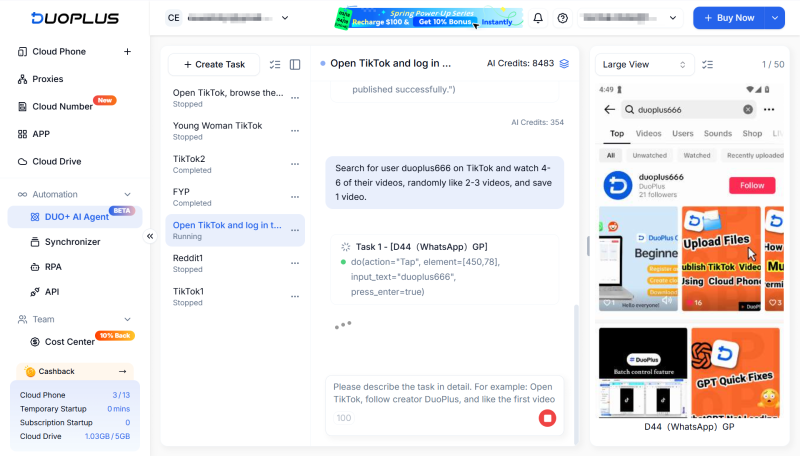
Beyond passive scrolling, targeted engagement helps improve account positioning and reach the right audience.
This is especially useful during the early growth stage.
Example prompts:
The real challenge of managing multiple TikTok accounts isn't knowing what to do—it's being able to execute consistently at scale.
By combining AI Agent automation with cloud phone environments, you can:
This allows you to focus on what actually drives growth—content, positioning, and monetization.
For affiliate marketers and operators managing multiple TikTok accounts, this approach provides a more sustainable way to scale.
DuoPlus Cloud Phone
Protect your multiple accounts from being
A lot of people still approach multi-account management the way it worked a few years ago — create several profiles, add …
If you've been trying to reach users in Russia via WhatsApp or Telegram, you may have noticed things aren't as smooth as …
No need to purchase multiple real phones.
With DuoPlus, one person can operate numerous cloud phones and social media accounts from a single computer, driving traffic and boosting sales for you.
