





How to Increase TikTok Shop GMV: 5 Practical Strategies for Sustainable Growth
TikTok Shop gives sellers multiple ways to reach potential customers, from shoppable videos and livestreams to creator …
Learn how to download the Meesho app, access Meesho Web, register an account, and fix common issues such as “Access Denied.” This guide also covers solutions for users outside India and explains how cloud phones can provide a more stable environment for long-term Meesho operations.

Get an AI-Powered Summary of This Article
As one of India's leading homegrown e-commerce platforms, Meesho has become a popular shopping destination for Indian consumers and an important platform for sellers looking to enter the Indian e-commerce market.
For first-time users, however, getting started with Meesho is not always straightforward. Users outside India may have trouble finding the app in their local app store, while accessing the Meesho website can sometimes result in an “Access Denied” message.
This guide covers everything you need to know to get started with Meesho, including app downloads, account registration, Meesho Web access, and common troubleshooting methods.
Meesho is an Indian e-commerce platform serving both consumers and sellers.
For shoppers, Meesho offers a wide range of affordable products across categories such as fashion, home and kitchen, beauty and personal care, baby products, and more. The platform is particularly known for its focus on value-oriented shopping and India's price-sensitive consumer market.
For sellers, Meesho provides tools for product listings, order management, and sales distribution. Its relatively low entry barrier has also made it a popular option for small businesses and individual sellers in India.
According to figures disclosed by Meesho in March 2026, the platform had more than 251 million annual transacting users. Meesho also introduced Vaani, a generative AI-powered voice shopping assistant, as part of its efforts to make digital shopping more accessible to users across India.
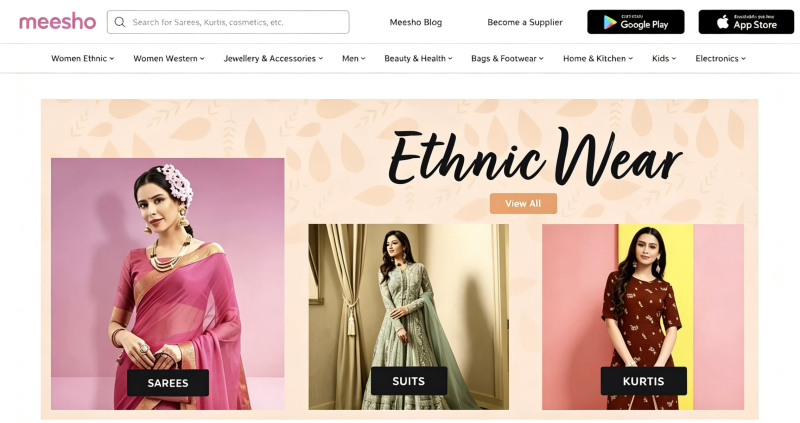
Meesho offers separate mobile experiences for consumers and sellers, with support for both Android and iOS devices.
Because Meesho primarily serves the Indian market, app availability can vary depending on your app store region.
The recommended way to install Meesho on Android is through the Google Play Store.
Simply search for Meesho in Google Play and install the official app.
However, users outside India may not see the app in their local Play Store. This is usually related to the country or region associated with the Google account rather than a problem with the app itself.
If Meesho does not appear in search results, switching the Google Play account to India may make the app available.
Another option is to install Meesho using an APK file when Google Play is not available.
However, downloading APKs from third-party websites comes with security risks. Unofficial APK packages may contain modified code, unwanted advertisements, or malicious software. If you choose this method, use a reputable source and verify the file before installation.
If you need to run the Android version of Meesho without installing an unknown APK on your primary phone, a cloud phone can provide an isolated Android environment in the cloud. This allows the app to run separately from your physical device without consuming local storage or system resources.
On iPhone and iPad, Meesho is distributed through the Apple App Store.
As with Android, the app is primarily available in the India App Store, so users whose Apple ID is registered in another region may not be able to find it.
If Meesho does not appear in your App Store search results, you may need to switch your Apple Account's country or region to India before searching for “Meesho: Online Shopping.”
Keep in mind that changing your App Store region can affect your existing subscriptions, payment methods, and account balance, so check Apple's requirements before making the change.
After installing the app, you need to register a Meesho account before using its services.
For users registering from outside India, one of the main challenges is phone verification. Meesho registration generally requires an Indian mobile number and SMS-based OTP verification.
During registration, users are typically asked to provide a phone number with the +91 country code and enter the OTP received by SMS.
If you don't have access to an Indian mobile number, DuoPlus Cloud Numbers can provide access to Indian phone numbers for SMS verification without requiring a physical SIM card.
This can be useful for users who need an Indian number specifically for account registration and verification.
Meesho Web is the browser-based version of Meesho. Unlike the mobile app, it does not require an installation. Users can open the Meesho website in a desktop browser to search for products, browse categories, view product details, and complete basic shopping activities.
For example, Meesho Web can be convenient when you need to:
However, users outside India may encounter access restrictions when opening the website. One of the most common symptoms is an “Access Denied” message, which prevents the page from loading normally.
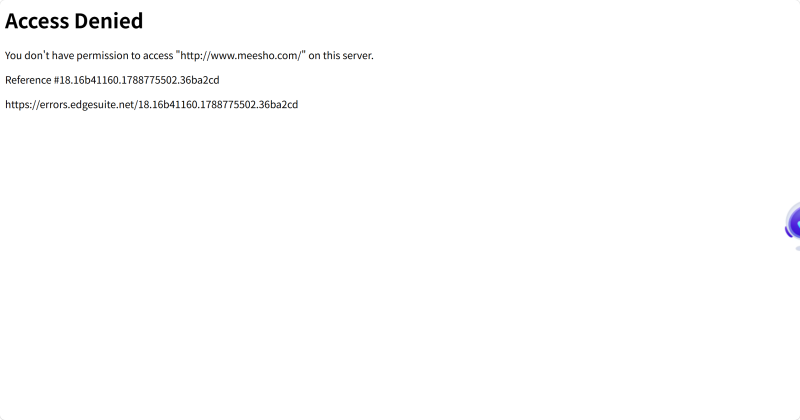
If Meesho displays “Access Denied,” the first thing to check is your network location.
Because Meesho primarily operates in India, its website may apply geographic and security controls to incoming requests. An IP address associated with a location outside India can therefore be one of the main reasons why the website refuses access.
However, location is not the only possible cause. Other factors can include:
Therefore, “Access Denied” does not necessarily mean that Meesho itself is down. In many cases, the issue is related to the combination of IP location, IP reputation, browser environment, and access behavior.
The right solution depends on what is causing the restriction. It's best to start with simple browser and network troubleshooting before moving to a more stable setup.
If the problem is caused by geographic restrictions, switching to an Indian IP address is one of the most direct solutions.
A legitimate proxy with an Indian residential or mobile IP can make the network location appear to be in India, which may allow Meesho Web to load normally.
This approach is suitable for occasional activities such as browsing products, checking prices, or conducting lightweight market research.
If changing the IP does not solve the problem, clear your browser's cache and cookies.
You can also temporarily disable browser extensions and then reopen Meesho. This helps determine whether the issue is related to stored session data or a browser extension.
Open Meesho in an incognito or private browsing window. You can also try another browser such as Chrome or Edge.
If the website works in a fresh browser environment but not in your normal browser, the problem may be related to cookies, extensions, or browser configuration.
If you are making frequent requests or performing repetitive operations, slow down your activity.
Avoid sending a large number of requests within a short period and give the website some time before trying again. This is particularly important when automated tools or scripts are involved.
Basic troubleshooting may be enough for occasional browsing. However, the requirements are different if you need to access Meesho regularly, manage multiple accounts, or run the Meesho app over an extended period.
In these scenarios, repeatedly changing IP addresses may not be enough. You also need to consider device isolation, network consistency, and the stability of the Android environment.
A cloud phone can be a practical option for this type of workflow.
For example, DuoPlus Cloud Phone provides an independent Android environment in the cloud. Depending on your setup, you can configure an Indian residential or mobile IP for the cloud device and keep different accounts in separate device environments.
This means you don't need to install unknown APK files on your primary smartphone or repeatedly change the network configuration of your everyday device.
For teams or individuals managing multiple Meesho accounts, an isolated cloud-phone environment can also make it easier to keep account environments separate and manage different devices from a centralized platform.
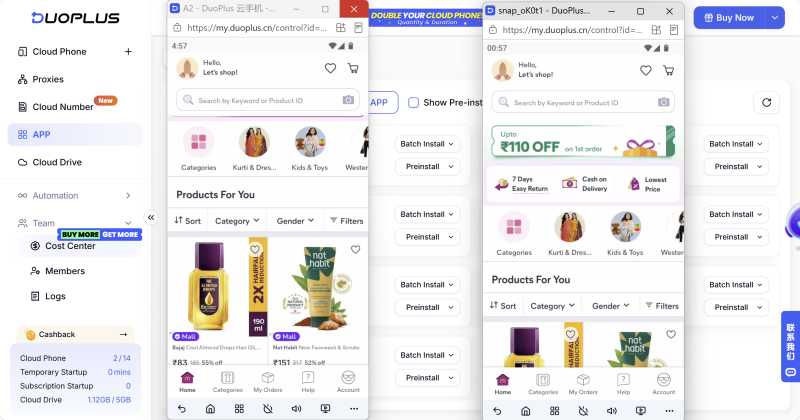
Getting started with Meesho is relatively simple once you understand how its app distribution, account verification, and web access work.
For occasional browsing or market research, Meesho Web can be the simplest option. If you are outside India and encounter access restrictions, checking your IP location, clearing browser data, and using a suitable Indian network environment are reasonable first steps.
For regular shopping and single-account use, installing the official Meesho app through the appropriate regional app store generally provides a more complete mobile experience.
For users who need to operate Meesho accounts over the long term or manage multiple accounts, a cloud phone can provide a more consistent Android environment while keeping devices and network configurations separated.
The key is to choose the setup based on your actual use case rather than simply changing IP addresses whenever an access problem occurs.
In general, Meesho registration requires an Indian mobile number for SMS-based OTP verification. A non-Indian phone number may not work for creating a Meesho account.
Yes. Meesho supports both individual and business sellers. Its relatively low entry barrier has made it an option for small businesses and individual entrepreneurs in India. Certain product categories may require additional documentation or qualifications.
Using a proxy does not automatically result in an account ban. However, the quality and reputation of the IP, frequent location changes, unusual login behavior, bulk account creation, scraping, and other activities that violate platform rules can increase the risk of restrictions.
If you use a proxy, prioritize a stable and legitimate network environment and avoid activities that violate Meesho's policies.
For long-term operations, a cloud phone can provide a more consistent environment than repeatedly switching between physical devices or networks. DuoPlus Cloud Phone combines isolated Android environments with configurable network options and cloud numbers, making it suitable for users who need to manage multiple app environments.
The most common reason is that the website detects a network location outside its primary service region. However, IP reputation, browser settings, cookies, unusual traffic, and anti-bot protections can also contribute to an “Access Denied” error.
TikTok Shop gives sellers multiple ways to reach potential customers, from shoppable videos and livestreams to creator …
When managing multiple social media accounts, you often need to handle large amounts of text, including post captions, …
E-commerce operations and social media content management often require saving product specifications, descriptions, …
No need to purchase multiple real phones.
With DuoPlus, one person can operate numerous cloud phones and social media accounts from a single computer, driving traffic and boosting sales for you.

