


How to Automate WhatsApp Messages with DuoPlus RPA Templates
WhatsApp is a widely used messaging app for everyday communication and business conversations. For users who need to …
Learn how to manage multiple TikTok and Instagram accounts efficiently in 2026 using cloud phones and mobile proxies. Discover how to maintain separate account environments, improve workflow efficiency, and scale social media management across multiple clients and regions.

Get an AI-Powered Summary of This Article
Managing social media for one business is relatively straightforward. Managing TikTok, Instagram, and Facebook accounts for several clients across different countries is a different challenge.
Social media agencies often struggle with account organization, inconsistent network locations, repetitive publishing tasks, and the costs associated with maintaining multiple smartphones.
Imagine an agency responsible for 15 social media accounts across five brands. Each account requires regular content, audience engagement, regional research, and access by different team members. Relying on one personal smartphone or repeatedly switching between accounts can quickly become inefficient.
A practical approach is to combine DuoPlus cloud phones with Proxied mobile proxies. DuoPlus provides separate Android environments for social media operations, while Proxied supplies mobile network connections that can be assigned according to each account’s location and requirements.
This guide explains how the two solutions can support a more organized social media management workflow.
For freelancers and agencies, the difficulty isn’t simply creating social media accounts. It’s maintaining a reliable workflow as the number of clients grows.
Consider a marketing agency managing three TikTok accounts for an American fashion retailer, four Instagram accounts for European e-commerce brands, three Facebook accounts for local businesses, and five additional social media accounts for authorized content testing and market research.
Some agencies purchase separate smartphones to organize client accounts. While this can provide physical separation, buying, charging, updating, and maintaining numerous devices becomes expensive.
Social media platforms can use network and device information when assessing account activity. If an account normally operates from one country but suddenly connects from an unrelated region, the platform may request additional verification. A proxy can help maintain a more consistent network location, although it cannot eliminate security checks or guarantee account safety.
Uploading videos, checking notifications, reviewing comments, and coordinating publishing across several accounts consumes significant time. Agencies need tools that simplify recurring tasks while keeping client operations organized.
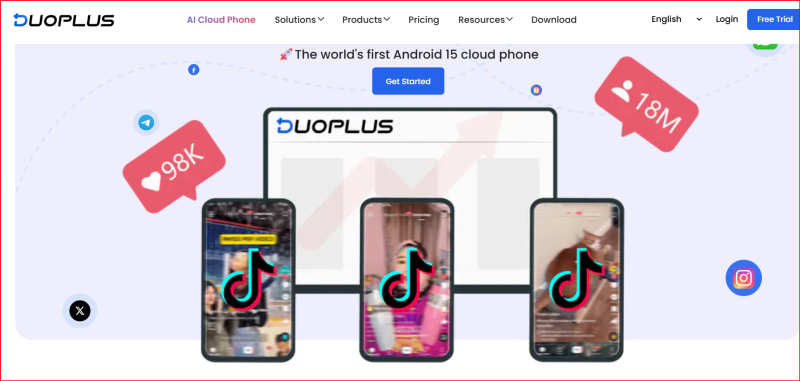
DuoPlus offers cloud Android environments designed for multi-account operations, mobile applications, and team collaboration. Users can access cloud phones remotely, install supported applications, manage devices, and assign operational tasks to different team members.
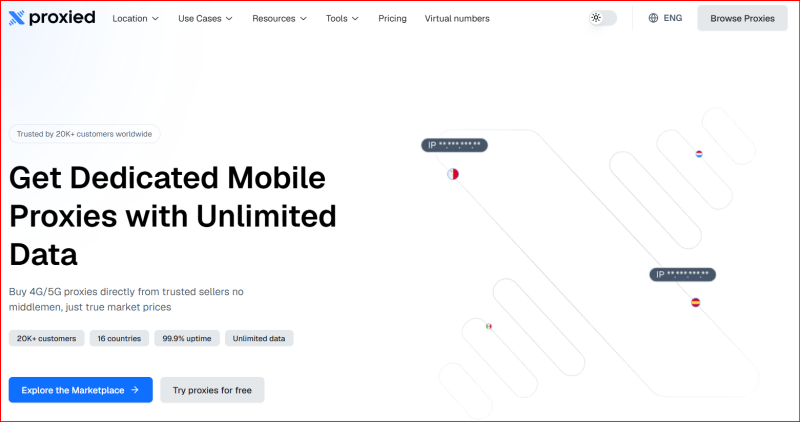
Proxied provides mobile proxy listings using carrier connections. Teams can select available mobile proxy resources that fit the geographic requirements of individual client projects.
The technologies serve different purposes: DuoPlus handles the Android device environment, while Proxied handles a configurable network connection. Together, they can help agencies build structured workflows with separate device environments and assigned mobile network connections.
Imagine an agency promoting an international clothing brand across the United States, United Kingdom, Germany, France, and Spain. Each regional account publishes localized content and follows its own marketing calendar.
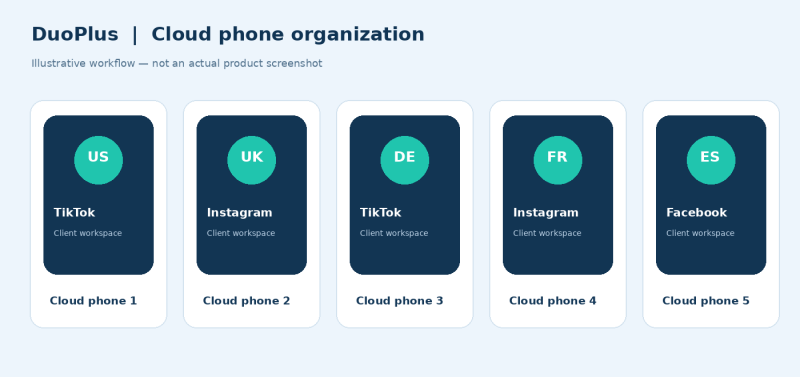
Figure 1. An example of five named client workspaces in cloud phone environments.
| Project | Cloud phone | Desired proxy market |
|---|---|---|
| TikTok US | Phone 1 | United States |
| Instagram UK | Phone 2 | United Kingdom |
| TikTok DE | Phone 3 | Germany |
| Instagram FR | Phone 4 | France |
| Facebook ES | Phone 5 | Spain |
Proxy countries, carriers, and connection types depend on current marketplace availability. Separate environments and IP addresses do not guarantee that platforms will treat accounts as unrelated or bypass platform checks.
Register for DuoPlus and create the required Android environments in the cloud phone interface. Label each instance by client and platform, such as “Client A – TikTok US” or “Client B – Instagram UK.” Clear names prevent mistakes when several employees work on different campaigns.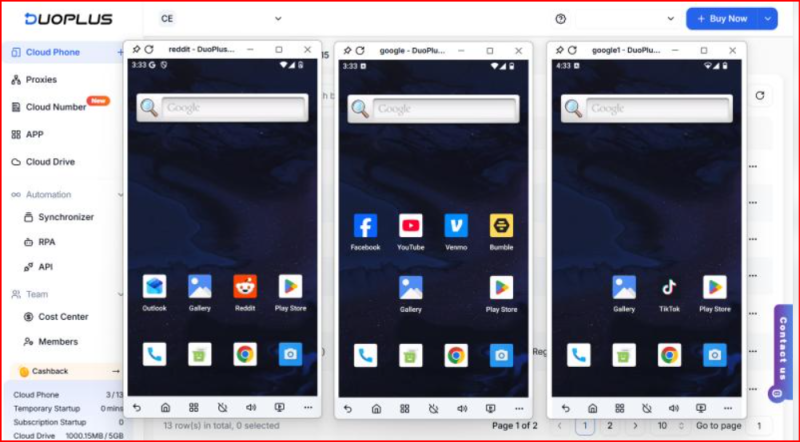
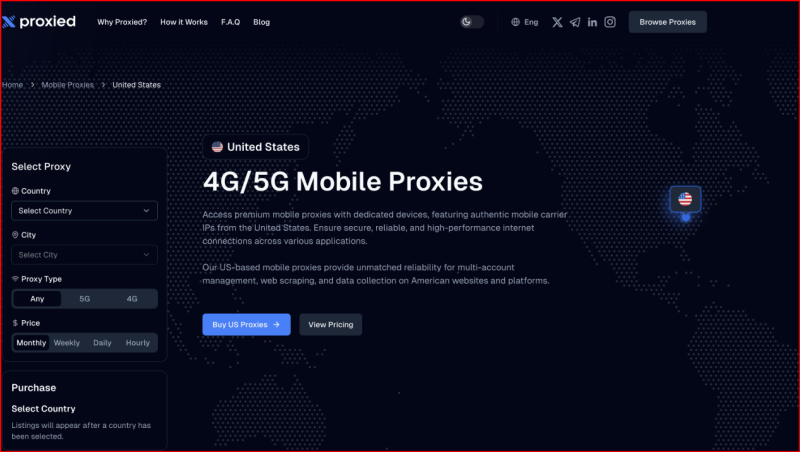
Browse Proxied mobile proxy listings and choose an available country, carrier, connection type, and term that match the project. After purchase, review the connection details in the dashboard. Depending on the listing, these may include a host, port, username, password, and a compatible proxy protocol.
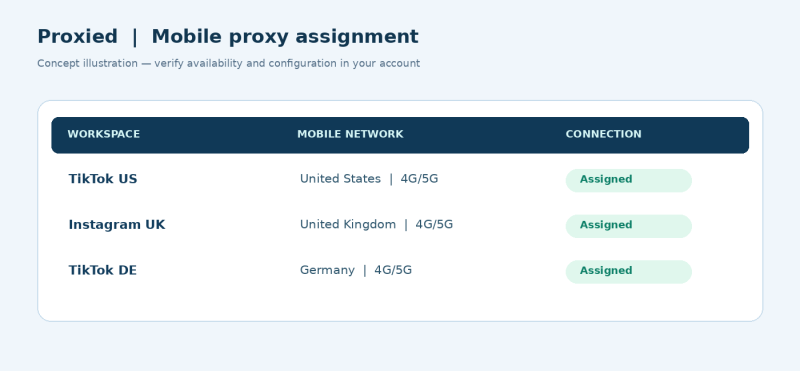
Figure 2. Example assignment of regional mobile proxy connections to client workspaces.
Open the proxy or network settings for the relevant cloud phone, select a supported protocol, and enter the connection details supplied by Proxied. Save the configuration and test the connection. Verify the intended region before signing in to the social media account. Keep sessions consistent rather than rotating IPs unnecessarily.
Install the applications required for the campaign, such as TikTok or Instagram, using supported DuoPlus application-management methods. Sign in only to accounts you own or are authorized to manage, and complete any legitimate platform verification requirements.
Give authorized staff access to the appropriate cloud environments. Content creators can prepare assets, social media managers can handle posting and monitoring, account managers can coordinate approvals, and supervisors can review performance. Use least-privilege permissions and secure credentials.
For regional campaigns, agencies may prepare English, French, and German versions of a video. Separate cloud environments can help keep drafts, apps, and client instructions organized by market. A shared editorial calendar remains useful for coordinating posting times and approvals.
DuoPlus includes workflow tools for supported operations. Teams should use any automation conservatively, with human oversight and in compliance with platform rules. Automated spam, artificial engagement, or unauthorized account operations can lead to restrictions.
Mobile proxy services may provide management and rotation controls, depending on the selected listing. For routine client operations, a stable, well-documented connection is usually easier to troubleshoot than frequent changes in location or IP address.
Consider a four-person agency managing 20 authorized accounts. A centralized cloud phone setup can reduce device handling, standardize onboarding, and clarify which employee is responsible for which client. Dedicated mobile connectivity may offer additional control over network assignments.
The value depends on subscription cost, connection quality, supported features, and the requirements of each social media platform.
Maintain records of account ownership, assigned environments, authorized staff, and relevant network configurations. Use strong unique passwords and multifactor authentication where supported. Test connectivity before major publishing activities and make sure your team follows the social platforms’ policies.
Review automation workflows periodically. Above all, prioritize authentic audience engagement and useful content. Technical infrastructure can streamline operations, but it cannot replace a strong marketing strategy.
Social media marketing agencies can organize client work, international e-commerce businesses can coordinate regional campaigns, content production agencies can streamline Android-based production, and authorized mobile app testing teams can examine workflows under different supported network conditions.
For individuals running one or two accounts, a conventional smartphone and native social media management tools may be simpler and less costly.
Managing multiple social media accounts requires reliable organization across people, devices, network connections, and publishing schedules. DuoPlus supports remotely accessible cloud Android environments, while Proxied provides mobile proxy connectivity and market-specific selection where available.
Used thoughtfully, they can support a more structured workflow for authorized TikTok, Instagram, Facebook, and other mobile social media operations. The strongest results come from combining practical infrastructure with clear team responsibilities, compliant automation, and high-quality content.
WhatsApp is a widely used messaging app for everyday communication and business conversations. For users who need to …
5 Social Media Management Challenges, and How DuoPlus and Loopway Solve Them Together Running one social media account …
Facebook video browsing and liking are common activities in day-to-day account management. For users who manage multiple …
No need to purchase multiple real phones.
With DuoPlus, one person can operate numerous cloud phones and social media accounts from a single computer, driving traffic and boosting sales for you.