




How to Automate X Posts with DuoPlus RPA Templates
When managing X (Twitter) accounts, some daily tasks need to be repeated, such as publishing posts, checking task …
Discover the best Instagram analytics tools, including Instagram Insights, Metricool, Iconosquare, Hootsuite, and Sprout Social. Learn how to analyze performance and optimize content with multi-account testing.

Get an AI-Powered Summary of This Article
Instagram management is about more than likes and follower counts. For individual creators, brand accounts, and marketing teams, metrics such as reach, impressions, engagement, Reels performance, follower growth, and audience demographics can help determine whether content is actually delivering results.
Instagram provides its own analytics feature, Instagram Insights, which gives users access to basic account and content performance data. For users who need long-term performance tracking, multi-account management, reporting, or competitor monitoring, third-party Instagram analytics tools can provide additional capabilities.
This guide explains which Instagram metrics to track, introduces Instagram Insights and popular tools such as Metricool, Iconosquare, Hootsuite, Sprout Social, and SocialEcho, and shows how to choose and use them based on different Instagram management needs.
Before analyzing Instagram performance, you need to know which metrics matter. Different metrics can help answer different questions about your account and content.
Instagram reach shows how many unique accounts saw your content, while impressions represent the total number of times your content was displayed.
For example, if a post reaches 1,000 accounts but generates 1,500 impressions, some users may have seen the post more than once. Looking at reach and impressions together can help distinguish between overall audience coverage and repeated exposure.
For accounts that want to expand their reach among non-followers, it is useful to track whether reach continues to grow. If impressions are significantly higher than reach, you can further examine how often users are seeing the same content and how that exposure contributes to overall performance.
Instagram engagement data can include likes, comments, saves, shares, replies, and profile visits.
Different interactions indicate different types of audience response. Likes can provide a quick indication of immediate feedback, while comments can help show how much discussion a post generates. Saves and shares can be particularly useful for evaluating tutorials, checklists, and other content that users may want to refer back to or share with others.
Instead of comparing likes alone, it is more useful to evaluate engagement alongside reach and look at how efficiently different types of content generate interactions.
Instagram posts, Stories, and Reels do not use exactly the same performance metrics, so each format should be evaluated based on its own data.
For Reels, useful metrics include plays, watch time, average watch time, shares, comments, profile visits, and changes in followers.
For feed posts, you can look at reach, impressions, likes, comments, saves, carousel completion, profile visits, engagement rate, and follower growth generated by the post. These metrics can help show whether a post has lasting content value.
For Stories, useful metrics include reach, exits, sticker interactions, direct replies, link clicks, profile visits, and new followers. Together, these metrics can help evaluate how effectively Stories maintain audience engagement.
Your total follower count only shows the current size of your account. It does not explain how the account is growing.
When analyzing Instagram performance, you can also track:
For example, a Reel may generate a large number of views without producing a significant increase in followers. In this case, it is worth checking whether viewers visited the profile and whether the rest of the account provided enough relevant content to turn that traffic into new followers.
Audience analytics can help you understand who your account is actually reaching. Common audience data includes location, age, gender, and the times when followers are most active.
For Instagram accounts targeting international markets, audience location can be particularly important. If your target market is the United States but most of your actual reach comes from other regions, you may need to examine factors such as content language, publishing times, topics, and promotion methods.
Instagram Insights is Instagram's built-in analytics feature for viewing account, content, and audience performance.
Depending on the account type and available features, Instagram Insights can provide data on account reach, engagement, content performance, follower changes, and audience demographics.
Common analytics include:
The exact metrics available may vary depending on the account type, content format, and Instagram's ongoing feature updates.
If you mainly want to know which posts perform well, how many views your Reels receive, where your followers are located, or when your audience is most active, Instagram Insights is generally sufficient for basic analysis.
Instagram Insights mainly focuses on data from your own account. If you need long-term data tracking, comparisons across multiple accounts, custom reports, team collaboration, or more structured competitor monitoring, relying solely on Instagram's native analytics can become less convenient.
For example, a marketing team may need to consolidate data from several Instagram accounts every month, while an agency may need to create standardized reports for different clients. In these situations, a third-party Instagram analytics tool may be more practical.
Instagram Insights works well for analyzing your own account. If you need more advanced content management, historical analysis, competitor monitoring, or team collaboration, you can consider third-party Instagram analytics tools.
Each platform has a different focus. Metricool combines analytics with content planning, Iconosquare focuses more heavily on analytics and reporting, Hootsuite is designed for multi-platform management, Sprout Social targets enterprise-level social media operations, while SocialEcho is positioned as an integrated platform for overseas businesses and social media teams.
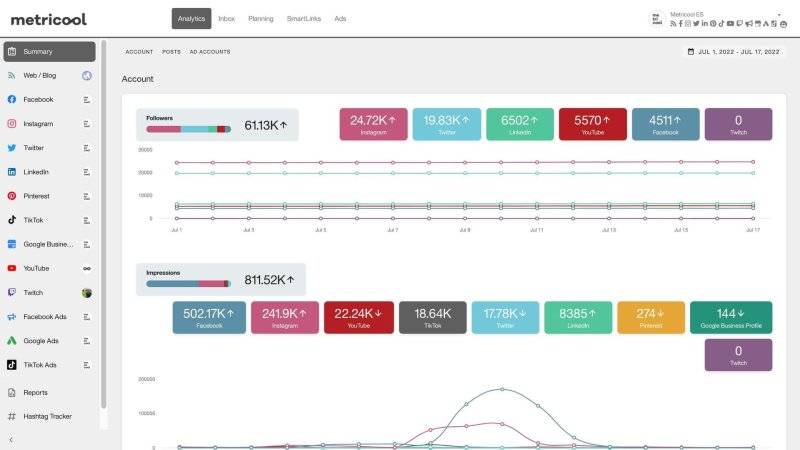
Metricool combines Instagram analytics, content calendars, scheduling, publishing, and reporting. It is useful for creators and social media teams that publish content regularly and review performance on an ongoing basis.
Its main advantage is that analytics and content planning are part of the same workflow. You can review the performance of different posts and Reels, then use those insights to plan future topics, publishing times, and content schedules.
For example, an Instagram creator who publishes several Reels each week can use Metricool to review historical performance and identify which topics are worth developing further. The creator can then use those findings to plan the following week's content. If the team also manages other social platforms, Metricool can be used to organize content and performance data across platforms.
Best for: Individual creators, small brands, social media managers, and teams that need content scheduling and regular performance reviews.
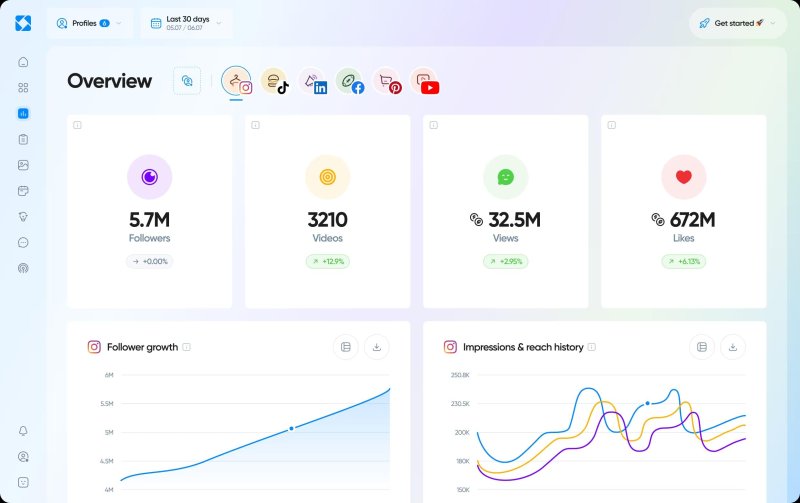
Iconosquare focuses more heavily on social media analytics, historical data, and reporting. It is suitable for brands, social media managers, and marketing agencies that need to track Instagram performance over longer periods.
Compared with tools that focus mainly on day-to-day publishing, Iconosquare places more emphasis on analyzing performance and organizing reports. It can help users monitor account growth, compare different types of content, and turn data from a specific period into reports for internal reviews or client presentations.
For example, a brand may need to report its Instagram performance to clients every month. Instead of only looking at monthly likes and follower growth, the team may also need to compare how different content topics performed over time. A tool such as Iconosquare can make data organization and recurring reporting part of the regular workflow, reducing manual reporting work.
Best for: Brands, social media managers, marketing agencies, and teams that need detailed analytics and professional reporting.
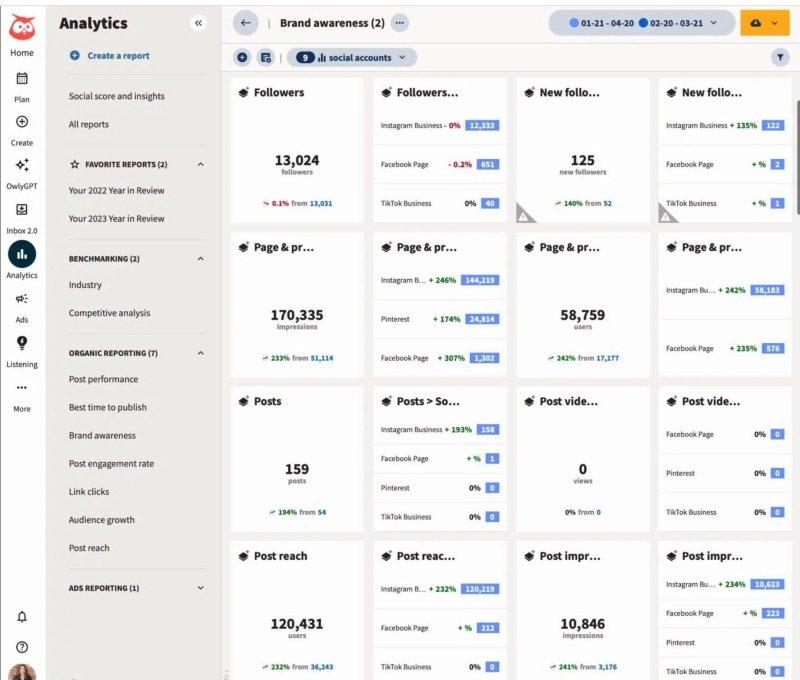
Hootsuite is a comprehensive social media management platform that combines analytics, content scheduling, account management, and team collaboration. Its focus goes beyond Instagram analytics by helping teams manage multiple social platforms within a unified workflow.
For businesses managing Instagram, Facebook, LinkedIn, and other platforms at the same time, Hootsuite can bring content planning, publishing workflows, and reporting into one system. Team members can also participate in content review, publishing, and reporting based on their permissions.
For example, a brand may have several social media managers responsible for content creation, review, and publishing. Hootsuite can bring these tasks into a centralized workflow and combine them with platform performance data for regular reviews. This makes it more suitable for teams with established social media workflows than for individual users who only need basic Instagram metrics.
Best for: Brands, multi-platform marketing teams, and organizations that need content approval and centralized social media management.
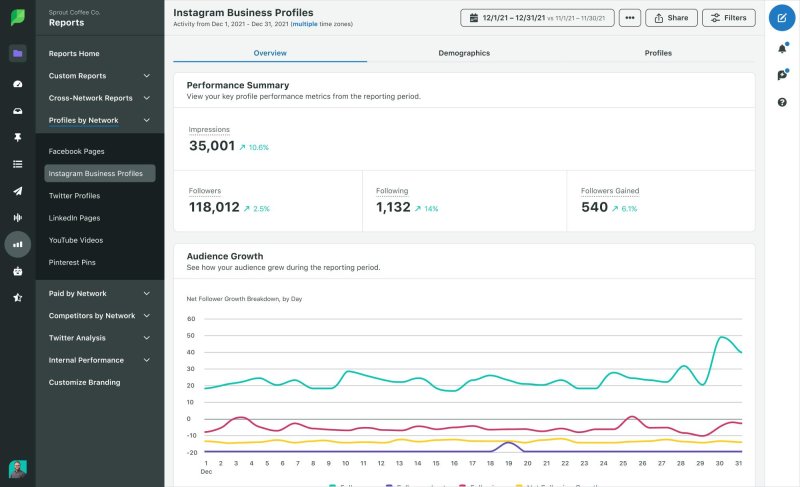
Sprout Social combines social media analytics, reporting, engagement management, publishing, and team collaboration. It is more suitable for businesses and professional teams that want to integrate Instagram analytics into a broader social media marketing workflow.
Its main focus is bringing analytics and social media management together. In addition to tracking account and content performance, teams can manage audience interactions, brand monitoring, reporting, and collaboration within the same workflow.
For teams managing multiple brand accounts, handling social media messages, or preparing regular client reports, this type of integrated platform can reduce the amount of work required to move data between different tools.
For example, a brand operating Instagram accounts across multiple countries may need to manage comments, social media messages, and monthly reports at the same time. Sprout Social can bring these tasks into a centralized platform and reduce the coordination required across separate tools.
Best for: Medium and large brands, enterprise marketing teams, social media agencies, and organizations that need advanced reporting and team collaboration.
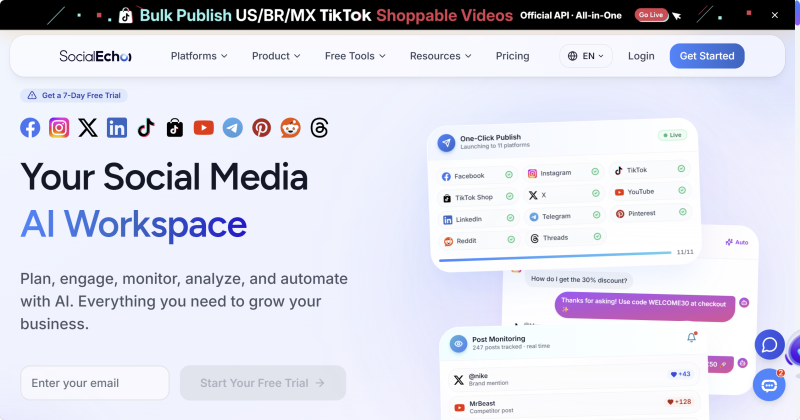
SocialEcho is positioned as an integrated social media management platform for overseas businesses and social media teams. It supports multiple platforms, including Instagram, Facebook, TikTok, YouTube, X, and LinkedIn, allowing teams to view account data from different platforms in one interface and analyze historical trends, content performance, and competitor data.
For teams managing more than just Instagram, SocialEcho's focus is on bringing analytics, competitor monitoring, content publishing, and account management into the same workflow. For example, teams can review content performance, identify high-performing posts, monitor competitor accounts and keywords, adjust content topics, and then manage subsequent publishing from the same platform.
SocialEcho also provides audience analysis reports covering dimensions such as age, gender, country, and city. These insights can help Instagram teams understand the profile of their followers and engaged users, compare the actual audience with their target market, and adjust content positioning and publishing schedules.
Best for: Overseas businesses, cross-border e-commerce companies, brand teams, marketing agencies, and teams managing multiple international social media platforms.
| Tool | Main Strength | Best For |
|---|---|---|
| Instagram Insights | Official account data and basic analytics | Individual creators, small brands |
| Metricool | Content analytics, scheduling, and regular performance reviews | Creators, content teams |
| Iconosquare | Professional analytics, historical trends, and reporting | Brands, agencies |
| Hootsuite | Multi-platform management, scheduling, and team collaboration | Enterprises, multi-platform teams |
| Sprout Social | Enterprise analytics, social monitoring, and team workflows | Medium and large brands, marketing teams |
| SocialEcho | Multi-platform analytics, competitor monitoring, and integrated content management | Overseas businesses, cross-border e-commerce, social media teams |
If you only need to analyze your own Instagram account, you can start with Instagram Insights. If you need content scheduling and regular performance reviews, Metricool may be a better fit. If your main priorities are historical data, detailed analytics, and reporting, Iconosquare is worth considering.
When Instagram is managed alongside other social platforms and involves multiple people reviewing, publishing, and consolidating data, platforms such as Hootsuite, Sprout Social, and SocialEcho can fit more naturally into a team workflow.
The purpose of Instagram analytics is not to collect more reports. It is to identify changes in content performance and use those insights to improve the next round of content.
Compare reach, impressions, saves, shares, and engagement across different posts to identify topics and content formats that perform well.
If a certain type of content consistently generates strong reach or saves, you can expand on similar topics rather than simply reproducing the original post. For example, if a tutorial receives a high number of saves, you could create follow-up content covering step-by-step instructions, common questions, or more advanced use cases, then monitor how the new content performs.
Instagram audience data and historical content performance can be used to test different publishing days and times.
However, it is better not to establish a fixed publishing schedule based on a single data point. A more reliable approach is to compare how different types of content perform at different times over a longer period, then adjust the publishing schedule based on recurring patterns.
If you want to test different content topics, video formats, publishing times, or audience positioning more systematically, you can use multiple Instagram accounts for comparison.
Each account can follow a different content strategy, while Instagram analytics tools can be used to compare reach, views, engagement, saves, and shares. This can help identify which approaches resonate more with the target audience.
For example, one account could publish tutorial-based Reels while another focuses on product demonstration Reels. After collecting data over a period of time, you can compare performance across the two accounts, identify which formats generate stronger reach and engagement, and apply those findings to future content.
Cloud phones can also be used to create separate environments for Instagram content testing. Tools such as DuoPlus Cloud Phone allow different Instagram accounts to be assigned to separate cloud Android environments while devices can be centrally started, stopped, and managed. This can reduce the device management work involved in multi-account testing. Combined with analytics tools, the results can then be reviewed continuously to refine your content strategy.
Individual posts can be heavily influenced by trends, publishing times, or unexpected distribution, so one viral post should not determine your entire content strategy.
Instead, review data weekly or monthly across different topics, formats, and publishing times to identify broader performance patterns.
After each review period, decide which content topics to increase, which low-performing directions to reduce, and which formats are worth testing further. This turns Instagram analytics into part of the next content planning cycle rather than a standalone reporting task.
Instagram analytics tools are not simply for checking likes, views, and follower counts. Their purpose is to help marketers understand the relationship between content performance and account growth.
Individual creators can start with Instagram Insights to understand basic performance data. If content scheduling and regular performance reviews are also needed, Metricool can be considered. Brands and professional teams can choose tools such as Iconosquare based on their needs for reporting, historical trends, and content comparisons. Teams managing multiple social platforms can also explore Hootsuite, Sprout Social, or SocialEcho.
For more structured content testing, you can operate multiple Instagram accounts and compare different topics, video formats, publishing times, and audience positioning. Combining separate account environments with Instagram analytics tools makes it easier to review results over time and refine your content strategy.
Instagram Insights mainly provides official data for your own account. Third-party Instagram analytics tools may add features such as content comparisons, historical trends, reporting, scheduling, multi-account management, and publicly available competitor data.
You can analyze Reels using metrics such as plays, watch time, average watch time, shares, comments, profile visits, and follower changes. These insights can then be used to adjust video hooks, pacing, and content topics.
Before using a third-party tool, check its official website, account permissions, data storage practices, and privacy policy. Avoid giving your Instagram password, verification codes, or other sensitive account information to unknown websites.
Some Instagram analytics tools support multiple connected accounts, but the exact number depends on the platform and subscription plan. Before choosing a tool, check whether it supports multiple account connections and what data and permissions are available to different team members.
When managing X (Twitter) accounts, some daily tasks need to be repeated, such as publishing posts, checking task …
An app may work perfectly on a developer's smartphone but suddenly crash on another device, display the wrong currency, …

Telegram is a messaging app many people use for everyday conversations, joining communities, and communicating with …
No need to purchase multiple real phones.
With DuoPlus, one person can operate numerous cloud phones and social media accounts from a single computer, driving traffic and boosting sales for you.

