How to Sign Up for Meta Muse and Use a Referral Code
Muse has recently become one of the most talked-about AI Agent products in the AI tools space. As a new AI Agent from …
This guide explains why account activity matters for Instagram in 2026 and analyzes which daily tasks are suitable for automation in multi-account operations. Compare different automation approaches and learn how DUO+ AI Agent can help manage multiple Instagram accounts more efficiently.

Get an AI-Powered Summary of This Article
In 2026, Instagram remains a key channel for brand promotion and content distribution. To reach different audiences, many businesses and teams need to manage multiple Instagram accounts simultaneously. In multi-account operations, maintaining healthy activity levels for each account directly affects long-term account security and content reach.
However, as Instagram's security mechanisms tighten against marketing accounts and automated behavior, relying solely on manual logins, browsing, liking, and interactions across multiple accounts consumes significant time and increases operational risk. This guide explores automation solutions that can boost Instagram account activity and explains how AI-powered automation helps achieve efficient management while maintaining account safety.
In Instagram's platform mechanism, an account's activity data is a key signal the system uses to assess authenticity and trustworthiness. For operators managing multiple accounts, maintaining consistent daily activity is important for several reasons:
Whether a newly registered account or one that has been inactive for a long time, Instagram initially assigns lower trust scores to accounts without regular activity. If such accounts start posting promotional content or adding large numbers of people immediately, the platform's security algorithm may flag them as marketing accounts. By establishing regular browsing and usage patterns first, accounts can build a behavioral profile that aligns with real user characteristics.
Instagram's recommendation system learns account preferences through browsing history, dwell time, and interaction habits. An account with consistent, focused activity helps the platform identify its niche more accurately. When the account later posts Reels or feed content, the system is more likely to recommend it to the right audience.
If an account that has been inactive suddenly starts posting, liking, and direct messaging heavily, this sudden shift in behavior often triggers restrictions. Maintaining steady, moderate daily activity keeps behavioral data smooth and natural, helping accounts stay compliant with the platform's detection systems.
When the number of accounts grows from 1 to 10 or more, these basic maintenance tasks quickly become repetitive and time-consuming. Many teams are turning to automation tools to handle browsing, interactions, and content posting, reducing repetitive work while maintaining consistent operational pacing.
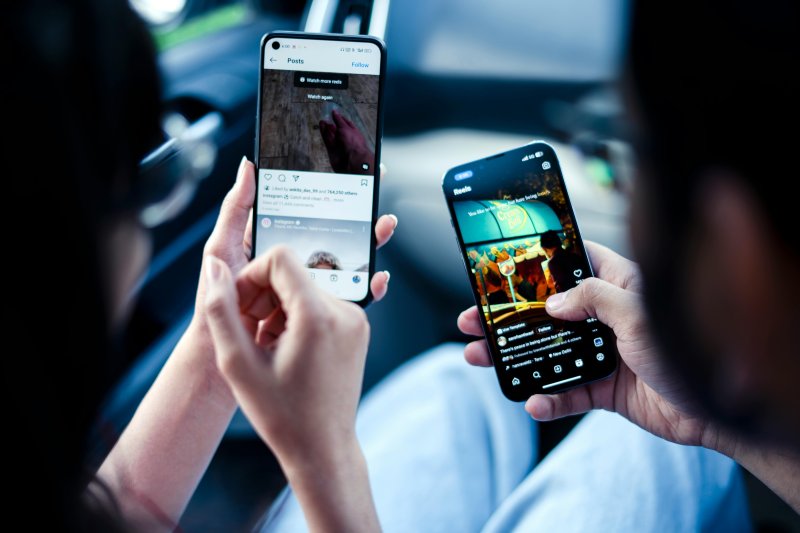
Maintaining activity across multiple Instagram accounts often involves a significant amount of repetitive manual work. To free up time and improve efficiency, the following areas are worth optimizing:
To ensure Instagram account profiles align with real user characteristics, operators need to spend time simulating typical platform behavior. This includes watching Reels, scrolling through the feed, and viewing Stories. While these tasks are not complex, they become highly repetitive when managing multiple accounts.
In operations across different time zones, teams often need to post at specific peak times to reach target audiences. If done entirely manually, operators must constantly switch between devices and manage timing schedules. Setting up content in advance and scheduling automated posts is a practical solution that saves significant time.
Instagram's algorithm values two-way engagement. Routine tasks — leaving positive comments on relevant posts, liking follower comments, or responding to common direct message questions (such as business hours or product information) — are all well-defined processes that can be automated.
By automating these three areas, Instagram operations teams can save time and focus on higher-value tasks like content strategy and performance analysis.
Based on technical approach and use case, mainstream Instagram automation methods can be grouped into the following categories:
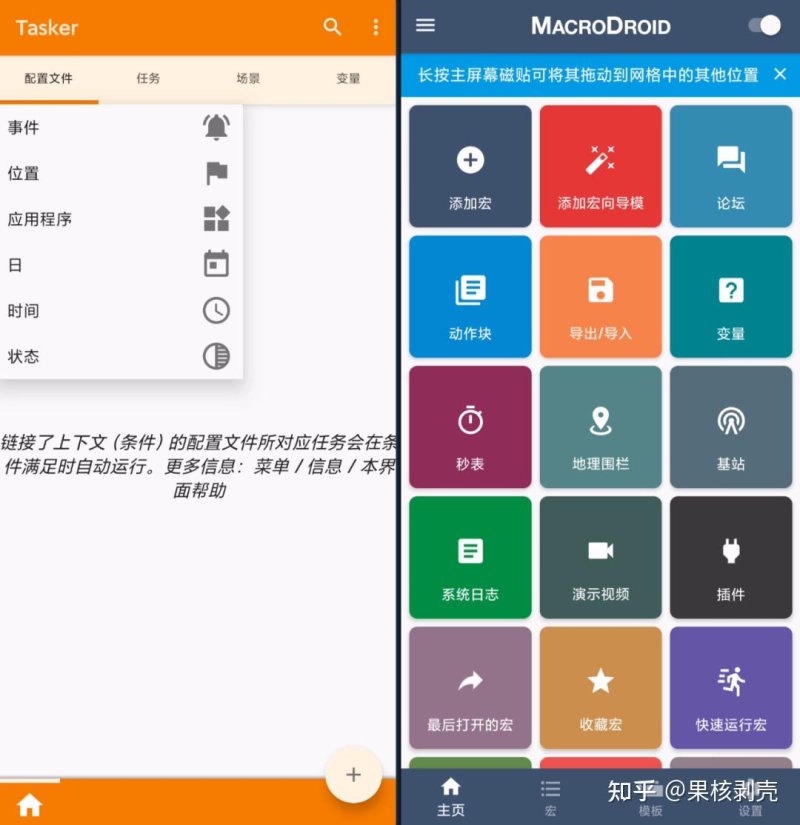
These tools run directly on Android devices and automate simple tasks through "trigger → action" rules.
By installing Android emulators on a computer, operators can run Instagram in a virtual mobile environment and use built-in automation features.
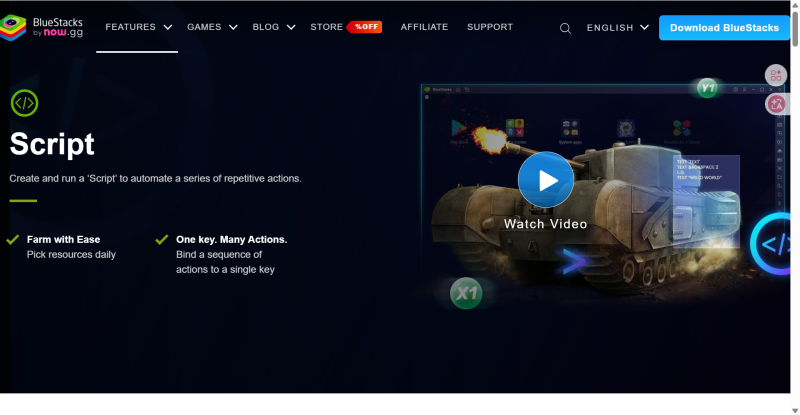
These tools are originally designed for mobile QA testing but are often used by technically skilled teams to build custom Instagram automation systems.
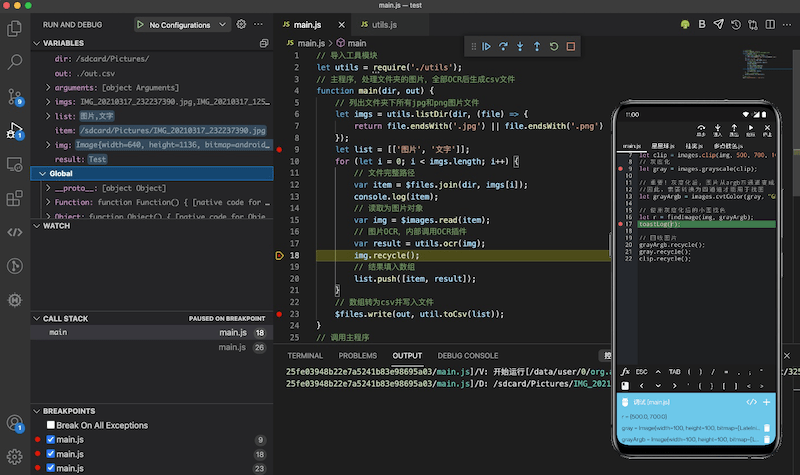
AI Agent represents an evolution in automation, moving away from fixed coordinates and pre-defined workflows.
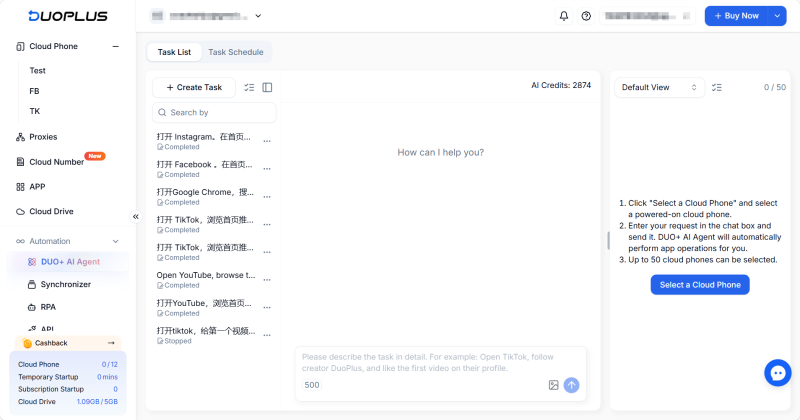
Compared to traditional automation tools, AI Agent is better suited for scenarios with frequent interface changes, cross-page navigation, and multi-account maintenance. Rather than relying on fixed coordinates or predefined workflows, it adapts to the current screen and generates random, human-like interaction patterns, reducing maintenance work for long-term Instagram operations.
DUO+ AI Agent is DuoPlus Cloud Phone's next-generation AI automation feature. For daily Instagram account maintenance and activity boosting, it transforms complex automation logic into simple conversation-based instructions. Below is the complete setup process for Instagram automation:
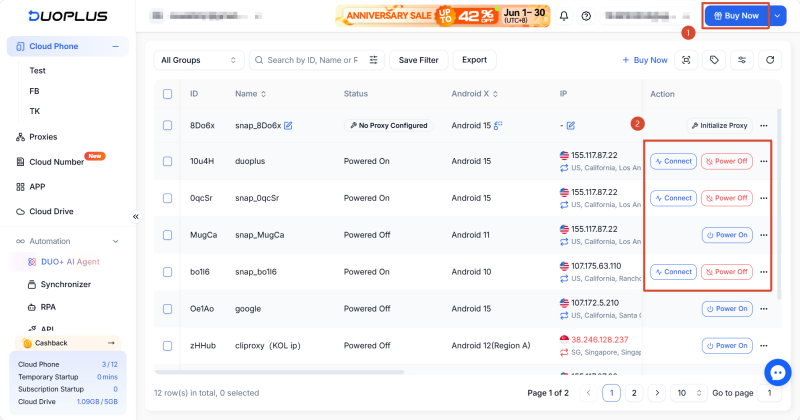
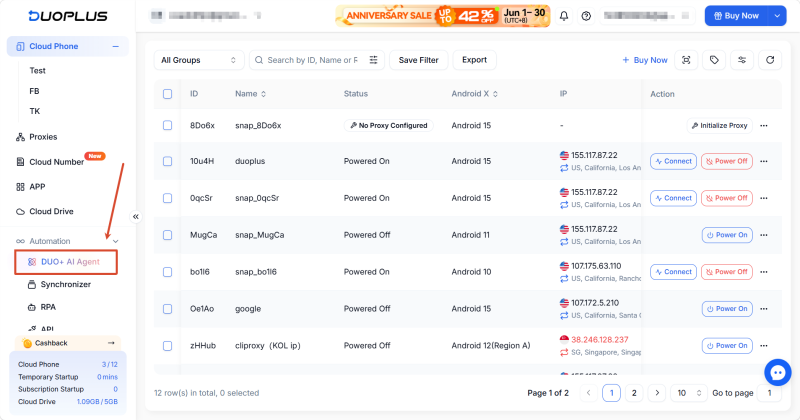
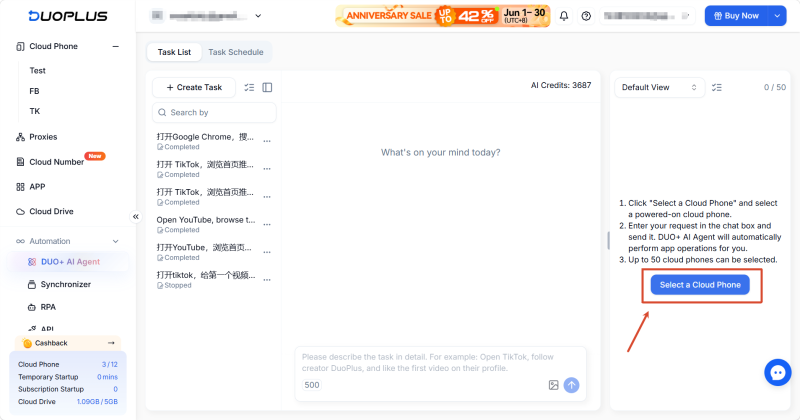
In the task description dialog, directly describe your task in plain language. No flowchart configuration is needed — just clearly outline the steps.
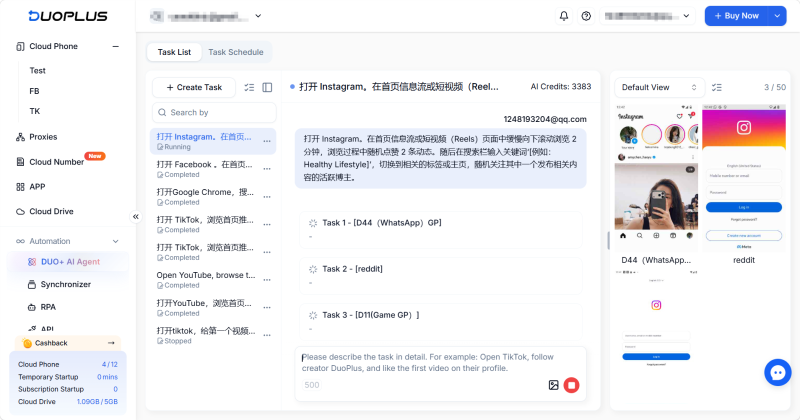
Example Instagram activity command: "Open Instagram. Slowly scroll down the feed or Reels page for 2 minutes, randomly liking 2 posts while browsing. Then search for '[e.g., Healthy Lifestyle]' in the search bar, switch to the relevant hashtag or profile page, and randomly follow one active creator in that niche."
Depending on the account stage, you can adjust the focus:
1. Will using AI Agent for Instagram interactions risk being flagged as a bot?
The risk is very low. AI Agent uses visual recognition and logic engines, naturally generating random swipe trajectories and irregular delays during interactions to effectively avoid automated behavior detection.
2. Can I log into multiple Instagram accounts on one cloud phone?
This is not recommended. Frequently switching between accounts on a single device causes overlapping hardware fingerprints, triggering association risks. Follow the principle of one device, one IP, one account.
3. How long does the warming period typically take for a new Instagram account?
It's generally recommended to continue for 7 to 14 days. Gradually increase activity — starting with passive browsing and transitioning to light interactions. Wait until the account stabilizes before introducing promotional activities.
4. Can DUO+ AI Agent post content automatically?
Yes. DUO+ AI Agent supports natural language commands to automatically complete content uploads, caption generation, and publishing on Instagram, TikTok, and other social media platforms.
In 2026, maintaining activity across multiple Instagram accounts comes down to balancing efficiency and security. Tools like DuoPlus AI Agent, with no-code operation and adaptive interface recognition, help teams manage account activity naturally at scale while protecting account security and improving overall operational efficiency.
Muse has recently become one of the most talked-about AI Agent products in the AI tools space. As a new AI Agent from …

OpenAI Codex is an AI coding agent designed to help developers write, modify, review, and deliver code. It is available …
VK (VKontakte) is one of the major social media platforms in Russia. In addition to account management, content …
No need to purchase multiple real phones.
With DuoPlus, one person can operate numerous cloud phones and social media accounts from a single computer, driving traffic and boosting sales for you.