




How to Log In to Telegram Without Your Phone Number
Telegram is a messaging app many people use for everyday conversations, joining communities, and communicating with …
Learn how to verify TikTok ads in a real mobile environment using a cloud phone. This guide covers ad display validation, landing page testing, regional environment setup, and efficient multi-country ad verification before your campaigns go live.

Get an AI-Powered Summary of This Article
Your TikTok ad going live doesn't guarantee users see the right experience.
The same TikTok ad may display different creatives, localized copy, landing pages, or even redirect users to different App Store or Google Play pages depending on their country, language, device settings, and network environment.
That's why previewing an ad in TikTok Ads Manager—or relying solely on campaign data—isn't enough to reflect what real users actually experience.
Before scaling a campaign, advertisers should validate the complete user journey in a mobile environment that matches their target market, including ad delivery, landing pages, app store redirects, and localization.
In this guide, we'll compare the most common TikTok ad verification methods and explain how cloud phones can simplify mobile ad testing across multiple countries.
TikTok Ads Manager can tell you whether an ad has been approved and is running, but it can't fully replicate what users in different countries actually see.
For example:
Because of these variables, checking Ads Manager alone isn't enough. What really matters is the actual experience on a user's mobile device.
Key areas to verify include:
Problems in any of these steps can reduce conversions even if the campaign itself is running normally.
That's why mobile ad verification has become an essential part of international TikTok advertising.
There are three common approaches to testing TikTok ads on mobile, each suited to different scenarios.
TikTok Ads Manager includes a Preview feature that lets advertisers review creatives, including videos, images, ad copy, and CTA buttons.
Its biggest advantage is convenience—no additional hardware or setup is required.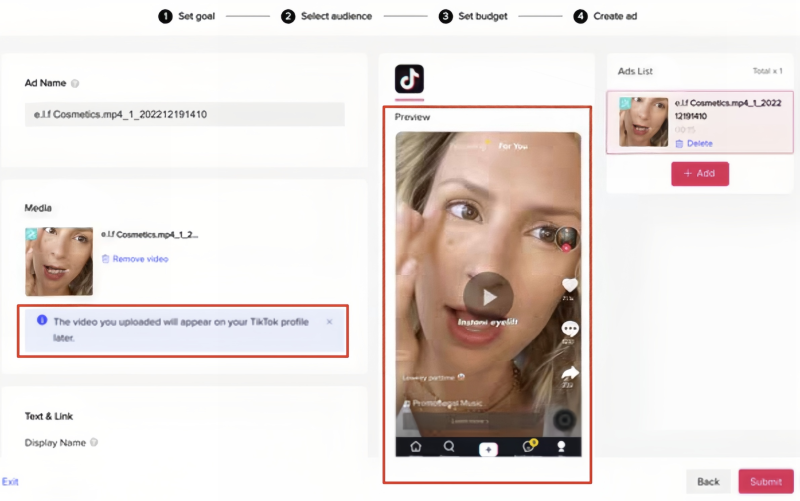
However, Preview only shows the creative itself. It cannot simulate real user environments or verify:
Best for:
Many advertisers test campaigns using a real smartphone connected through a VPN or residential proxy.
By changing the network location, they can simulate users in different countries and validate ad delivery and the post-click experience.
Compared with Ads Preview, this method is much closer to the real user experience.
However, testing multiple countries usually means repeatedly switching VPN servers, changing device settings, or maintaining several physical phones.
Best for:
A cloud phone is essentially a real Android device hosted in the cloud.
Each device can be configured independently with:
This makes it easy to build dedicated testing environments for different markets without managing multiple physical phones.
Cloud phones are particularly suitable for teams that perform ongoing ad verification across multiple countries.
Best for:
| Feature | TikTok Ads Preview | Physical Device + VPN | Cloud Phone |
|---|---|---|---|
| View creatives | ✅ | ✅ | ✅ |
| Real mobile environment | ❌ | ✅ | ✅ |
| Landing page testing | ❌ | ✅ | ✅ |
| Multi-country verification | ❌ | ✅ | ✅ |
| Long-term maintenance cost | Low | High | Low |
| Team collaboration | ❌ | ❌ | ✅ |
If you only need to verify a single campaign occasionally, either a physical phone or a cloud phone will work.
However, for teams running international advertising, verification is an ongoing process.
Campaigns typically require verification:
As campaigns expand, ad verification becomes a routine workflow rather than a one-time task.
Compared with physical devices, cloud phones provide a more scalable solution.
Using DuoPlus Cloud Phone as an example:
| Verification Task | How DuoPlus Helps |
|---|---|
| Build regional testing environments | Native ARM Android devic es with configurable proxy IP, GPS, language, and time zone. |
| Verify ad delivery | Open TikTok in a real mobil e environment to confirm a ds appear correctly in regio nal feeds. |
| Test landing pages and downloads | Validate page loading, local ization, CTA behavior, and App Store/Google Play redi rects. |
| Test multiple countries simultaneously | Run multiple cloud phones with independent IPs and r egional settings at the sam e time. |
| Automate repetitive testing | Use RPA workflows to ope n TikTok, browse feeds, visi t landing pages, and captur e screenshots automatically. |
| Manage verification results | Sync screenshots, logs, and reports to internal systems through APIs for centralize d analysis. |
Cloud phones provide the same Android experience as physical devices.
Their biggest advantage lies in flexible deployment, centralized management, and scalability—making them ideal for long-term, multi-country ad verification.
Set up your cloud phone to match the target market by configuring:
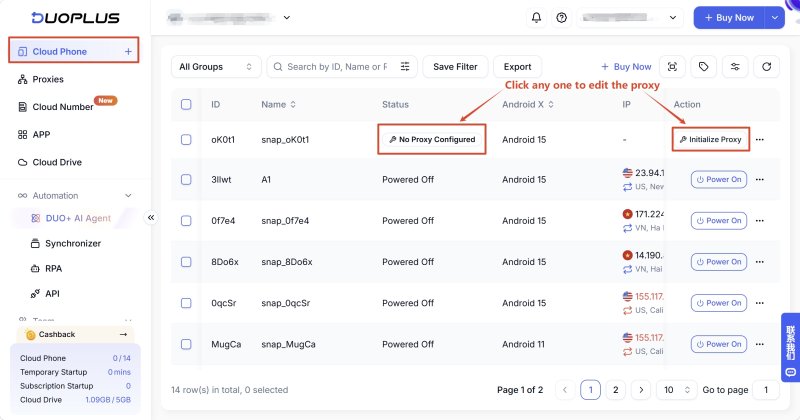
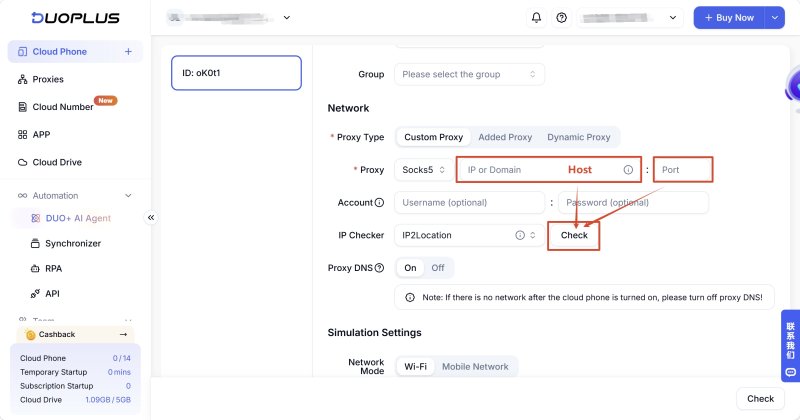
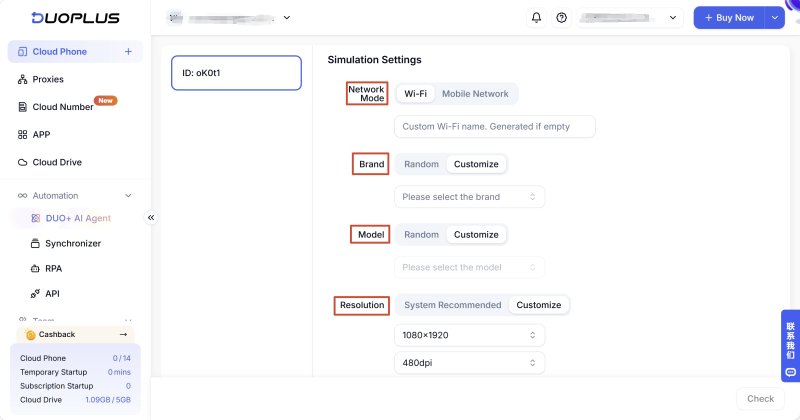
Keeping these settings consistent helps simulate real local users as accurately as possible.
After configuration, sign in with your testing account and browse TikTok normally.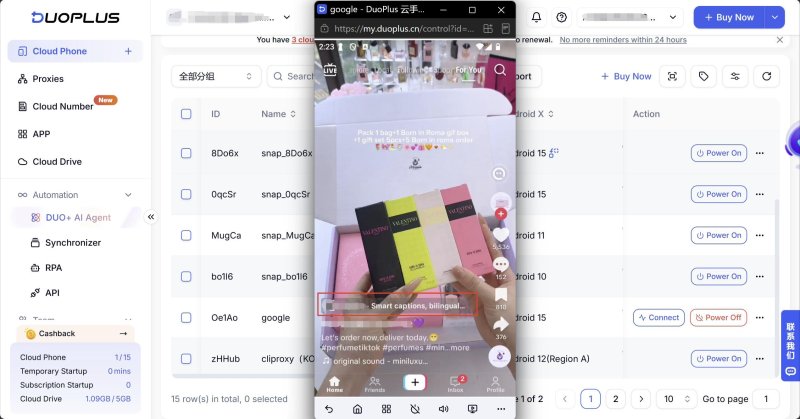
Check whether:
Click the ad and verify the complete conversion flow.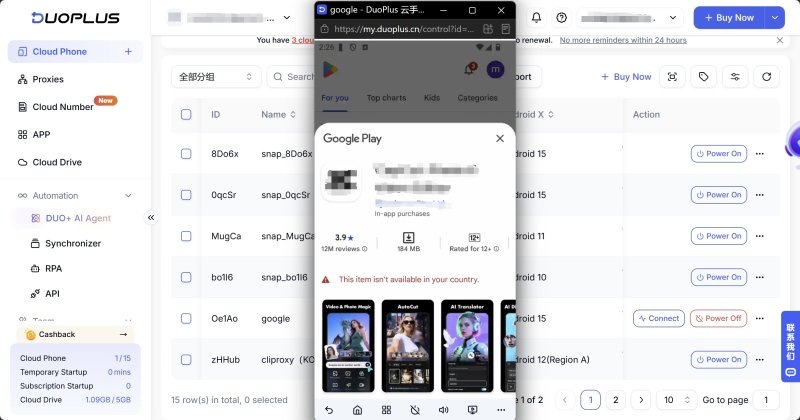
Confirm that:
Only when both the ad and the full conversion journey work correctly is the campaign truly ready for launch.
For campaigns targeting multiple regions, prepare separate cloud phone environments for each market.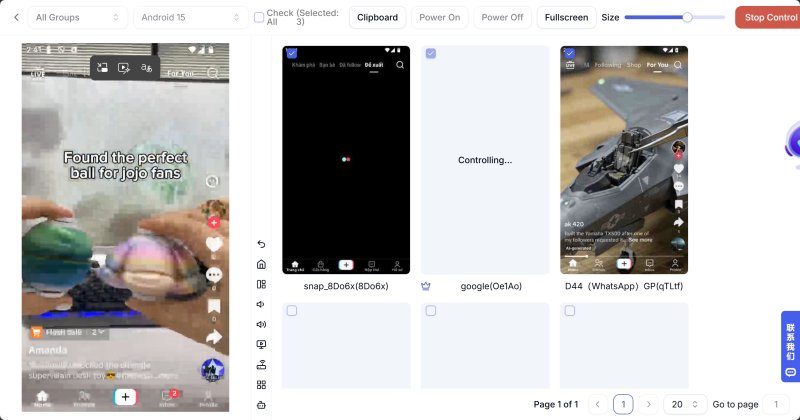
Each cloud phone maintains its own:
With DuoPlus, you can launch multiple cloud phones simultaneously, allowing you to compare ad creatives, landing pages, localized content, and loading speeds across countries without constantly switching environments.
This significantly improves efficiency for international campaigns.
Large-scale ad verification often involves repetitive tasks, such as:
Using DuoPlus RPA , you can build automated workflows that:
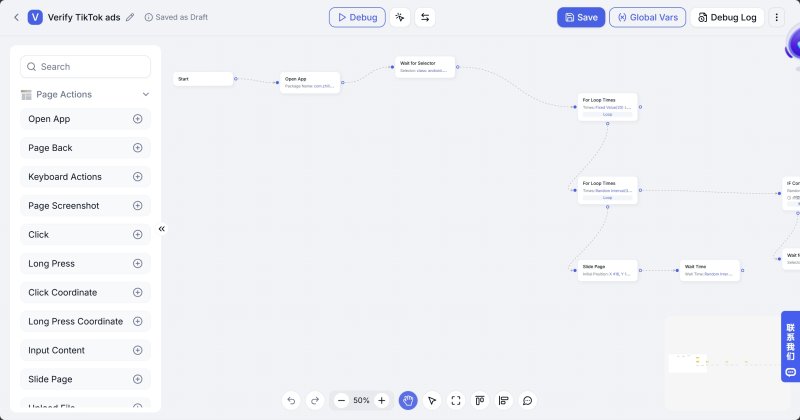
For centralized reporting, DuoPlus APIs can sync screenshots, logs, and verification results to your internal systems for analysis, archival, or integration with advertising dashboards.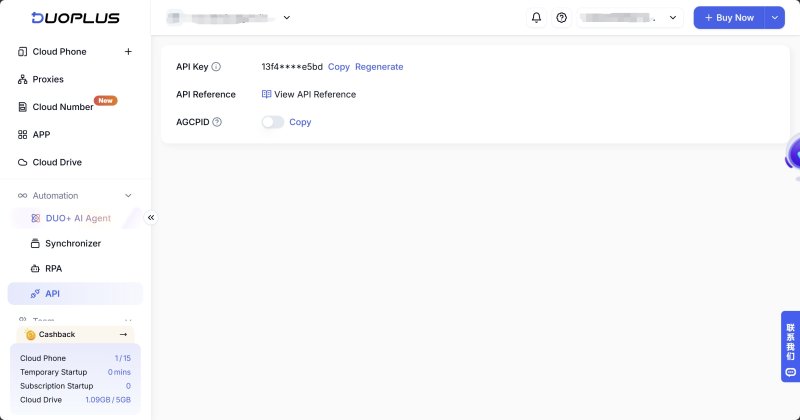
By combining batch device management, automation, and APIs, teams can transform TikTok ad verification from a manual task into a standardized, scalable workflow.
As TikTok advertising continues to scale globally, relying solely on Ads Manager is no longer enough to understand how users actually experience your campaigns.
Across international markets, differences in creatives, landing pages, app store redirects, and localization can all affect campaign performance.
Compared with occasional testing on physical devices, cloud phones provide a more stable, repeatable, and scalable mobile testing environment for ongoing ad verification across multiple countries.
If your team manages international TikTok campaigns, building a standardized cloud phone verification workflow can improve testing efficiency, uncover issues earlier, and reduce costly post-launch adjustments.
No. TikTok Ads Preview is useful for reviewing creatives, but it cannot simulate real user environments or verify feed delivery, landing pages, or app download flows.
TikTok considers multiple environmental signals when determining what users see.
If these settings don't match, the ad, localized content, or app store destination may differ from what users in the target market actually experience.
Yes. You can change the proxy IP, GPS location, language, and time zone to switch regions.
However, for ongoing testing across several markets, it's recommended to dedicate separate cloud phones to each region to simplify management and maintain consistent environments.
Cloud phones are ideal for:
Telegram is a messaging app many people use for everyday conversations, joining communities, and communicating with …
If engagement suddenly drops after you post on X (formerly Twitter), your account cannot be found in search, or a new …
Social media operations often involve content publishing, account maintenance, project collaboration, and staff …
No need to purchase multiple real phones.
With DuoPlus, one person can operate numerous cloud phones and social media accounts from a single computer, driving traffic and boosting sales for you.

