





How to Log In to Codex: What to Do If You Don't Receive the Phone Verification Code
OpenAI Codex is an AI coding agent designed to help developers write, modify, review, and deliver code. It is available …
New to Discord? Learn what Discord is, how Discord servers and channels work, how to join a server, and the essential features every beginner should know in this complete guide.

Get an AI-Powered Summary of This Article
Discord has grown far beyond its origins as a platform for gamers. Today, it's used by communities, businesses, creators, developers, and teams around the world to communicate, collaborate, and build online communities.
If you're new to Discord , you might have lots of questions like: What exactly is Discord? WHow do channels work? And how do you actually get started?
This guide answers those questions step by step, helping you understand the basics of Discord and start using it with confidence.
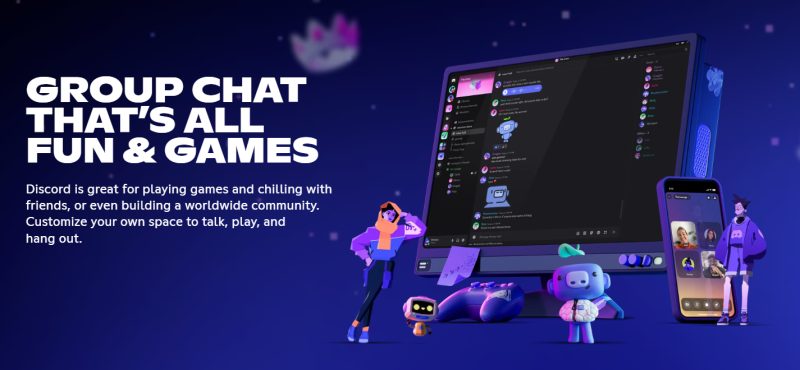
Discord is a communication platform that combines text messaging, voice chat, video calls, and community management into one application.
Unlike traditional social media platforms, Discord is organized around servers—individual communities where members can chat, collaborate, and share content around a common interest.
You can access Discord in several ways:
Whether you're joining a gaming community, managing a study group, or collaborating with a remote team, Discord provides a flexible way to stay connected.
The foundation of Discord is the server. Think of a Discord server as an online community. Each server is independent and usually focuses on a specific topic, organization, or interest.
For example, a server might belong to a gaming community, a business or startup, a content creator, an open-source project, a school or study group and so on.
Most users belong to multiple Discord servers at the same time. Inside every server are channels, which help organize conversations into different topics.
The two most common types include:
Text Channels: Used for discussions, announcements, sharing files, asking questions, or chatting with other members.
Voice Channels: Designed for live conversations, meetings, gaming sessions, or community events.
Large servers may also include dedicated channels for announcements, support, resources, or community guidelines, making it easier for members to find the information they need.
Joining a Discord server is simple.
Most communities share an invitation link through their website, social media pages, or directly from existing members.
To join a server:
Some larger communities may ask new members to complete a verification process before gaining full access to the server.
Once you've joined a few servers, you'll quickly discover that Discord offers many features beyond basic messaging.
Discord lets users display different online statuses, including Online, Idle, Do Not Disturb, and Invisible. These help others know whether you're available to chat.
In addition to standard emojis, many servers create their own custom emojis that members can use in conversations, making communities feel more personal and engaging.
Discord timestamps automatically display dates and times according to each user's local time zone, making it much easier to coordinate events with members from different countries.
Many communities use Discord's built-in polls or third-party tools to collect feedback, vote on decisions, or organize events.
Discord continues to grow because it offers much more than simple messaging.
Some of its biggest advantages include:
For most users, these features are more than enough for everyday communication.
However, as businesses and communities grow, many teams begin looking for multi-account management solutions that provide each account with its own independent environment. This approach helps keep accounts better separated, making multi-account operations more organized, scalable, and easier to manage over time.
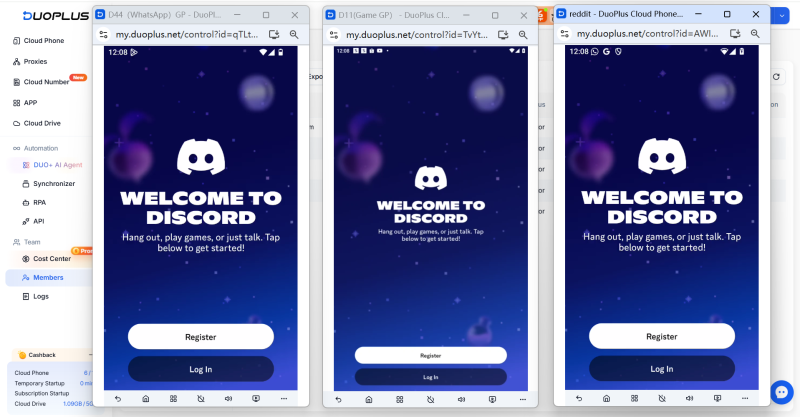
Whether you're running a small private server or managing a large community, Discord provides the flexibility to support a wide range of communication needs.
Discord may seem overwhelming at first, but once you understand how servers and channels are organized, it becomes much easier to navigate.
Whether you're joining an existing community or creating one of your own, Discord offers a flexible way to communicate, collaborate, and stay connected. Learning the basics is the first step toward getting the most out of everything the platform has to offer.
What is Discord used for?
Discord is used for text messaging, voice chat, video calls, and community management. People use it for gaming, education, business collaboration, online communities, and many other purposes.
Is Discord free to use?
Yes. Discord is free to use and includes most core features at no cost. Users can also subscribe to Discord Nitro for additional benefits such as higher upload limits, custom emojis across servers, and enhanced profile customization.
Can I use Discord without downloading the app?
Yes. Discord offers a web version that works directly in most modern browsers, allowing you to access your servers without installing any software.
What's the difference between a Discord server and a channel?
A Discord server is the overall community, while channels are individual spaces inside that server where conversations are organized by topic. A single server can contain multiple text and voice channels.
OpenAI Codex is an AI coding agent designed to help developers write, modify, review, and deliver code. It is available …
VK (VKontakte) is one of the major social media platforms in Russia. In addition to account management, content …
ChatGPT is available through both the web version and desktop/mobile apps. The web version requires no installation and …
No need to purchase multiple real phones.
With DuoPlus, one person can operate numerous cloud phones and social media accounts from a single computer, driving traffic and boosting sales for you.
