How to Manage Multiple Social Media Accounts with DuoPlus Cloud Phone: A Guide to Device Names, Tags, and Groups
As TikTok, Instagram, and Facebook become important channels for brand marketing, content creation, and affiliate …
This guide explains step‑by‑step how to change your phone number on Facebook in 2026. It covers common reasons for not receiving verification codes, a comparison of physical SIM cards, temporary SMS platforms, and cloud numbers, as well as risk control tips for long‑term account management.

Get an AI-Powered Summary of This Article
As Facebook continues to raise its account security standards, phone numbers have become a key credential for account login, identity verification and account recovery. Many users, however, fail to receive verification codes while managing their Facebook accounts. If you can no longer access your original phone number when Facebook requests identity verification, regaining access to your account will become extremely difficult.
This article explains how to change your phone number on Facebook and how to reduce associated risks when updating the number for long-term account management.
This is one of the most common problems. It usually happens for the following reasons:
If the system detects:
it may ask you to re‑verify your phone number. In this case, it is best to use the original device and choose a stable network environment (e.g., a fixed residential IP, avoid frequently switching proxy nodes) to reduce the chance of being flagged as a risky action.
Many users registered Facebook using temporary SMS platforms such as SMSPool or TextVerified. Those numbers are mostly disposable.
When you need to verify again later:
This makes it impossible to complete verification. In such a case, you can try to add a new phone number (if you are still logged in). Also, a number may become invalid if it is overdue, suspended, does not support international SMS, or if the email inbox is blocking Facebook messages.
For an account you plan to use long‑term, keeping a stable contact method is very important. Your phone number is used for:
If your linked phone number stops working, it may become difficult to recover the account when it is flagged, when you forget the password, or when additional verification is triggered.
If you can still receive SMS on your old number, the process is straightforward.
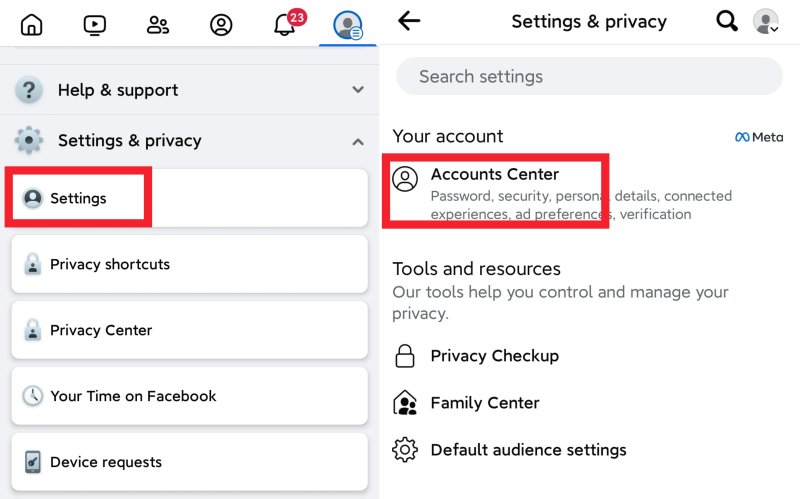
Open Facebook → Settings & Privacy → Settings → Accounts Center Select: Personal details → Contact info
Click “Add new contact” and enter the new phone number. Facebook will send a verification code to that number. After successful verification, the new number is added to your account.
After confirming that the new number works, click on the old number and select “Remove”.
Important: Do not delete the old number before adding and verifying the new one – otherwise you may lose access during the process.
If you have already turned on 2FA for your Facebook account, you will usually need to complete additional identity verification when changing your phone number. Besides entering your password, the system may ask for a code via SMS, an authenticator app, or a backup verification method.
You can also update the 2FA phone number in Accounts Center → Password and security → Two‑factor authentication. The new number will then be used for both login and account protection.
To avoid being flagged as suspicious, it is recommended to make the change from your usual device and a stable network environment – do not change your device, network, and verification method all at the same time.
If your old number is no longer accessible, you cannot receive any SMS, or you have even forgotten your password and cannot log in to the Facebook settings, you cannot go through the normal change process.
If your Facebook account still exists, you can try the Facebook official account recovery process .
During account recovery, the system may ask for:
If the review is approved, Facebook will help you regain access to the account. After that, you can add a new phone number.
Important note: If your account has long been bound to a disposable SMS number that is now completely dead, the recovery process will be significantly more difficult.
Therefore, for accounts you intend to keep long‑term, it is strongly recommended to use:
Whether you are changing your phone number or dealing with account recovery, the essence is having a stable, long‑term verification channel. Planning your number strategy in advance is far more important than handling verification problems after they occur.
For individual users, one stable number is enough. But for Facebook marketing teams, e‑commerce sellers, ad management teams, and people who manage multiple accounts, a more cost‑effective number solution is needed. There are three main options.
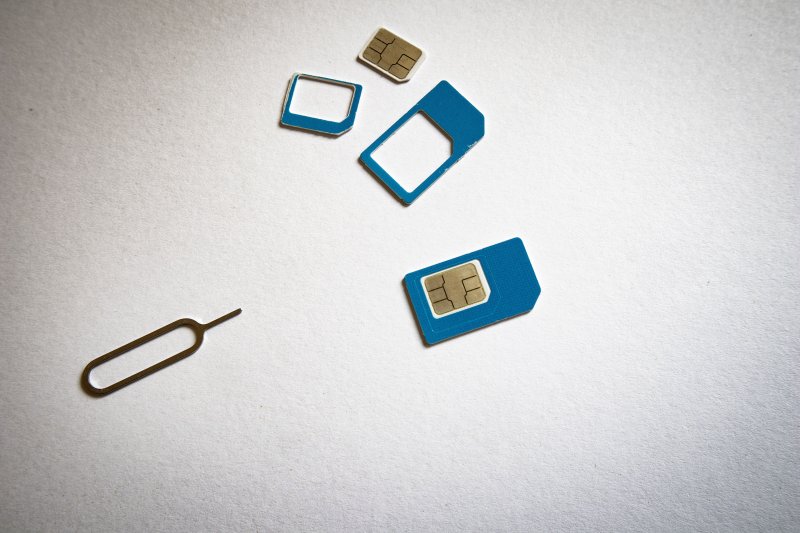
Physical SIM cards are the most stable option. They are real mobile lines and are ideal for Facebook phone verification. Some plans support Wi‑Fi Calling, so you can receive SMS while roaming without extra cost.
Pros
Cons
Best for: Individuals who need to maintain 1‑2 high‑value Facebook accounts and are willing to pay the upfront acquisition cost.
Temporary SMS platforms provide a large pool of numbers and charge per verification code, with numbers being recycled immediately after use. The core model is number sharing – the platform maintains a huge pool; you request a temporary number, receive the code, and then the number goes back to the pool for others to reuse. Examples include Textverified, SMSPool, HeroSMS, etc.
Pros
Cons
Temporary SMS platforms are best for one‑time registrations or short‑term tests. However, if you need to maintain a Facebook account long‑term and may need to receive another code later (e.g., when logging in from a new device or enabling 2FA), their limitations become obvious.
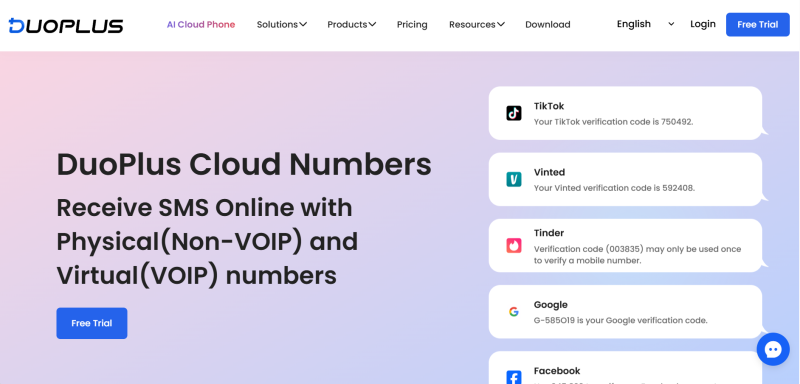
DuoPlus Cloud Numbers are designed for long‑term management of online accounts. They cover Hong Kong, the United States, the United Kingdom, Indonesia, and other countries/regions, offering both virtual VoIP numbers and physical mobile numbers. They support registration and secondary verification for mainstream platforms such as Facebook, TikTok, Amazon, and SHEIN.
Key features
Note: DuoPlus Cloud Numbers are only for receiving SMS verification codes from overseas apps (not for mainland China apps). They do not support making or receiving calls, nor sending SMS.
For users or teams that need to maintain Facebook accounts long‑term, DuoPlus Cloud Numbers are a more suitable solution for both initial registration and ongoing re‑verification.
| Comparison | Physical SIM Card | Temporary SMS Platform | DuoPlus Cloud Numbers |
|---|---|---|---|
| Number exclusivity | Fully personal exclusive | Shared among many users | 100% exclusive during rental |
| Verification rate | Highest (preferred by platforms) | Low (easily flagged) | High (real mobile source) |
| Long‑term cost | Fixed monthly fee, high upfront | Low per‑use, high cumulative | Daily/monthly rental, good value |
| Secondary SMS | Reliable, rarely fails | Number recycled → cannot reuse | Unlimited during rental |
| Best for | Individuals with 1‑2 high‑value accounts | Short‑term tests, one‑off registrations | Individuals/teams with many long‑term accounts |
Changing your phone number itself will not get your account banned. However, the following actions may trigger a security check:
Recommendations:
These practices will reduce the chance of triggering extra verification steps.
Yes. You can add several numbers. After verification, they can all stay on the account. However, it is recommended to keep at least one long‑term, stable number.
Normal changes will not affect security, but frequently modifying your contact information may trigger additional verification.
If you can still log in and complete the current verification, you can usually add a new phone number and then remove the old one.
For short‑term registration, a temporary SMS platform is sufficient. For long‑term login, receiving verification codes, and account recovery, a stable and secure solution like DuoPlus Cloud Numbers is recommended.
Your phone number may seem like just basic information on your Facebook account, but it directly affects login, verification code reception, and account recovery. For an account you plan to keep for a long time, it is best to bind a stable contact method early and regularly check that you can still receive verification messages. Planning your verification channel in advance will save you a lot of trouble later compared to frequently changing numbers.
As TikTok, Instagram, and Facebook become important channels for brand marketing, content creation, and affiliate …

TikTok Shop gives sellers multiple ways to reach potential customers, from shoppable videos and livestreams to creator …
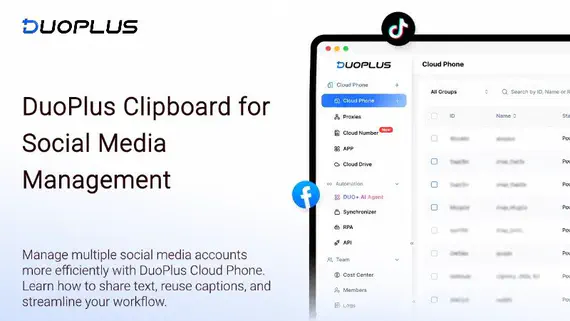
When managing multiple social media accounts, you often need to handle large amounts of text, including post captions, …
No need to purchase multiple real phones.
With DuoPlus, one person can operate numerous cloud phones and social media accounts from a single computer, driving traffic and boosting sales for you.