From Conversation to Action: What is OpenClaw? How Skills Enable AI to Truly Start Working
Recently, the AI community has begun to discuss a new term — OpenClaw. Unlike the discussions around the capabilities of …
Table of Contents
In this ever-evolving digital age, every small change can lead to new trends in the industry. DuoPlus Cloud Phone is committed to continuous innovation based on customer's feedback, aiming to enhance the overall product experience for users.
DuoPlus focuses on gathering user feedback to refine the Cloud Phone's usability. This update delivers six key enhancements.
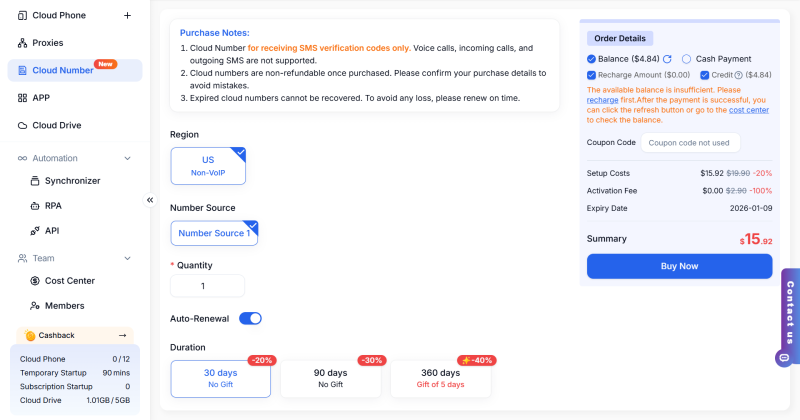
With the new Cloud Number function, users can directly purchase and manage international cloud numbers behind the cloud phone, enabling one-key verification code collection and making account registration and login more efficient and stable.
✅ No SIM card needed, just a stable internet connection.
✅ Each cloud number is independently isolated, ensuring secure batch registration of accounts.
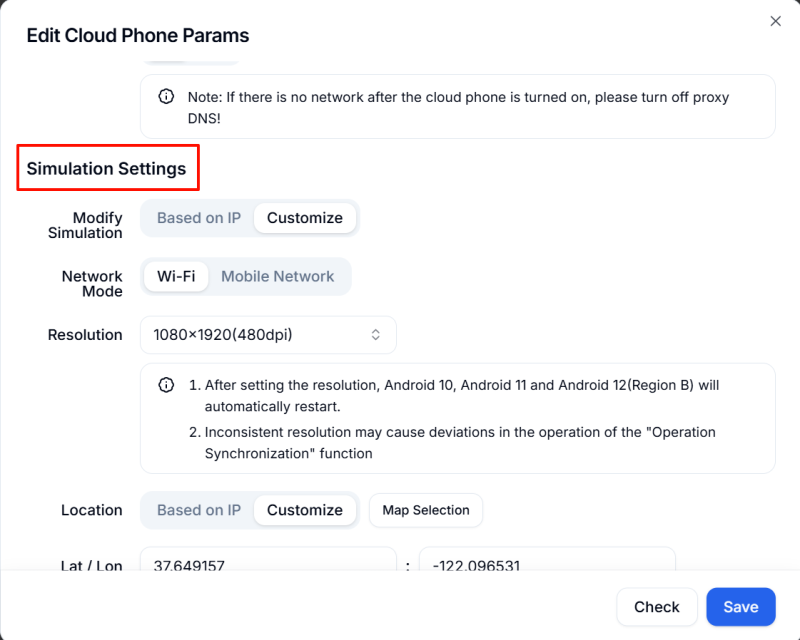
DuoPlus' enhanced user control interface enables users to collaboratively modify the online phone proxy settings, including connection method, bandwidth, and time zone information, leading to more effective device settings enhancement.
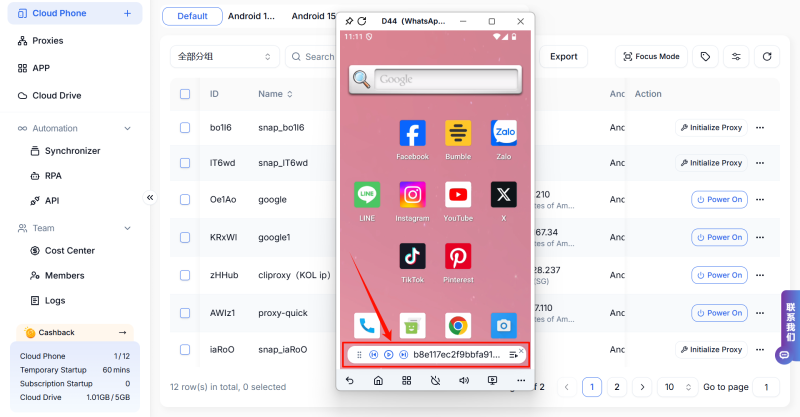
The DuoPlus internal updated user control interface allows users to quickly switch live streaming channels by using the control panel interface, improving operational efficiency.
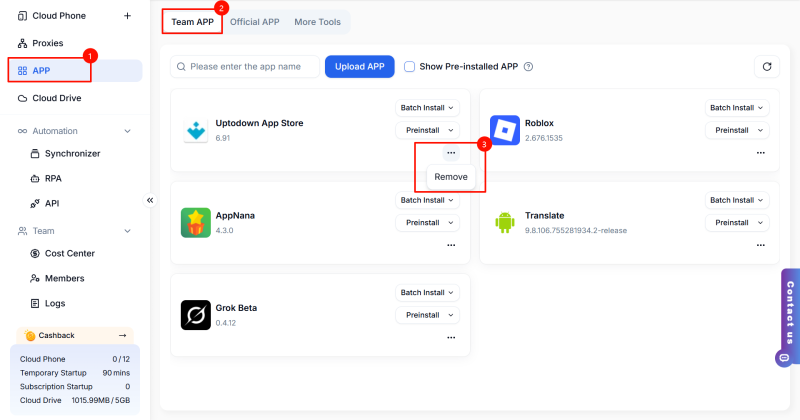
DuoPlus has introduced a "Remove Installation Package" feature in the team app, which allows users to efficiently manage applications on their cloud phones and improves the management efficiency of cloud phone applications.
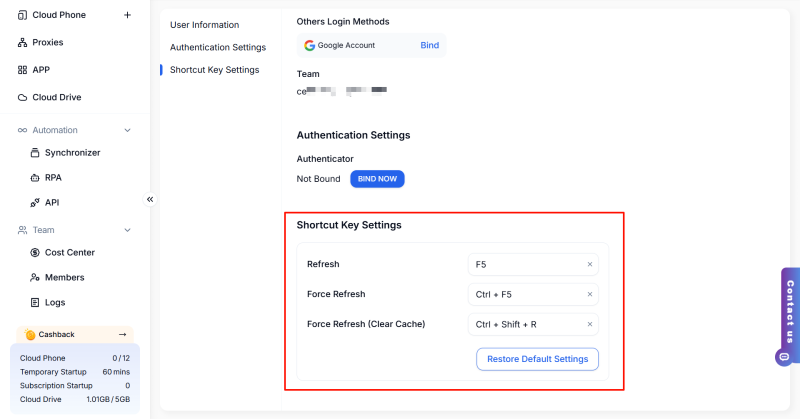
DuoPlus APP allows users to configure frequently used operations according to their own settings, thus enhancing operational efficiency and achieving a more brisk user experience.
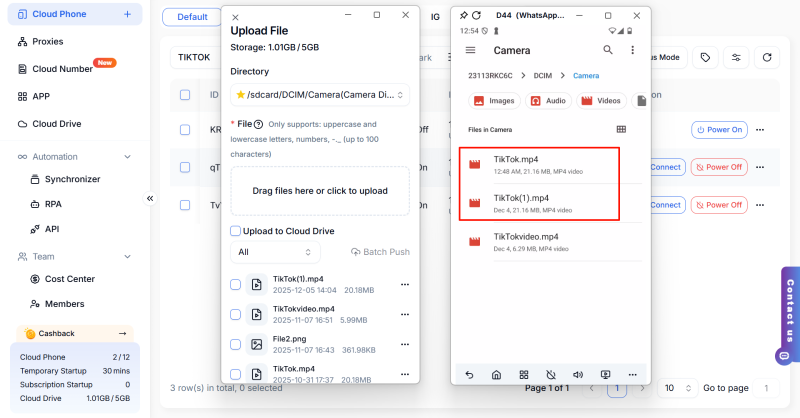
When uploading documents, if there are existing documents with the same name or type, the system will automatically append the number "(Duplicate Count)" to the new document's name, facilitating easier management and searching for corresponding documents.
This concludes the content of the DuoPlus latest function update. We will continue to release more high-efficiency and practical features in the future. Users are welcome to provide more feedback on DuoPlus; we will regularly gather your valuable insights and continuously optimize.
DuoPlus Cloud Phone
Protect your multiple accounts from being
Recently, the AI community has begun to discuss a new term — OpenClaw. Unlike the discussions around the capabilities of …
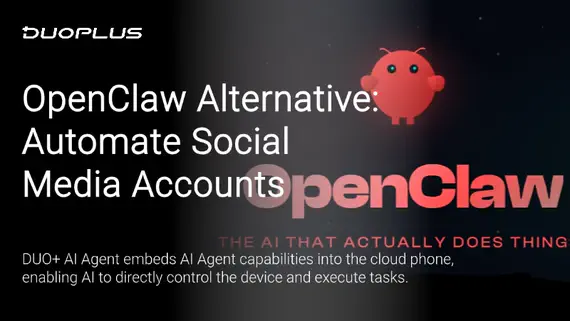
Recently, regardless of whether it's on social media platforms or tech communities, one name stands out: the AI tool …
No need to purchase multiple real phones.
With DuoPlus, one person can operate numerous cloud phones and social media accounts from a single computer, driving traffic and boosting sales for you.
