




How to Log In to Telegram Without Your Phone Number
Telegram is a messaging app many people use for everyday conversations, joining communities, and communicating with …
Learn how to optimize multi-accounting by combining Afina Browser's web isolation with DuoPlus cloud Android profiles. Manage fingerprints, proxies, and mobile apps effectively.

Get an AI-Powered Summary of This Article
An antidetect browser gives each account in multi-accounting a separate web environment. This reduces overlap between profiles through cookies, cache, IP address, or digital fingerprint. Teams use it for ad accounts, stores, social networks, and affiliate accounts, but the browser alone does not solve everything. You still need to monitor proxy quality, operator behavior, platform rules, and the difference between a web account and a mobile app.
When a team works with both websites and mobile apps, one infrastructure layer is often not enough. The web part stays in the browser: ad accounts, seller dashboards, CRM, affiliate networks, email, analytics. The mobile part lives in an Android environment: a social media app, mobile marketplace, messenger, push notifications, mobile authorization. Here, it is better to separate the roles: Afina Browser handles isolated web profiles, while DuoPlus provides separate cloud Android profiles for mobile tasks.
For an affiliate team or e-commerce operator, this setup is valuable not because two services are connected, but because web and mobile environments can be managed separately and consistently. The team can control the browser fingerprint, WebRTC, IP, cookies, local storage, Android environment, push behavior, and login history. This makes daily work easier and helps avoid accidental conflicts between profiles.
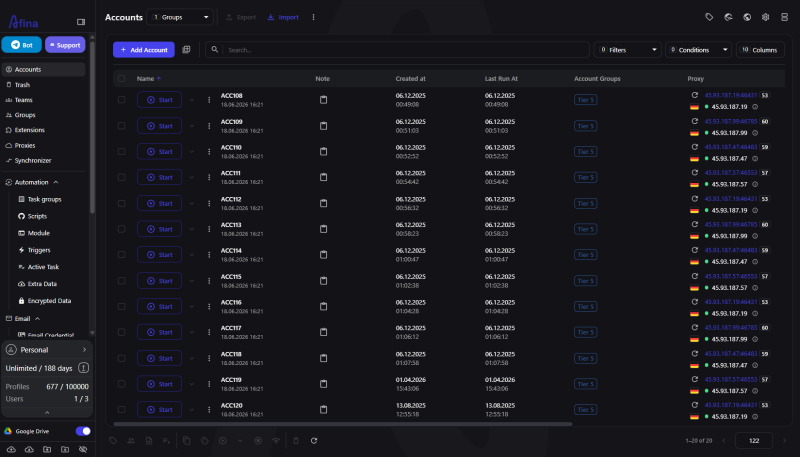
In this workflow, Afina does not replace a cloud phone. It covers its own part of the chain: a managed browser session for websites and web dashboards where fingerprint, proxy, cookies, team access, and automation matter. DuoPlus is used where an Android profile and a mobile app are required.
Afina isolates browser profiles so each account has its own session, proxy, cookies, storage, and digital fingerprint. This is important for teams where an operator opens not two tabs, but dozens of profiles with different geos, roles, and traffic sources.
A common multi-accounting mistake is keeping several accounts in a regular browser or spreading them across tabs. The logins may be different, but the website can still see shared signals: one WebRTC path, system language, time zone, similar Canvas/WebGL, cookie history, or the same IP. In digital fingerprint management , Afina works with specific profile parameters: User-Agent, Canvas, WebGL, Audio, Rects, language, time zone, and device characteristics.
For a team, this is not about abstract privacy. It is a normal account management model. You can create a separate profile for an ad account or store, assign a proxy to it, keep its cookies separate, add a tag, group, notes, and the required extensions. If an account belongs to another geo, the profile should align its IP, language, time zone, and browser stack behavior.
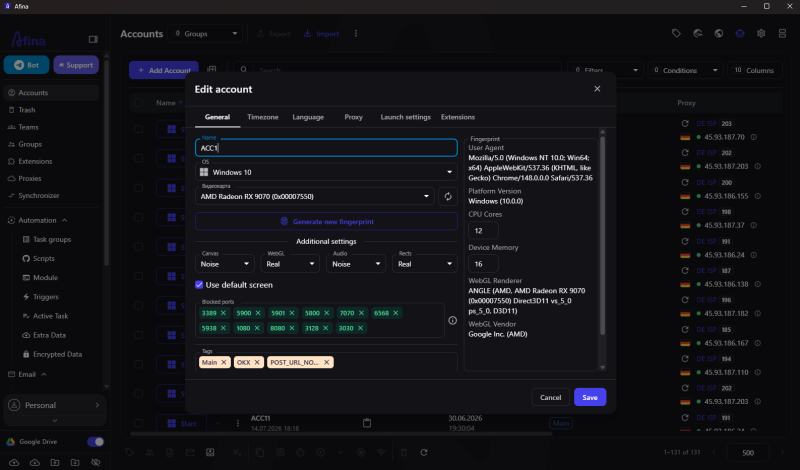
The team can work with less manual disorder. An operator sees a profile table instead of a pile of random browser windows: which account belongs to which project, which proxy is connected, when the profile was last launched, and who worked with it. For SMM, affiliate marketing, and e-commerce, this is practical. A geo mismatch or someone else's cookies can damage an already warmed-up account.
Cloud Android is needed when most of the work happens inside a mobile app. An antidetect browser works well for websites, web versions of services, and admin panels, but a desktop session does not become a separate Android device because of that.
In mobile verticals, this becomes clear almost immediately. A social network may have a web dashboard for advertising, but the account's real behavior often lives in the app: login, feed, pushes, messages, content views, mobile signals. A marketplace may allow some actions through the website, although certain checks, notifications, and seller workflows are more convenient or even possible only from a mobile environment.
That is why Afina + DuoPlus should be treated as a separation of environments. One account can have a pair of linked profiles: a web profile in Afina for browser tasks and an Android profile in DuoPlus for mobile scenarios.
| Work area | Best covered by | Example task |
|---|---|---|
| Web dashboard | Afina Browser | ad account, affiliate network, e-commerce admin panel |
| Mobile app | DuoPlus | mobile login, pushes, actions inside an Android app |
| Proxy and web fingerprint | Afina Browser | aligning IP, WebRTC, language, time zone, and Canvas/WebGL |
| Operational routine | Both tools | web check in Afina, mobile activity in DuoPlus |
The main rule is not to mix roles. A web task is better kept inside a browser profile. A mobile task should not be imitated through random desktop workarounds. Then the team can see faster where the problem is: IP, fingerprint, Android session, operator behavior, or the quality of the account itself.
It is better to start the workflow with an account map: which profiles belong to one project, which work on the web, which operate in the mobile environment, and which proxies and geos are required. Without this map, multi-accounting quickly turns into a spreadsheet of random logins. Later, it becomes difficult to understand why some accounts run into blocks or checks.
A practical process can look like this:
In this process, Afina works as more than a browser container. It helps manage profiles as inventory: groups, tags, bulk actions, proxy checking, cookie import and export, and team roles. If a task includes many repetitive steps, the team can use no-code automation or a local API.
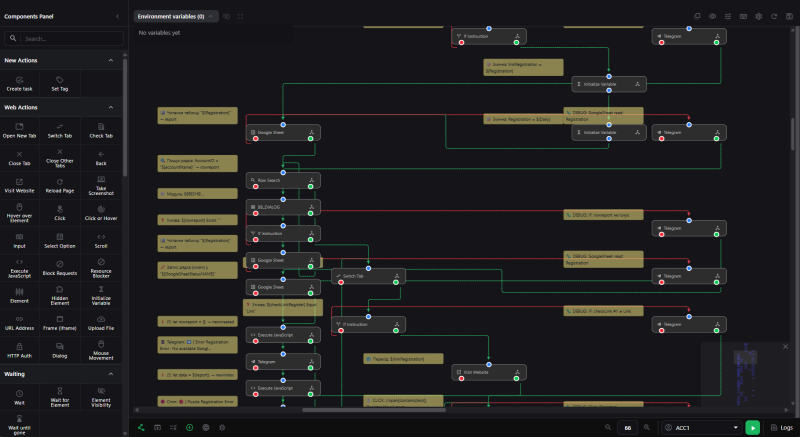
For example, an operator prepares a batch of accounts for a new geo. In the web part, the operator creates profiles, distributes proxies, checks for WebRTC leaks, and starts basic warm-up or Cookie Robot. In the mobile part, they open the corresponding Android profiles in DuoPlus and perform the actions that must happen specifically in the app. Both parts follow one checklist.
Afina and DuoPlus help remove a significant part of the technical disorder, but they do not override platform rules or their verification systems. Risks remain if the proxy is unstable, the geo does not match the language and time zone, or the team violates the requirements of a specific service.
The first risk is related to IP and proxies. Sharp changes in country, ASN, or network route can look like an unstable environment. For working accounts, it is important to use reliable proxies, monitor their reputation, and avoid changing network parameters without a reason.
The second risk concerns WebRTC and UDP. A browser may show a clean proxy in the address bar, but WebRTC can expose another network address or an unusual route. Afina has protection against WebRTC leaks and supports UDP over SOCKS5, including for QUIC/HTTP3, but the final result depends on whether the proxy provider actually supports the required traffic.
The third risk concerns operational behavior. Even with technical isolation, the team must follow platform rules, avoid unnatural work patterns, and control automated actions where they are used.
The fourth risk comes from confusion between web and mobile. A web profile and an Android profile should follow one account logic: geo, language, time zone, activity type, and login history. That is why it is better to describe a pair of profiles as one entity in the working table. Otherwise, different people will quickly start treating one account as two separate ones.
An antidetect browser and a cloud phone are not interchangeable tools because they work with different types of environments. For web dashboards, browser isolation, digital fingerprint, cookies, proxies, and WebRTC control matter. For mobile apps, a separate Android environment is needed. That is why separating the browser profile from the Android environment works better than trying to run all actions in one layer.
| Criterion | Afina antidetect browser | DuoPlus cloud Android |
|---|---|---|
| Main environment | Chromium profiles for websites and web dashboards | Android profiles for mobile apps |
| Key identity | browser fingerprint, cookies, WebRTC, proxy | mobile environment, apps, pushes, Android session |
| Typical tasks | ad accounts, e-commerce, affiliate networks, web automation | mobile social networks, apps, mobile confirmations |
| Automation | no-code scripts, task groups, API, MCP server | mobile actions in Android profiles |
| Where risk is higher | poor proxy, fingerprint mismatch, WebRTC leak | mismatch between mobile behavior and account history |
If a team works only with web dashboards, an antidetect browser is enough. When a significant part of the work moves into apps, a cloud phone adds a separate mobile layer and helps keep web and Android sessions apart.
In practice, the Afina + DuoPlus combination is convenient when one team manages the same project across two environments. For example, an operator works with a mobile social network through an Android profile, while the ad account, affiliate network, email, billing, and analytics are opened in the corresponding web profile.
In this scenario, Afina helps organize the web part of the work: groups of profiles, proxies, statuses, tags, local data, and team roles are visible in one place. For repetitive tasks, teams can use scripts, task groups, the synchronizer, or API. Technical teams can also use an MCP server to connect supported automated scenarios and integrations.
To avoid confusing environments, the team should manage each pair of web and Android profiles as one working entity: with the same geo, aligned settings, and a clear division of actions between operators. This makes control easier and reduces accidental mistakes during daily work.
Use the right environment for each task, and do not mix web and mobile sessions without a need. This material is provided for informational and educational purposes.
If the web part of this workflow requires a separate browser environment, you can download Afina Browser using the link below.
Promo codes are available for new users:
What is an antidetect browser used for in multi-accounting
An antidetect browser is used so each web account can run in a separate profile with its own cookies, IP, fingerprint, and session settings.
Can a cloud phone replace an antidetect browser
No. A cloud phone covers the mobile Android environment, while an antidetect browser manages web profiles, browser fingerprints, proxies, and WebRTC.
When should Afina Browser be used together with DuoPlus
This combination makes sense when one account has both a web part and a mobile part: the website or dashboard opens in Afina, while the app runs in DuoPlus.
Does each profile need a separate proxy
For operational multi-accounting, a separate proxy is recommended because IP, geo, language, and time zone should match the history of each specific account.
Does Afina guarantee protection from bans
No. Afina provides tools for isolation, fingerprinting, proxies, and automation, but the result depends on account quality, behavior, proxies, and platform rules.
Can routine actions be automated without programming
Yes. Afina includes no-code scripts, task groups, and a synchronizer, while API or an MCP server can be used for more complex processes.
Telegram is a messaging app many people use for everyday conversations, joining communities, and communicating with …
If engagement suddenly drops after you post on X (formerly Twitter), your account cannot be found in search, or a new …
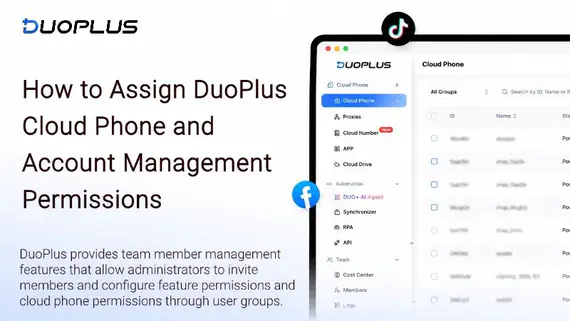
Social media operations often involve content publishing, account maintenance, project collaboration, and staff …
No need to purchase multiple real phones.
With DuoPlus, one person can operate numerous cloud phones and social media accounts from a single computer, driving traffic and boosting sales for you.

