





How to Manage a VK Account: Content Strategy, Community Management & Multiple Accounts
VK (VKontakte) is one of the major social media platforms in Russia. In addition to account management, content …
Learn how to log in to Codex and fix common phone verification issues, including missing SMS codes and unsupported phone numbers.

Get an AI-Powered Summary of This Article
OpenAI Codex is an AI coding agent designed to help developers write, modify, review, and deliver code. It is available through several interfaces, including the ChatGPT desktop app, Codex CLI, IDE extensions, and Codex web.
Depending on how you use Codex, you may be asked to log in with your ChatGPT account or authenticate with an OpenAI API key. Some users may also encounter phone verification when accessing Codex or creating their first API key. If the verification code doesn't arrive or your phone number isn't accepted, you may need to check your region, number type, and SMS or WhatsApp availability.
The login process depends on which Codex interface you're using.
Codex is available as a mode within the ChatGPT desktop app. After logging in to your ChatGPT account, you can enter Codex mode directly without creating a separate Codex account.
If you're having trouble logging in to ChatGPT first, check our guide to ChatGPT login, verification, and subscription issues .
Codex CLI supports different authentication methods depending on how you plan to use it.
You can run:
codex
Then choose ChatGPT login to authenticate through your browser. You can also use an OpenAI API key when working with the API.
| Login Method | Authentication | Billing / Usage | Typical Use |
|---|---|---|---|
| ChatGPT login | ChatGPT account authorization | Uses the Codex access included with your ChatGPT plan | Direct Codex use |
| API key | OpenAI API key | API billing | API and development workflows |
ChatGPT login and API key authentication are separate methods. API key usage is subject to the permissions, projects, billing settings, and limits associated with your OpenAI API account.
If you're using the Codex IDE extension in VS Code, the extension can open your browser so you can sign in to your OpenAI account and authorize access.
The general flow is:
VS Code → Codex extension → Browser → OpenAI login → Authorization → VS Code
After authorization, return to VS Code and continue using Codex.
Phone verification can appear at different points in the OpenAI account or Codex experience.
OpenAI may ask some users to add or verify a phone number when accessing Codex through the ChatGPT desktop app. The verification flow can depend on the account and the specific access scenario.
OpenAI currently requires phone verification when you create your first API key on the API platform. You don't need to repeat phone verification when creating additional API keys for the same account.
This is different from simply signing up for or logging in to ChatGPT, where phone verification is not generally required.
If you don't receive a verification code, check the following points before trying repeatedly.
Make sure you've selected the correct country or region and entered the phone number in the correct format.
OpenAI doesn't support phone verification in every country or region, so an unsupported region may prevent verification from completing.
OpenAI currently sends verification codes by SMS. In some supported countries, WhatsApp verification is also available. Supported WhatsApp verification countries currently include the UAE, Egypt, Indonesia, Israel, India, Malaysia, Nigeria, Pakistan, Saudi Arabia, Türkiye, Ukraine, and Vietnam.
If you've requested multiple codes in a short period, avoid repeatedly submitting new requests. Wait for a while and try again.
For the phone verification associated with first API key generation, the same phone number can currently be used for verification up to three times. This limit mainly applies to new users in specific regions, so availability may vary by account and location.
If your number has already reached the limit, using the same number repeatedly will not resolve the problem.
If your current number cannot complete verification, check whether the number type and region are supported.
Common options include:
1. Physical SIM
A regular mobile number can be used for long-term account access if it is from a supported region and can receive verification messages. Note that data-only SIM cards may not support SMS.

2. eSIM An eSIM can work if it provides a real mobile number with SMS support. Some travel eSIMs are data-only, so they cannot receive verification codes.
3. DuoPlus Cloud Numbers DuoPlus Cloud Numbers provides online phone numbers for different regions and supports SMS management. The general process is: Choose a region → Get a cloud number → Enter the number during OpenAI verification → Receive the verification code → Enter the code DuoPlus offers different number types and rental periods. Availability depends on the current service and region. If you're considering a cloud number for OpenAI verification, make sure the specific number type is supported before using it. Cloud numbers can also be useful for workflows that require managing multiple numbers or handling repeated verification tasks.
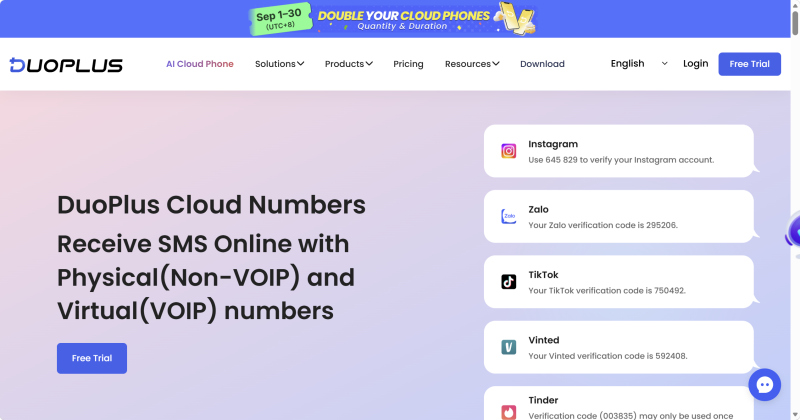
4. Temporary SMS Numbers Temporary SMS numbers are generally designed for short-term or one-time verification. However, receiving an SMS does not guarantee that OpenAI will accept the number. OpenAI does not support landlines, premium numbers, or VoIP numbers such as Google Voice for phone verification.
| Option | Main Feature | SMS Support | Suitable For |
|---|---|---|---|
| Physical SIM | Long-term mobile number | Usually | Regular, long-term use |
| eSIM | Digital mobile number | Depends on the plan | Users who need a flexible mobile number |
| DuoPlus Cloud Number | Online number management | Depends on the number | Managing multiple numbers and verification workflows |
| Temporary SMS | Short-term number | Usually | One-time verification |
For occasional Codex use, a regular mobile number is generally the simplest option. If your existing number doesn't work, check the supported region and number type before choosing another option.
Codex uses your OpenAI account rather than requiring a separate Codex account. The ChatGPT desktop app uses your ChatGPT login, while Codex CLI can use browser-based ChatGPT authentication or an API key. IDE extensions can also redirect you to your browser for account authorization.
If you're asked to verify a phone number, first identify which stage requires verification. Then check your country code, SMS or WhatsApp availability, and whether your number type is supported.
If your current number doesn't work, you can consider a supported physical SIM, SMS-capable eSIM, or another phone number that meets OpenAI's current verification requirements.
Yes. Codex can be accessed using your ChatGPT account, including through the ChatGPT desktop app and supported Codex login flows.
This can depend on the authentication method, ChatGPT plan, API usage, or account and organization settings. If you're using an API key, check your API project and billing settings. If you're using Codex through ChatGPT, check the access and usage information associated with your ChatGPT plan.
Sign out of the current account and log in again with the account you want to use. If the browser automatically signs you into the previous OpenAI account, sign out of that account in the browser first and then restart the authorization process.
For Codex CLI, reopen the CLI and run a simple task to check whether it can access your account. For the VS Code extension, check whether the extension shows your account as signed in. If authorization fails, sign out and complete the browser authorization process again.
First check your country/region, phone number format, SMS or WhatsApp availability, and whether the number has already reached its verification limit. If the number is unsupported, try another supported number rather than repeatedly requesting new codes.
VK (VKontakte) is one of the major social media platforms in Russia. In addition to account management, content …
ChatGPT is available through both the web version and desktop/mobile apps. The web version requires no installation and …

Different ChatGPT models vary in response speed, reasoning ability, performance on complex tasks, and usage cost. The …
No need to purchase multiple real phones.
With DuoPlus, one person can operate numerous cloud phones and social media accounts from a single computer, driving traffic and boosting sales for you.
