





How to Sign Up for Meta Muse and Use a Referral Code
Muse has recently become one of the most talked-about AI Agent products in the AI tools space. As a new AI Agent from …
Compare cloud phones, physical phones, and emulators for multi-account management in 2026. Analyze account security, cost, and management efficiency to find the best solution for your business.

Get an AI-Powered Summary of This Article
In 2026, the competition in social media operations, e-commerce, and advertising is intensifying. Account security and operational efficiency have become top concerns for teams. Platform risk control rules are constantly being updated, and logging into multiple accounts on the same device can easily trigger bans. Traditional physical phones and Android emulators struggle to efficiently meet the demands of large-scale, high-stability operations.
Cloud phones, as a new generation of cloud-based device solutions, are gradually replacing physical phones and emulators as the preferred tool for professional operation teams due to their device-level isolation, batch management, and zero physical maintenance advantages. This article comprehensively compares cloud phones, physical phones, and emulators from the perspectives of underlying principles, account security, and management efficiency, helping you choose the most suitable solution for multi-account anti-detection operations.
Physical phones are the most direct way to manage multiple accounts – purchase several real devices, log into one account per device, and physically isolate accounts to avoid association risks.
Use Cases: Physical phones rely on native hardware and provide a truly authentic device environment. They are suitable for registering main e‑commerce accounts, financial settlements, real‑name verification for social media and ad accounts, and other sensitive operations. However, they are not suitable for batch multi‑opening or 24/7 unattended tasks due to hardware limitations.
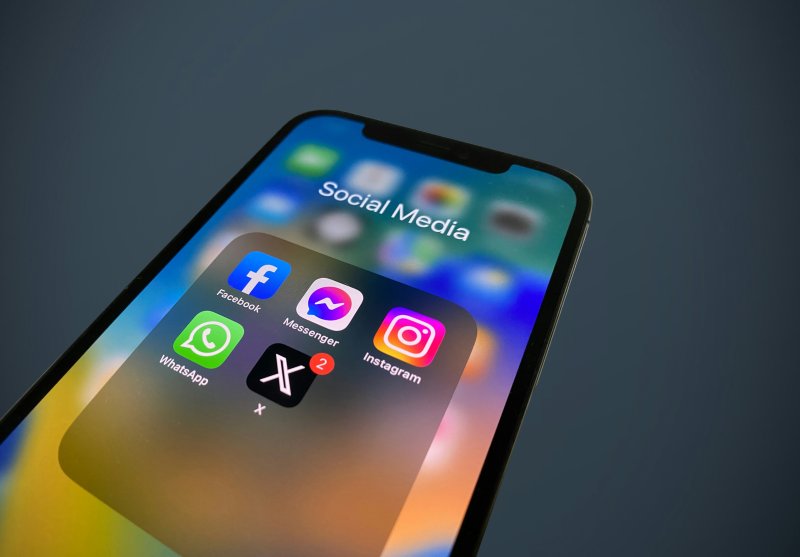
Android emulators (e.g., LDPlayer, Nox, MEmu) simulate Android systems on a computer. In social media management, emulators are often used to log into mobile apps from a PC, access mobile‑only features, and manually manage a limited number of accounts. Emulators are easy to set up and generally low in price, but they rely on virtualized hardware, shared system components, and local machine resources.
Use Cases: Emulators rely on computer computing power to run multiple instances. They are flexible to deploy and suitable for short‑term batch logins, routine auxiliary operations, and fine‑tuned keyboard/mouse tasks. However, their virtual environment characteristics are obvious and easily detected by platform risk control SDKs and Google Play Integrity API. They are not recommended for high‑sensitivity operations such as account registration or financial transactions.
Cloud phones are native Android devices running on cloud servers based on real ARM architecture. Users can operate them remotely via a browser or client. Taking DuoPlus Cloud Phone as an example, this solution strikes a good balance between physical phones and emulators, and is already serving many social media matrix operators and cross‑border e‑commerce teams.
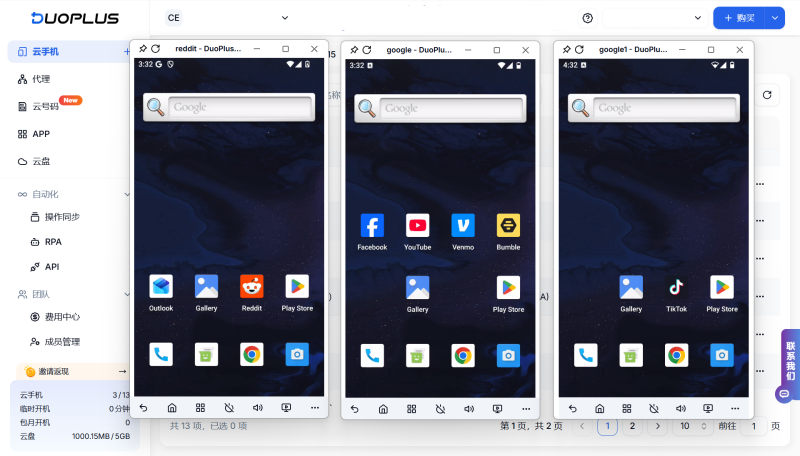
In addition, DuoPlus Cloud Phone includes several value‑added features to boost bulk operations: a built‑in one‑stop cloud number service that binds virtual or physical numbers to simplify account registration; and a self‑developed AI automation capability with RPA templates, allowing batch tasks like likes, comments, and content posting to be completed via natural language commands.
Use Cases:DuoPlus Cloud Phone leverages ARM architecture virtualization and device‑level environment isolation, supporting independent fingerprints and dedicated proxy IPs for anti‑association. It is well‑suited for large‑scale operations such as managing multiple e‑commerce storefronts, batch account nurturing on social media, A/B testing ad campaigns, RPA automation, and global content distribution.
| Dimension | Physical Phone | Android Emulator | DuoPlus Cloud Phone |
|---|---|---|---|
| Device Authenticity | Most authentic, no simulation traces | Obvious emulator features, easily detected | Real‑device level, passed Google Play Integrity Level 3 certification |
| Initial Investment | Very high ($2,500–$10,000+) | Low (free or small software fee) | Low (device fee from~$1.4/unit for 5 units, pay‑as‑you‑go) |
| Maintenance Cost | High (depreciation, electricity, repair) | Low (depends on local computer) | Very low (provider maintains hardware) |
| Management Efficiency | Low, manual operation per device | Medium (multi‑open + scripts, but PC‑dependent) | High, web batch management + AI Agent automation |
| Account Isolation Level | Physical isolation but IPs may be shared | Incomplete isolation, fingerprints may repeat | Complete isolation, independent IP and parameters possible |
| Platform Risk Control | Low (but fixed fingerprint could be flagged) | Extremely high (emulator features obvious) | Low (real hardware features, passes certification) |
| Value‑Added Services | None | Limited | Built‑in cloud numbers, AI Agent, RPA templates |
| Network Dependency | Still can operate local interface offline | Some still can operate local interface offline | Requires stable network |
| Suitable Scale | Small (<20 devices) | Small to medium (limited by PC performance) | Large (dozens to hundreds of devices) |
Physical phones are genuine hardware, offering the most authentic environment but with high cost and management difficulty. Emulators are cheap but device fingerprints are easily detected by platforms. Cloud phones combine the advantages of both: they run on real ARM hardware, provide a genuine device environment, and support cloud batch management. For long‑term, large‑scale operations, cloud phones are the more balanced choice.
Platforms determine account association based on device fingerprints (IMEI, MAC, Android ID), IP addresses, GPS, etc. Using multiple accounts on the same device or network can easily trigger risk controls.
Both. Individuals can use it directly via a browser, paying as they go with a low entry barrier. Teams benefit from multiple independent workspaces, multi‑level permissions, and one‑click resource sharing, allowing flexible scaling as business grows. Individuals can start with the “device fee + temporary startup” model for low monthly cost; larger teams can use monthly subscription for even lower per‑device cost at scale.
In summary, physical phones, emulators, and cloud phones each have their own strengths and weaknesses in terms of device authenticity, cost structure, management efficiency, and account security, making them suitable for different stages of operations. For scenarios with a small number of accounts and high authenticity requirements, physical phones are a better fit. For light testing, emulators can be used. But when a team begins to manage many accounts long‑term, focusing on management efficiency and environment isolation, cloud phones become the more suitable solution for multi‑account anti‑detection.
Muse has recently become one of the most talked-about AI Agent products in the AI tools space. As a new AI Agent from …

OpenAI Codex is an AI coding agent designed to help developers write, modify, review, and deliver code. It is available …

VK (VKontakte) is one of the major social media platforms in Russia. In addition to account management, content …
No need to purchase multiple real phones.
With DuoPlus, one person can operate numerous cloud phones and social media accounts from a single computer, driving traffic and boosting sales for you.

