How to Appeal a Suspended or Disabled Google Account
A Google Account is more than just your Gmail address.It launches Drive, Photos, YouTube, Play and "Sign in with …
Can't log into TikTok? Work through the real causes: wrong sign-in method, passwords, 2FA, attempt limits, app issues, or a suspended account.

Get an AI-Powered Summary of This Article
Many still have this problem even when the phone seems to be in fine condition and the password seems to be right. TikTok has stringent restrictions to register an account, and the login screen usually shows one of the three prompts:
It is easy to take these signals as a restriction. Most of the time they aren't. Go through the causes listed below in order instead of repeatedly tapping Log in.
Quick fix: Check how the account was created (phone, email, username or Continue with Google, Apple or Facebook) and then sign in the same way. If you are not sure, reset the password once. If you get the attempt-limit warning, stop and wait. There is a guide to the attempt-limit error with walkthrough for this case. Accounts that are suspended or banned will see a clear message with an appeal option. Changing VPNs or devices over and over again doesn’t always cure a login problem and can make the next attempt look much weirder.
| What you see | What it usually is | What to do first |
|---|---|---|
| Login fails, no special error | Wrong method, typo in the username/email/phone, or a wrong password | Confirm the original sign-in method; reset the password once if needed |
| "Maximum number of attempts reached. Try again later." (or "you have made 1 attempt…") | Temporary security limit on logins, codes or resets | Stop, wait, then try once — see theattempt-limit guide |
| A code was sent but never arrives, or the code is rejected | Rate limit, wrong phone/email, or a delay from the carrier or inbox | Wait before tapping Resend; check spam and the number/email on the account |
| A message that the account is suspended, banned or under review, with an appeal path | An account-level decision, not a typo | Use TikTok's on-screen appeal. This is not a normal login fix |
| 2-step verification or a prompt to approve a new device | The password may be right; TikTok wants a second check | Approve it from a device that already works, or use your backup codes |
| The app crashes, spins or goes blank after you tap Log in | App or network issue | Update or reinstall the app, try the other network (Wi-Fi ↔ mobile data) once, or use tiktok.com |
The account most likely still exists if a friend can log in on their phone but you are unable to. Pay attention to the device in front of you, the method, the password, and 2FA.
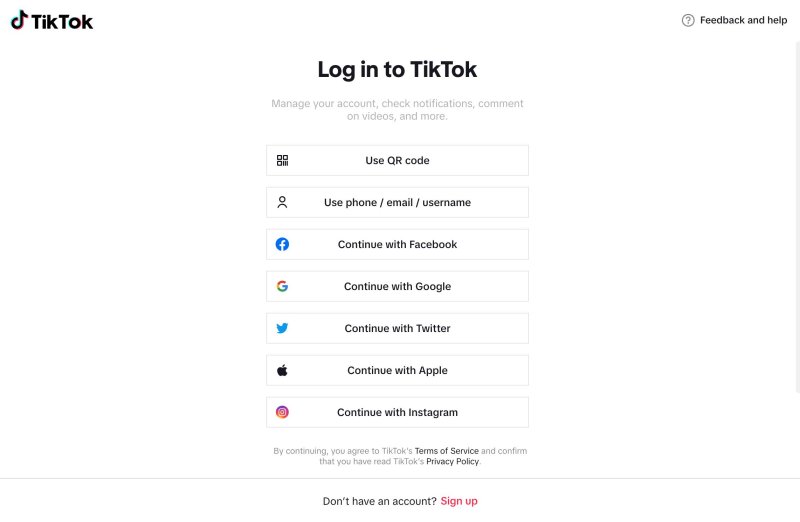
This is the most common miss that we observe. Until a TikTok password is specified, an account created via Continue with Google or Continue with Apple does not have one. You may reach the attempt limit if you repeatedly type the Gmail address and a guessed password.
Prior to attempting again, make sure:
Take the same route. Use that button once more if you initially used Google or Apple, ideally using the same Google or Apple account. This also explains why TikTok occasionally advises you to change your login method—it already knows the account, it's just not using the one you're currently using.
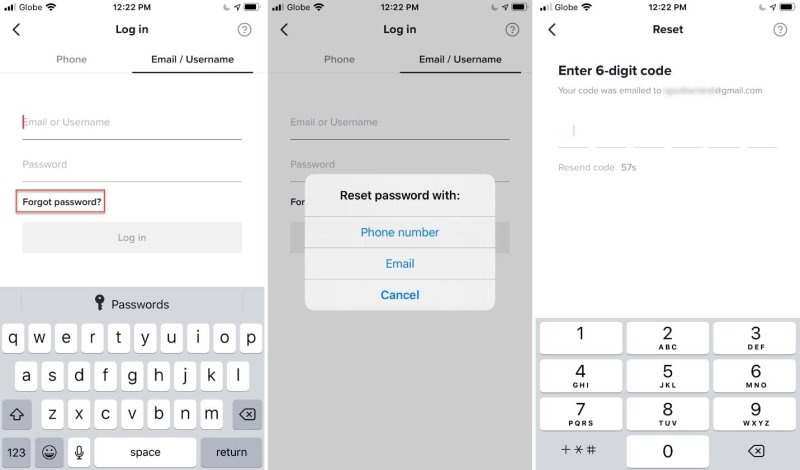
Use Forgot password? and reset it once via phone or email if you are unsure about the password. Try a single login on your regular device and network after you've waited for the notice and changed your password.
After changing your password, TikTok logs you out of other devices. That's to be expected, and it's preferable to making five guesses and exceeding the attempt limit.
"Maximum number of attempts reached" is the message displayed. "Try again later" is a short-term security measure. It is neither a delete nor an automatic ban. The number of attempts permitted and the duration of the limit are not disclosed by TikTok. It can be maintained by retrying while it is active.
Close the app or browser tab, wait, and then make one careful attempt. For the walkthrough on the app, PC, browser and LIVE Studio — and for the "1 attempt" wording — use TikTok "Maximum number of attempts reached" . This page is for the broader "I can't log in" problem, not a second version of that same error.
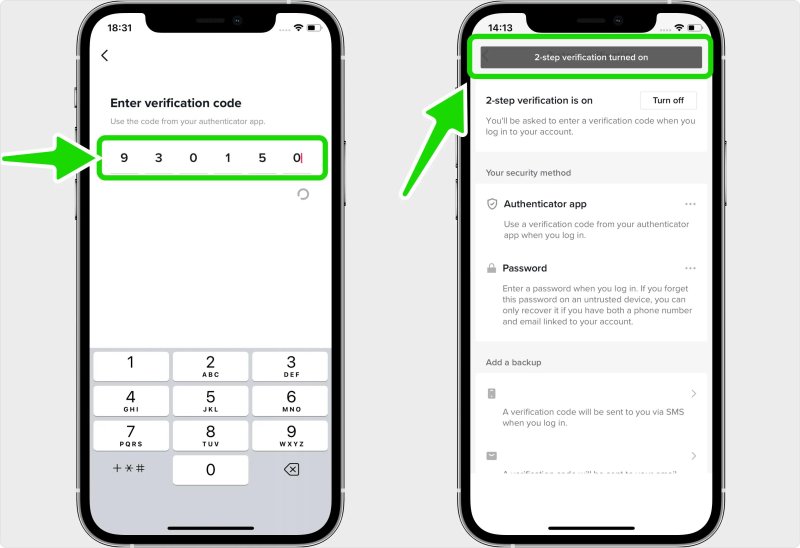
If you enter your password and TikTok asks for a code or to approve it on your device, you haven’t been locked out yet. Check the email, SMS, or authenticator app that TikTok has on file for you. Use one of the backup codes you stored when you turned on 2FA.
If you don’t have a 2FA method anymore, use TikTok’s in-app 2FA. Need a bit more help? or report a problem flow from the login screen (wording varies by version) to explain that you cannot complete 2-step verification. Never purchase a third-party "login bypass".
Try each of these once, instead of trying each of them over and over again:
A new network or VPN is not a reset button. Using multiple IP addresses quickly, especially while continuously inputting the password, frequently makes the login appear less authentic and more like a guessing assault.
TikTok considers more than just the password. The login check includes device, network, and location data. Although they don't always result in a ban, these circumstances frequently cause the app to ask you to wait, try again, or switch methods:
If you manage more than one authorized account, keep a usual device and a usual sign-in method for each one, and do not hammer Log in on all of them from the same phone at the same time. That is ordinary hygiene, not a workaround for a restriction that is already in place.
See the TikTok IP, GPS and network restriction guide if the issue began after a country, IP, or GPS change rather than a forgotten password.
If TikTok tells you the account is suspended or banned and shows a way to appeal, you are no longer in ordinary login troubleshooting. Follow the in-product appeal. Our article on TikTok account suspension mistakes to avoid covers how people get there and what not to do next.
Do not attempt to "log in from a clean device" in order to avoid the appeal, nor should you make a new account in order to circumvent a suspension. That is not a password issue; rather, it is a policy issue.
Look for Need more help? on the login screen. or a comparable link. If you are still able to access any TikTok account that is logged in, go to Profile → ☰ → Settings and privacy → Report a problem.
The username, the device and app version, the approximate time of the last try, the email address or phone number associated with the account, and a snapshot of the precise problem should all be included in the report. Sending the same "I can't log in" message five times is less helpful than that.
Sellers and agencies frequently maintain multiple authorized TikTok accounts. Everybody should have a standard gadget and a standard method of logging in.
DuoPlus Cloud Phone for TikTok gives each authorized account its own Android cloud phone, opened from a browser. That helps a team keep sessions and environments separate. It is not a workaround for a ban, an attempt limit or a 2FA lockout. If an account is already limited or suspended, follow TikTok's official steps first.
See plans on the DuoPlus pricing page .
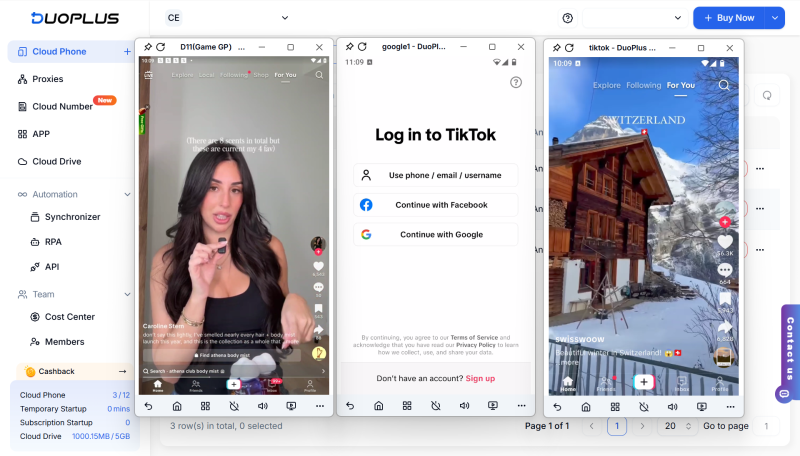
The most common reasons are using a different login method than what was used to sign up, using the incorrect password, using 2-step verification, having a temporary attempt limit, an out-of-date app or network problem, or, less frequently, having an account suspended. Before you keep attempting, be sure the original sign-in method is correct. If a login is successful on one device but unsuccessful on another, the account is still active; adjust the network, app, 2FA, or method on the failing device.
Take a moment, then use the same method (phone, email, or Google/Apple/Facebook) that the account uses to log in once with the new password. You must re-sign in on other devices after changing your password. Stop and adhere to the attempt-limit instructions if you see the attempt-limit warning right away.
Not all the time. If you have been waiting then one single attempt on another network is a reasonable test. If you switch your IP address frequently, or “hop” from VPN location to VPN location, you’re more likely to look strange than to actually be hitting a restriction.
Not always. A ban or suspension will usually include a specific notice and an option to appeal. Getting prompted for 2FA, entering a wrong password, or seeing a “maximum number of attempts reached” message isn’t an immediate ban.
No, not until you are sure that the original account is lost or is formally unrecoverable. You can ' t get into the older account with a new one . Making a new account to evade a suspension can create more complications .
Managing several authorized TikTok accounts? Give each one its own isolated cloud phone and run them from a single dashboard. See DuoPlus pricing .
A Google Account is more than just your Gmail address.It launches Drive, Photos, YouTube, Play and "Sign in with …

Eventually, you'll need a user ID – either your own, or someone else's – while using Discord. Bots request it, …

Telegram offers two client apps: Telegram and Telegram X. Because their names are similar but their features and user …
No need to purchase multiple real phones.
With DuoPlus, one person can operate numerous cloud phones and social media accounts from a single computer, driving traffic and boosting sales for you.