





How to Log In to Codex: What to Do If You Don't Receive the Phone Verification Code
OpenAI Codex is an AI coding agent designed to help developers write, modify, review, and deliver code. It is available …
Discover 4 TikTok video generator tools—CapCut, InVideo AI, HeyGen, and VEED—and learn how cloud phones can improve TikTok video publishing efficiency across multiple accounts.

Get an AI-Powered Summary of This Article
Creating a TikTok video usually involves several steps, including scripting, voiceover, sourcing visuals, and editing. For cross-border sellers who need to publish content consistently, handling everything manually can be time-consuming and make it difficult to maintain a stable content output.
As AI becomes more capable of handling multiple types of media, many parts of the TikTok video creation process—from scripts and voiceovers to finished videos—can now be automated. This can significantly improve content production efficiency.
In this article, we’ll introduce several popular TikTok video generator tools and explain how to improve content publishing efficiency across multiple TikTok accounts after generating videos with AI.
TikTok video generator tools are mainly designed to reduce repetitive work during video production. Common applications include the following.
After entering product information, video topics, and target audiences, AI can generate TikTok video scripts, voiceover copy, and basic video structures, reducing the time spent coming up with ideas manually.
For accounts that need to publish content consistently, AI can also generate multiple script variations based on different products or topics, making batch production easier.
AI can convert scripts directly into voiceovers and provide different languages and voices for different target markets. This is particularly useful for accounts producing multilingual TikTok content.
Compared with repeatedly recording voiceovers manually, AI voice generation makes it easier to modify scripts and create new versions, which is useful when testing different content variations.
Some tools can generate images or video footage from text to supplement product demonstrations, scenes, and other visual elements.
When existing assets don't fully cover a particular video topic, AI-generated visuals can be used to add backgrounds, scenes, or transition footage, making the final video more complete.
AI can combine scripts and footage into basic videos, including scene arrangement, captions, voiceovers, and pacing adjustments.
For users who need to produce short-form videos regularly, automating these repetitive editing tasks can significantly reduce the time required to process each piece of content.
For users producing content at scale, these features can be combined into a relatively complete video production workflow, reducing manual work and improving production efficiency.
TikTok video generator tools generally fall into several categories. CapCut is a comprehensive editing and content creation tool, InVideo AI focuses on generating videos from text, HeyGen specializes in AI avatar videos, while VEED emphasizes fast browser-based production.
Since they solve different problems, it can be difficult for a single tool to cover every aspect of TikTok video production.
The biggest advantage of CapCut is its broad range of features. From video editing, captions, and voiceovers to templates, AI generation, and asset management, it covers most common video production needs.
For TikTok creators, it also has a relatively low learning curve. Everyday editing, adjusting footage, and adding captions can all be handled conveniently.
However, when looking at its individual capabilities, CapCut's positioning becomes clearer. While it provides both AI video generation and editing features, it isn't necessarily a replacement for specialized AI video generation tools when more advanced generation capabilities are required. Likewise, it cannot completely replace professional video editing software for complex projects.
Overall, CapCut is best viewed as an all-in-one video creation tool. It can handle a large portion of everyday TikTok production, while more specialized tools can be added when specific requirements arise.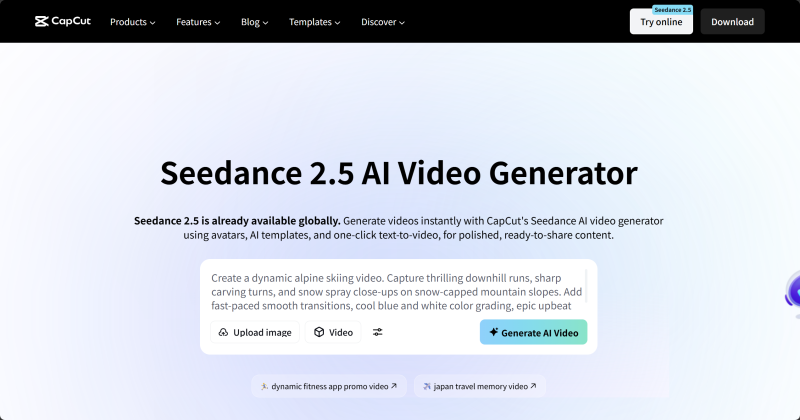
Best for: Everyday TikTok editing, product asset processing, captions, voiceovers, and basic AI-powered production.
Advantages: Broad feature coverage, easy to use, and capable of handling many basic tasks in one tool.
Limitations: While feature-rich, it doesn't necessarily excel in one specific area.
Recommended use: If you mainly create everyday TikTok videos, CapCut can serve as your primary tool. For advanced AI video generation or professional editing, it works better as a supporting tool.
InVideo AI takes a different approach from CapCut. It focuses more on automatically generating complete videos.
Users can provide a topic or script, and the platform can generate copy, match visuals, add voiceovers and captions, and reduce the need to build a video manually from an empty timeline.
This is particularly useful for educational content, tutorials, and opinion-based videos. For example, you can enter a video topic and let AI generate an initial version before manually adjusting the script and visuals.
However, cross-border sellers may encounter one issue: the generated video may not accurately use their actual product assets.
InVideo AI relies heavily on its asset-matching capabilities. When a video needs to showcase a specific product, the AI may select a similar scene based on the script, but the product shown may not necessarily be the actual product being sold.
If you replace the automatically selected visuals with your own product images or footage, additional manual editing may be required. The difference between AI-selected visuals and the actual product can be particularly noticeable when accurate product presentation is important.
Therefore, InVideo AI is more suitable for content where specific product visuals are not essential. For industry knowledge, tutorials, rankings, or informational TikTok videos, it can significantly reduce production time. For videos centered around a specific product, additional editing should be expected.
Best for: Educational content, tutorials, rankings, opinion-based content, and quickly generating initial video drafts.
Advantages: High level of automation and fast text-to-video production.
Limitations: Limited control over specific product assets, and automatically selected visuals may not accurately represent the actual product.
Recommended use: Treat InVideo AI as a tool for quickly creating initial video drafts rather than a completely hands-off solution for automated product advertising.
HeyGen has a very clear positioning, with its core capabilities focused on AI avatar videos.
Users can prepare a script, select an AI avatar, voice, and language, and let the virtual presenter deliver the content. It also supports features such as AI avatars, voice cloning, and multilingual video production.
This approach works well for TikTok accounts where appearing on camera isn't practical. For example, cross-border sellers can use AI avatars to create product introductions, tutorials, or brand explanations without having to record a new video every time.
For teams producing content for multiple overseas markets, HeyGen's multilingual capabilities can also be useful. The same content can be adapted into different languages without having to record each version manually.
However, HeyGen's strength is character-based presentation. That doesn't mean it is suitable for every TikTok video. If a video relies heavily on product footage, real-world scenes, or complex editing, an AI avatar may not be necessary.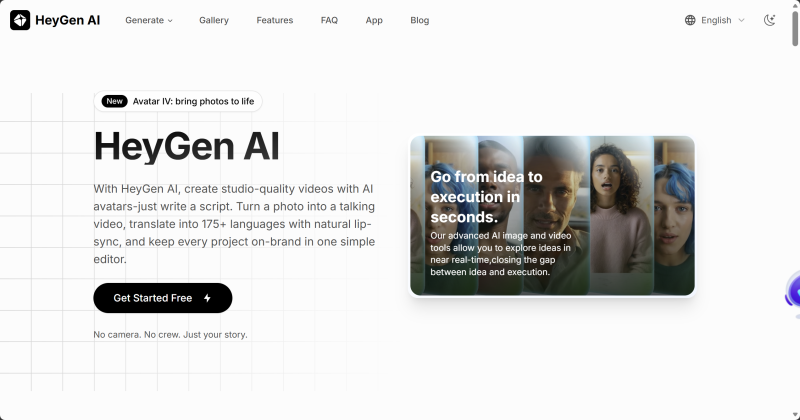
Best for: Product demonstrations, brand introductions, tutorials, educational content, and multilingual voiceovers.
Advantages: Strong AI avatar capabilities and efficient presenter-based video production.
Limitations: Less suitable for videos requiring extensive product footage or complex editing.
Recommended use: If an account primarily relies on presenter-led content, HeyGen can serve as a core tool. If AI avatars are only needed occasionally, it can be used as one part of the overall production workflow.
One of VEED's biggest advantages isn't a single AI feature, but the fact that the entire platform can be used directly in a browser.
Users can upload footage, edit videos, add captions, and generate voiceovers without installing additional software. This can be convenient for teams that work across different computers or have multiple team members handling video production.
VEED also offers AI video generation, automatic captions, AI avatars, translation, and voiceovers, covering a range of basic video production needs from asset processing to finished content.
Its main advantage is convenience and efficiency. For example, if a cross-border team needs to make a quick change to a TikTok video, they can open the project in a browser without waiting for software installation or environment configuration.
However, if professional-level editing or highly precise AI video generation is required, VEED's advantages are less pronounced. It is better suited to solving the problem of "creating content quickly" rather than replacing professional production tools.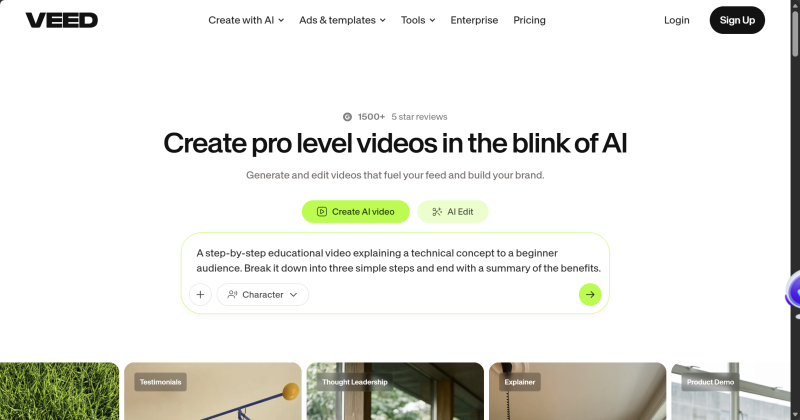
Best for: Everyday TikTok videos, product introductions, tutorials, and multilingual social media content.
Advantages: No installation required, quick browser-based access, and AI tools and basic editing features integrated into one platform.
Limitations: Advanced editing and highly precise AI generation are not its main strengths, and extensive AI usage may require additional credits.
Recommended use: VEED is a good choice if convenience, cross-device access, and fast production are priorities. For complex video projects, it can be combined with professional editing software.
| Tool | Core Positioning | Main Advantage | Main Limitation | Best For |
|---|---|---|---|---|
| CapCut | All-in-one video tool | Broad feature set and convenient everyday production | Limited depth in individual areas | Everyday TikTok content |
| InVideo AI | AI-generated video | Fast text-to-video production | Limited product asset control | Educational, tutorial, and informational content |
| HeyGen | AI avatars | Strong avatar and multilingual capabilities | Not ideal for complex footage editing | Product presentations and brand videos |
| VEED | Browser-based video tool | No installation and easy access | Limited advanced generation and professional editing | Everyday social media videos |
If you need a versatile TikTok production tool, CapCut is a practical choice. If you want to generate videos quickly from text, InVideo AI is worth considering. For AI avatar presentations, HeyGen is more specialized. If you prioritize browser-based editing without installing software, VEED is a convenient option.
Once AI tools solve the video production process, content distribution and multi-account publishing become the next challenges.
For cross-border sellers, different markets, product lines, and content categories often require separate TikTok accounts. As the number of accounts grows, operators need to manage different accounts while continuously assigning the right content to each one.
If all TikTok accounts are managed through a small number of physical devices, logging in, switching accounts, and publishing content can become increasingly cumbersome. Therefore, improving video production efficiency is only one part of the workflow. An effective multi-account management process is also needed.
Cloud phones can help provide a more organized approach to multi-account operations. Different TikTok accounts can be managed in separate cloud-based mobile environments, allowing operators to organize accounts and content according to their target markets and content strategies.
For example, DuoPlus Cloud Phone can provide separate cloud phone environments for different TikTok accounts and support TikTok installation, login, and content publishing in the cloud.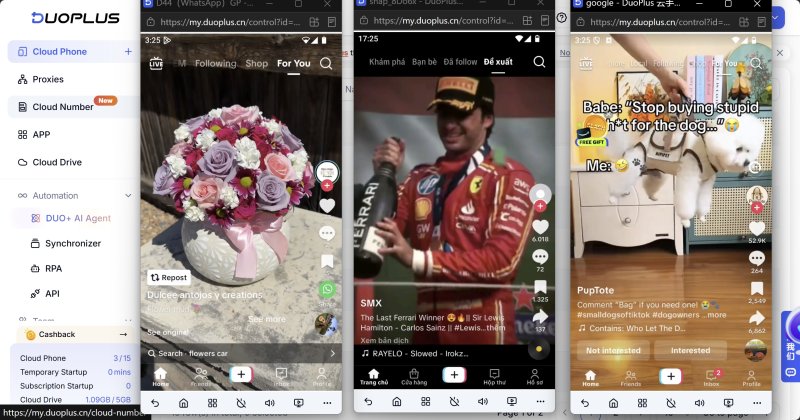
DuoPlus also supports RPA templates
and customizable RPA workflows, which can be used to automate repetitive TikTok publishing tasks. For example, operators can prepare videos and captions in advance and configure an execution schedule, allowing RPA to follow the predefined workflow to complete the corresponding publishing tasks.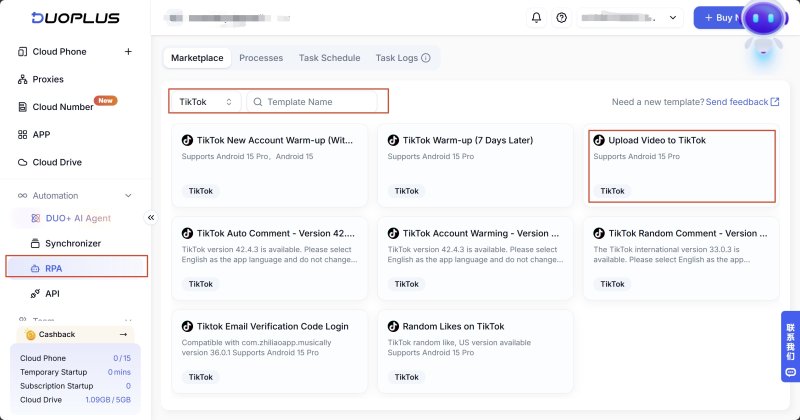
In this workflow, AI tools improve video production efficiency, while cloud phones support multi-account management and content publishing. Together, they can create a more complete workflow from video creation to TikTok account operations.
TikTok video generator tools can automate parts of the scripting, voiceover, visual, and editing processes, making them useful for cross-border sellers who need to produce content consistently.
CapCut, InVideo AI, HeyGen, and VEED each have different strengths and can be selected according to the type of content being produced and the specific production requirements.
Once AI improves video production efficiency, multi-account operations still need to address content distribution and publishing. Using DuoPlus Cloud Phone to provide separate cloud-based environments for different TikTok accounts can reduce the complexity of managing multiple devices and create a more connected workflow between video production and account publishing.
Yes. Some AI tools can generate videos directly from text or scripts and automatically handle tasks such as asset matching, voiceovers, and captions. However, manual review and adjustments are usually still recommended.
It depends on the type of video you are creating. CapCut is suitable for product footage and everyday short-form videos. InVideo AI is useful for generating videos from text. HeyGen is better suited to product presentations and AI avatar videos, while VEED is convenient for quick browser-based video production.
Yes, but it is recommended to review the video's content, captions, voiceovers, and asset rights before publishing and ensure that the content complies with TikTok's policies.
After creating the videos, assign content according to each TikTok account's positioning. You can then use DuoPlus Cloud Phone with RPA templates or custom RPA workflows to automate TikTok video and image publishing tasks.
OpenAI Codex is an AI coding agent designed to help developers write, modify, review, and deliver code. It is available …

VK (VKontakte) is one of the major social media platforms in Russia. In addition to account management, content …
ChatGPT is available through both the web version and desktop/mobile apps. The web version requires no installation and …
No need to purchase multiple real phones.
With DuoPlus, one person can operate numerous cloud phones and social media accounts from a single computer, driving traffic and boosting sales for you.
