




How to Automate X Posts with DuoPlus RPA Templates
When managing X (Twitter) accounts, some daily tasks need to be repeated, such as publishing posts, checking task …
We tested four popular Facebook Viewer tools to compare their real-world experience, supported content, and how they can help with Facebook content research and competitor analysis.

Get an AI-Powered Summary of This Article
Facebook Stories, Reels, and Posts have become some of the most popular ways for individuals, brands, and creators to share content. As a result, various Facebook Viewer tools have emerged to help users browse, save, or analyze public Facebook content. Some focus on downloading videos, while others specialize in viewing Stories, Reels, or public posts.
For casual users, these tools provide a quick way to view or save public content without much hassle. For marketers and social media managers, they are useful for collecting competitor content, analyzing creative formats, and building content libraries for future campaigns.
In this article, we'll review four popular Facebook Viewer tools based on real-world testing, comparing their usability, supported content, strengths, and limitations. We'll also explain how these tools can fit into a broader Facebook content management workflow.
Although Facebook itself allows users to browse public content, many people still rely on Facebook Viewer tools for several practical reasons.
One of the biggest advantages is anonymous browsing. If you want to check a competitor's Facebook Page, monitor a brand, or view a creator's public posts without logging into your own Facebook account, a Viewer provides a lightweight alternative. It also helps avoid influencing your own recommendation feed through repeated views, likes, or follows.
For marketers, the value goes beyond anonymity.
When researching competitors, collecting viral Reels, analyzing popular posts, or saving creative examples, constantly logging in, switching accounts, or navigating Facebook can become inefficient. Facebook Viewer tools offer a faster way to access public content and streamline the content research process.
Let's look at four popular Facebook Viewer tools and see which scenarios they work best for.
Although many Facebook Viewer tools appear similar at first glance, our testing revealed noticeable differences in interface design, loading speed, usability, and download experience.
We evaluated each tool based on:
Rating: ⭐⭐⭐⭐☆
RaisTheme delivered one of the most balanced experiences among all the tools tested.
Its interface is clean and straightforward. No registration is required—simply paste a Facebook URL and begin parsing. It supports public Profiles, Posts, and Reels.But It is a little bit inconvenient,because I need to clik different page to use them and copy url again.
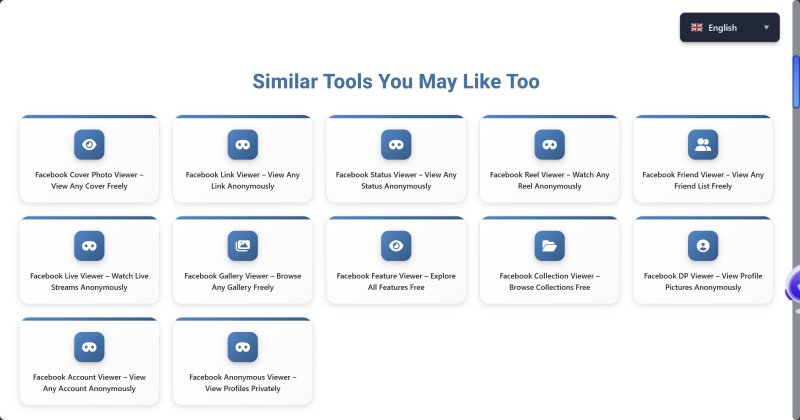
During testing, most public content loaded within a few seconds, and downloadable media was parsed reliably. It's an excellent option for users who simply want to browse public content, collect marketing inspiration, or save examples.
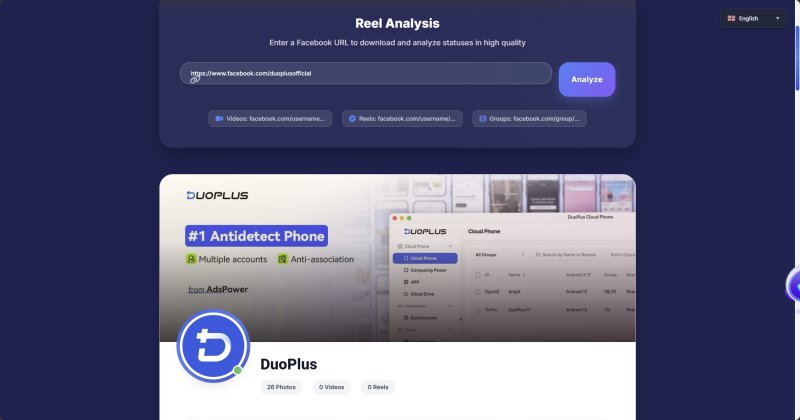
However, the tool remains relatively lightweight. It doesn't support batch downloads, daily usage is limited, and only recently published content is available.
Best For
Content researchers and marketers looking for quick access to public Facebook content.
Rating: ⭐⭐⭐⭐☆
SaveFrom is one of the most established online download tools and remains highly reliable.
The interface is simple, with very few intrusive ads aside from a redirect after downloads. In our testing, Facebook videos and Reels were parsed successfully most of the time, with consistent download speeds.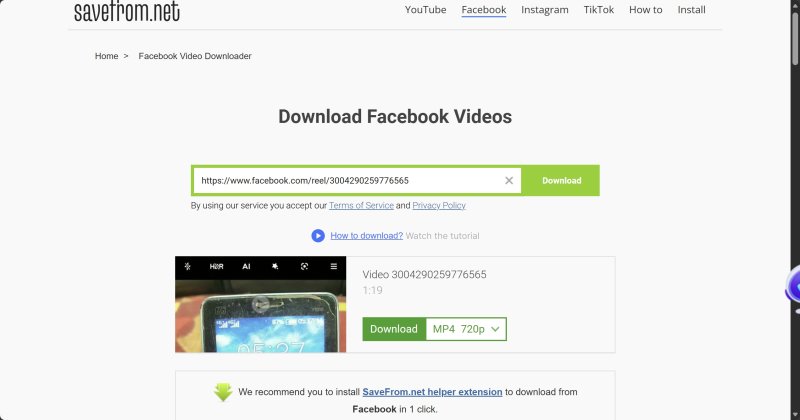
Its biggest drawback is video quality—downloads are limited to 720P, which may not satisfy users looking for higher-resolution assets.
Best For
Users who want a dependable Facebook video downloader.
Rating: ⭐⭐⭐☆☆
Bravedown supports dozens of social media platforms, including Facebook, Instagram, TikTok, and many others, making it more of a universal media downloader than a dedicated Facebook Viewer.
The interface is clean and loading speeds are good, although clicking the search box triggers an advertisement on first use.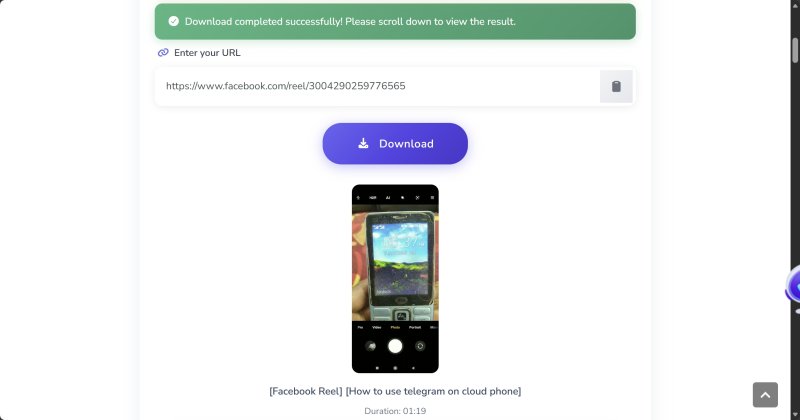
Parsing success rates were high, and users can choose multiple video resolutions up to 1080P and audio downloads up to 128 kbps.
The downside is the free plan only includes 10 downloads per day.
Best For
Occasional users who download content from multiple social platforms.
Rating: ⭐⭐⭐☆☆
HiTube offers one of the cleanest interfaces among the tested tools. There are no obvious ads, and free users face no download limits.
Facebook videos and Reels were parsed quickly and reliably.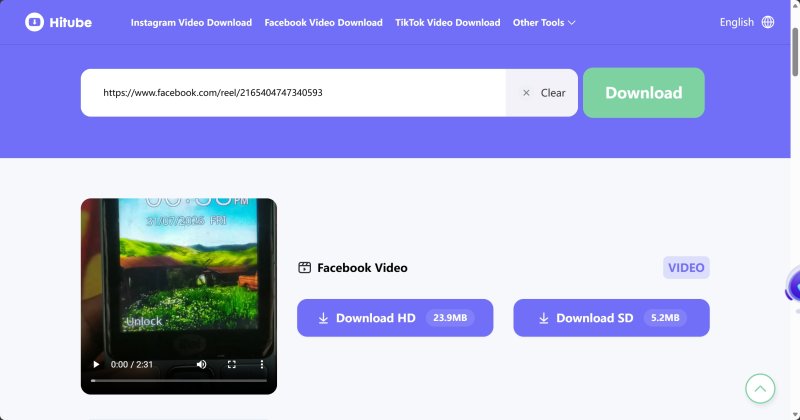
However, audio and video must be downloaded separately and merged manually afterward. Video quality options are also limited to HD and SD.
Best For
Users who occasionally save Facebook videos without requiring advanced features.
| Tool | User Experience | Supported Content | Download Capability | Main Limitations | Rating |
|---|---|---|---|---|---|
| RaisTheme | Clean and easy to use | Profiles, Posts, Reels | Public content downloads | No batch downloads, daily limits | ⭐⭐⭐⭐☆ |
| SaveFrom | Stable with few ads | Videos, Reels | Reliable downloads up to 720P | Limited resolution | ⭐⭐⭐⭐☆ |
| Bravedown | Clean interface | Facebook and many platforms | Up to 1080P downloads | Only 10 free downloads/day | ⭐⭐⭐☆☆ |
| HiTube | No obvious ads | Videos, Reels | Fast downloads | Separate audio/video downloads | ⭐⭐⭐☆☆ |
While Facebook Viewer tools make it easier to browse or download public Facebook content, they are still only supplementary tools and cannot replace Facebook itself.
Most Facebook Viewer tools can only retrieve:
Private content, friends-only posts, closed groups, or restricted content cannot be accessed.
Even when a Viewer supports Profiles or Posts, it usually displays only part of the available public content rather than an account's complete history.
One interesting finding from our testing is that many products marketed as Facebook Viewer tools primarily function as Facebook Video Downloaders.
Their main capabilities include:
Many of them cannot continuously browse creator profiles, organize posts, display comments, or track account updates over time.
Why are they still called "Facebook Viewer"?
Mainly because "Facebook Viewer" remains a popular search keyword. Many websites retain "Viewer" in their branding to capture search traffic, even though downloading—not browsing—is their primary function.
If your goal is simply to save public videos, these tools work well. If you want a true Facebook browsing experience, current Viewer tools remain fairly limited.
Most lightweight Facebook Viewer tools only display currently available public content.
They generally cannot track:
For ongoing analytics, dedicated social media analytics platforms remain necessary.
Facebook Viewers are designed for viewing—not operating.
They cannot:
For brands and agencies, content research is only the beginning of the overall Facebook marketing process.
Facebook Viewers excel at discovering content, but they don't help execute your marketing strategy.
After collecting popular Reels, successful posts, or competitor examples, the next step is usually to:
Managing multiple Facebook accounts introduces new challenges, including account isolation, IP management, operational efficiency, and reducing account association risks.
This is where DuoPlus Cloud Phone becomes valuable.
DuoPlus Cloud Phone provides each Facebook account with its own independent Android environment while supporting custom proxy configurations.
Different accounts can be assigned to separate cloud phones, each with isolated device fingerprints and network environments, reducing the risks associated with constantly switching accounts on a single device.
All cloud phones can be managed centrally from one dashboard, eliminating the need to operate multiple physical devices.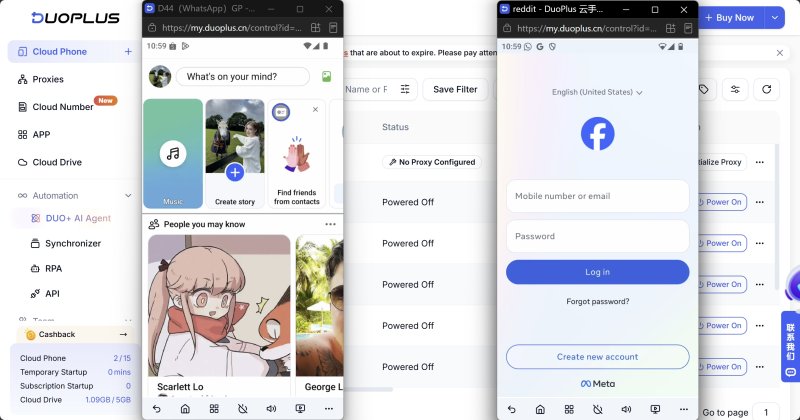
Once your account environments are ready, many repetitive tasks remain, including:
DuoPlus offers two automation solutions:
Pre-built automation templates allow users to configure routine Facebook workflows—including account warming, likes, comments, and other repetitive actions—without writing code.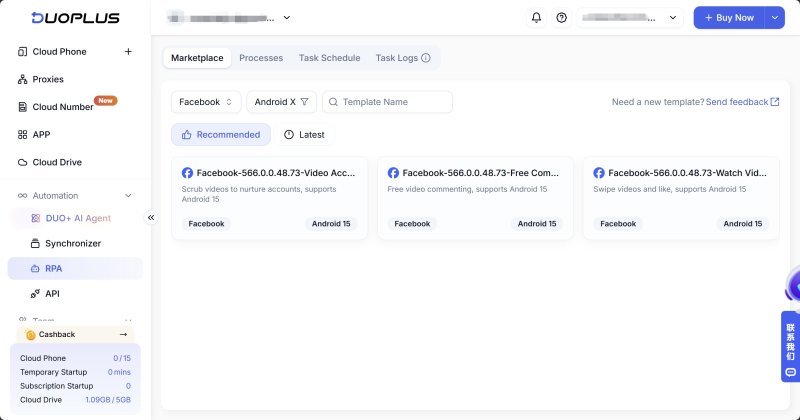
For more flexible automation, AI Agent allows users to create workflows using natural language.
For example:
"Open Facebook, browse five posts in the Home Feed, and randomly like them."
The AI automatically converts the instruction into executable tasks.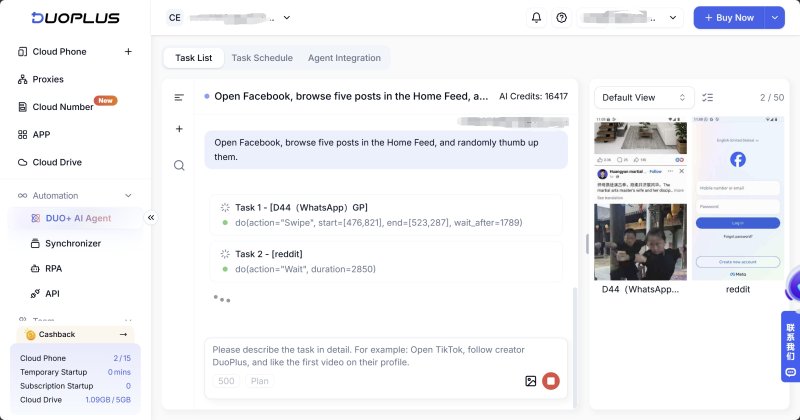
Both RPA and AI Agent support batch execution, allowing identical workflows to run simultaneously across multiple cloud phones, significantly reducing manual effort.
Facebook Viewer helps discover content.
DuoPlus Cloud Phone helps execute operations.
Together they create a much more efficient Facebook marketing workflow.
Facebook Viewer tools won't replace Facebook itself, but they can significantly improve public content discovery, competitor research, and creative asset collection.
The real value isn't the Viewer alone—it's how effectively you transform the insights you collect into actual marketing execution.
Combined with a stable multi-account management environment like DuoPlus Cloud Phone, Facebook Viewers become an important part of a more efficient Facebook content operation workflow.
A Facebook Viewer is a tool designed to browse publicly available Facebook content, including posts, videos, Reels, and comments. Unlike the official Facebook app, most Viewer tools allow access to public content without logging into a Facebook account, making them useful for anonymous browsing and competitor research.
Usually not. Most Viewer tools simply require a public Facebook URL. If a tool asks for your Facebook username or password, use caution—legitimate Viewer tools should never require your account credentials.
Most offer free versions, although they often limit daily downloads, video quality, or advanced features. Premium plans typically unlock higher resolutions, increased usage limits, and batch downloads. For everyday content research, the free versions are usually sufficient.
Facebook Viewer tools are used for discovering public content, collecting inspiration, and researching competitors. Cloud phones provide isolated device environments for managing multiple Facebook accounts, publishing content, and maintaining daily account activity. Together, they improve the efficiency of the entire Facebook marketing workflow.
When managing X (Twitter) accounts, some daily tasks need to be repeated, such as publishing posts, checking task …
An app may work perfectly on a developer's smartphone but suddenly crash on another device, display the wrong currency, …

Telegram is a messaging app many people use for everyday conversations, joining communities, and communicating with …
No need to purchase multiple real phones.
With DuoPlus, one person can operate numerous cloud phones and social media accounts from a single computer, driving traffic and boosting sales for you.

