Android AppFunctions Heat Up! But The Real Potential of AI Lies in the DuoPlus Cloud Device
Recently, Android officially launched the AppFunctions API, marking the start of the era where AI can directly leverage …
Table of Contents
Introduction: In this new lunar month, every minor change can potentially lead to new trends in the industry. DuoPlus Cloud Phone is based on continuous innovation, aiming to optimize product adjustments, ultimately providing users with the most comprehensive product experience.
DuoPlus has enhanced the user testing experience by incorporating user feedback, focusing on optimizing Cloud Phone capabilities, and this update includes 7 key features.
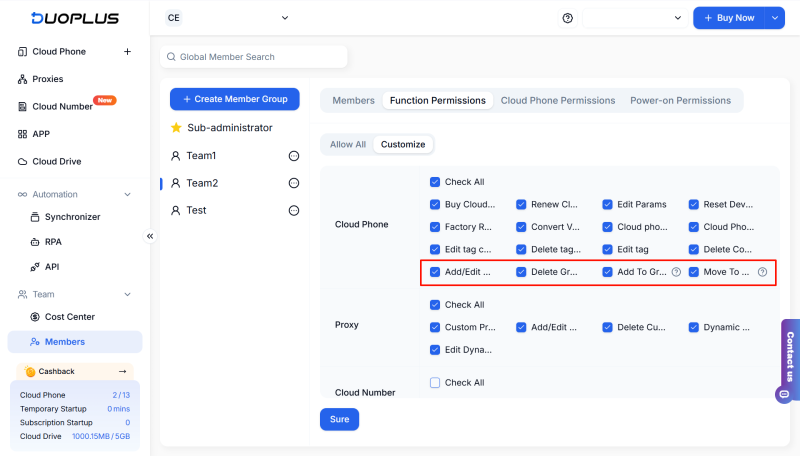
For more agile management of cloud phones, DuoPlus has increased the grouping rights for the new cloud phone, allowing administrators to assign different user group permissions, enabling employees to create, edit, or move cloud phones based on permission hierarchy, realizing tiered management of cloud phones.
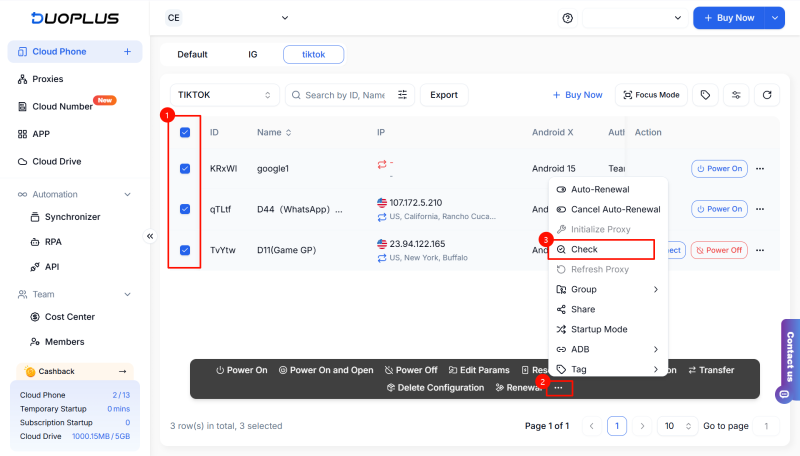
DuoPlus Cloud Phone supports the batch testing agent status, allowing users to select multiple cloud phones simultaneously, conducting one-button checks on the agent information of the phones, quickly identifying abnormal connections or configuration issues, and optimizing operation time.
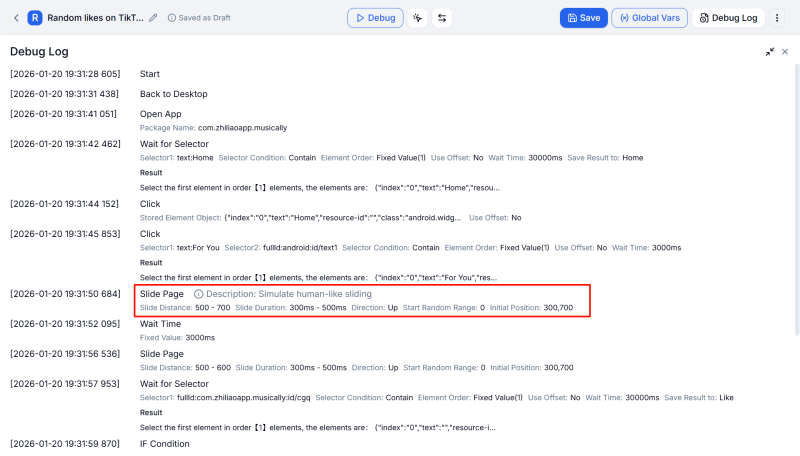
When creating RPA processes, users can add descriptions for similar types of agent points, making it easier to differentiate agent points in the process, enhancing the clarity and maintainability of the process design.
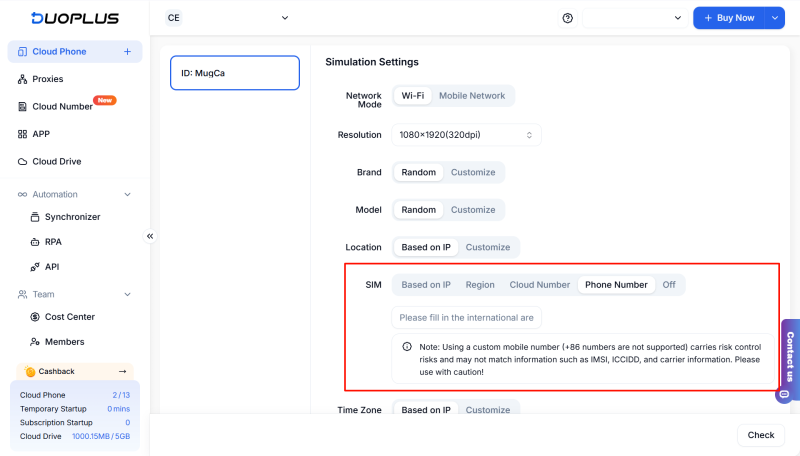
DuoPlus Cloud Number supports linking to cloud phones, where users can select the corresponding cloud number during authentication settings, and the number information will directly connect to the device, enhancing the authenticity of the account operating environment.
During the account registration process, the cloud number can be displayed on the cloud phone in real time, and the verification code will be automatically populated, making the registration and verification process more efficient.
Note: Currently, only Android 12 (Area A) and Android 15 cloud phone supports binding to cloud numbers.
At the same time, the cloud number purchase portal will support new feedback entry points; if a user has specific country or region number requirements, they can submit them via the form for continuous feedback on resource supply to meet different business scenarios.
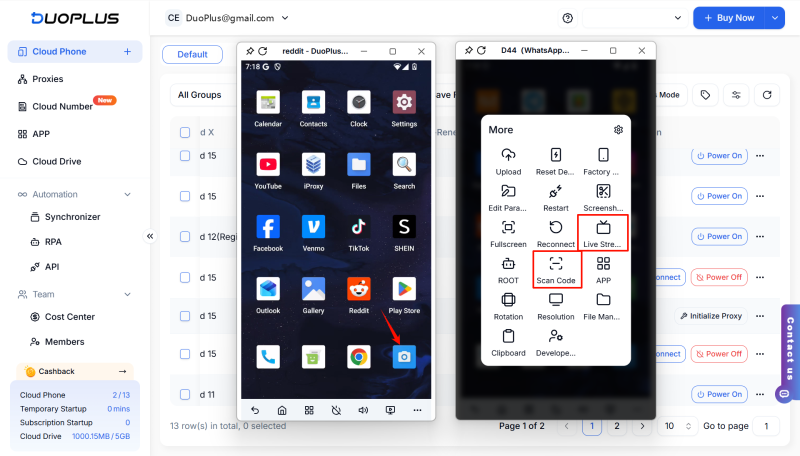
DuoPlus has optimized the camera clarity for cloud phones based on Android 12A and 15 versions, allowing users to achieve better user experiences under typical scenarios such as barcode login, account verification, and live streaming, with effective enhancement of operational success rates.
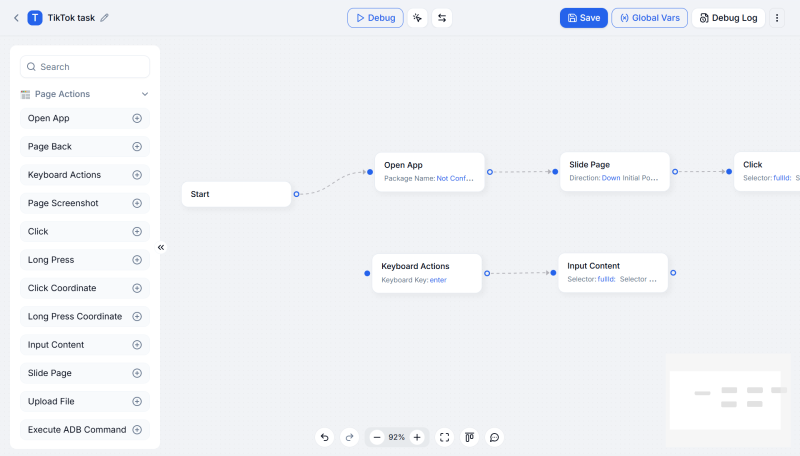
The RPA function supports specific points testing, allowing users to directly test processes that are linked to "start points" without needing to execute the entire process, facilitating rapid positioning and key point testing, thus improving test efficiency.
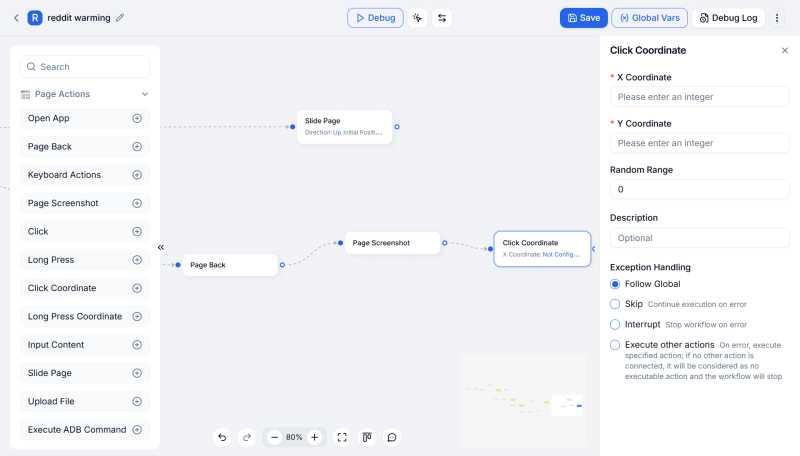
During the creation of RPA processes, new connection points will automatically connect to the last one, eliminating the need for manual pull-line connections and aiding user operation time, enhancing the effectiveness of process design.
DuoPlus will continue to launch more efficient and practical features and encourages users to provide more feedback to DuoPlus; we will continuously optimize based on your valuable suggestions.
DuoPlus Cloud Phone
Protect your multiple accounts from being
Recently, Android officially launched the AppFunctions API, marking the start of the era where AI can directly leverage …
With the growing demands of cross-border e-commerce, social media operations, and data collection, the stability of …
No need to purchase multiple real phones.
With DuoPlus, one person can operate numerous cloud phones and social media accounts from a single computer, driving traffic and boosting sales for you.
