




How to Test an App Before Google Play Release: Android Testing Across Countries
An app working correctly on a developer's Android phone does not necessarily mean it will work properly for users after …
Discover the differences between Android emulators and cloud phones in 2026. Learn about the limitations of emulators like BlueStacks and why cloud phones are the better choice for scaling multi-account operations and automation.

Get an AI-Powered Summary of This Article
Android emulators are a common way to run mobile apps on a computer. They are popular for gaming and testing, while cloud phones run Android environments remotely for persistent access and centralized management.
In this guide, we’ll take a closer look at what emulators can do, where they fall short, and what other options users are turning to in 2026.
An Android emulator is software that allows you to run Android apps on a computer. It creates a virtual Android environment that behaves like a mobile device.
Popular emulators include BlueStacks, NoxPlayer, and LDPlayer. These tools are widely used for gaming, app testing, and basic mobile app access on desktop.
In simple terms, an emulator turns your computer into a virtual Android device.
Android emulators are commonly used in several scenarios:
For these use cases, emulators can be a simple and cost-effective solution.
For users who only need basic functionality such as gaming or testing, emulators can still be a practical option.If you’re considering using an emulator, here are some commonly used options.
While these tools are useful in specific scenarios, they are generally not designed for large-scale or long-term operations.
While emulators are useful, their limitations become more noticeable in real-world operations.
Requires technical setup Running multiple instances often involves configuring environments, setting up proxies, and adjusting system parameters manually. This requires time and technical knowledge.
Weak device simulation Most emulators rely on simulated environments. Multiple instances may share similar device characteristics, which can affect how apps behave over time.
Limited for large-scale operations When used for managing multiple accounts—especially on platforms like TikTok or Instagram—emulator-based setups may become less stable and harder to maintain consistently over time.
High resource consumption Each instance consumes CPU and RAM. Running many instances requires high-end hardware.
Because of these limitations, users who need to scale operations often look for alternative solutions.
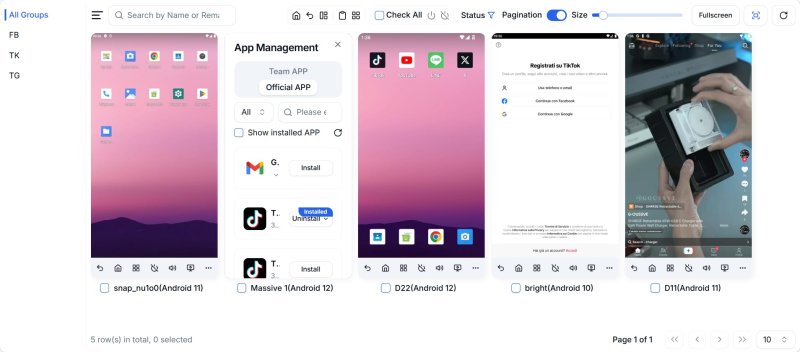
A cloud phone is a virtual Android device that runs in the cloud instead of on your local computer.
Each device operates independently and can be accessed remotely through a browser or app.
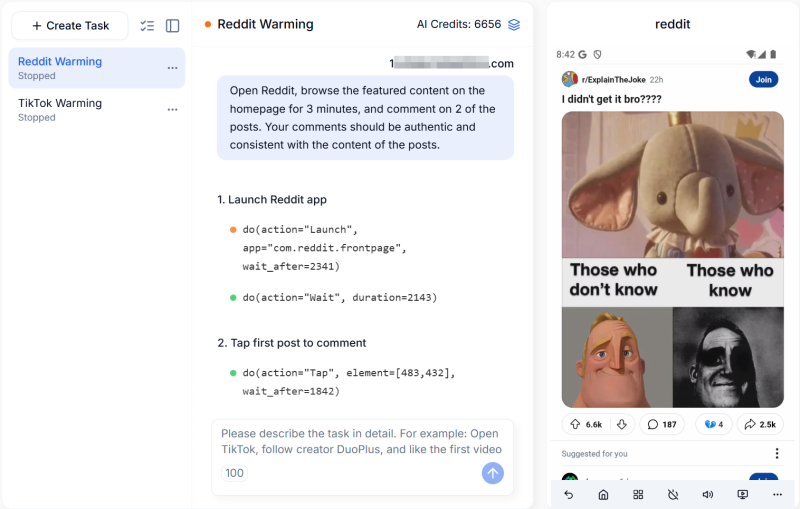
Some platforms, such as DuoPlus, also include features like built-in number services, real device environments, and automation tools, making it easier to manage multiple devices in one place.
Cloud phones are designed for users who need more than basic app access.
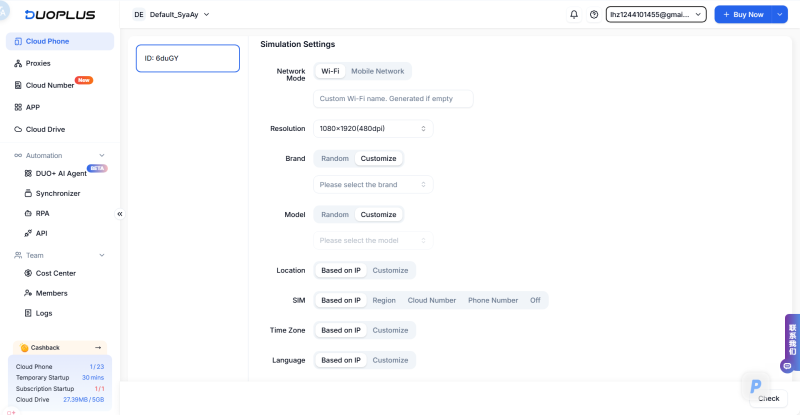
| Feature | Android Emulator | Cloud Phone |
|---|---|---|
| Environment | Simulated Android system | Real device environment (cloud-based) |
| Hardware usage | Uses local CPU and RAM | Runs in the cloud |
| Scalability | Limited | Easy to scale |
| Setup | Manual per instance | Ready-to-use |
| Automation | Requires external tools | Often built-in |
| Access | Local only | Remote access |
In most cases, the main difference comes down to simulation vs real device environments.
Cloud phones become more practical when operations go beyond basic usage.
Managing multiple accounts Each device runs independently, making multi-account management more structured.
Scaling operations As the number of devices increases, cloud phones are easier to manage compared to emulator setups.
Reducing repetitive work Automation features help reduce manual operations.
Working across regions Cloud devices simplify managing different environments without complex setup.
At first glance, Android emulators may seem like a low-cost solution. Most emulator software is free.
However, the actual cost becomes more complex when scaling operations.
Managing multiple instances often requires a workstation-level setup and ongoing effort.
If you manage 10 devices but only run 2 devices at the same time:
👉 Total monthly cost ≈ 10 × $2 + 2 × $19.9 = $59.8
👉 Average cost per device ≈ $5.98/month
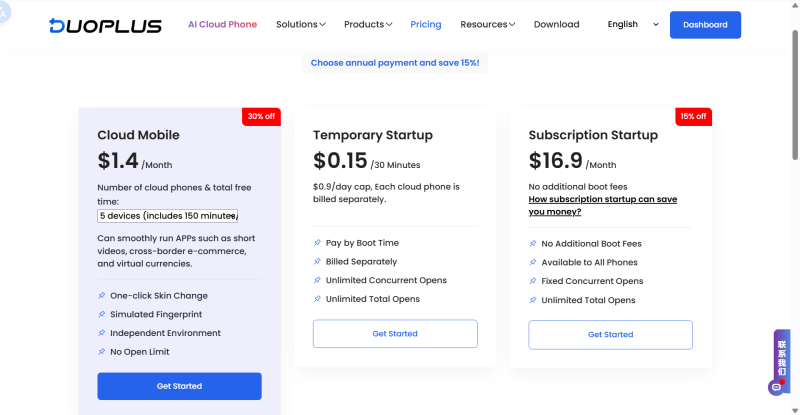
Emulators may be cost-effective for small-scale use.
However, as operations grow, cloud phones often provide a more efficient and predictable cost structure. And in many cases, the difference is not just cost, but also time and operational complexity.
Android emulators are suitable for testing, gaming, and basic app usage.
However, they become harder to manage as operations scale.
Cloud phones provide a more structured and scalable approach by running devices in the cloud and simplifying multi-device management.
For users managing multiple accounts or running ongoing operations, cloud-based solutions can offer a more efficient workflow.
Got questions or ideas to share? Join our community and chat with other creators in real time.
An Android emulator is software that allows you to run Android apps on a computer by simulating a mobile device environment.
Most emulators are free to use, but the total cost may include hardware upgrades, electricity, and additional tools like proxies.
Yes, but managing multiple instances can be resource-intensive and requires manual setup.
They require technical setup, consume significant system resources, and are not ideal for large-scale or long-term operations.
A cloud phone is a virtual Android device that runs in the cloud and can be accessed remotely without using local hardware.
They serve different purposes. Emulators are suitable for testing, while cloud phones are more suitable for multi-device and multi-account operations.
Some platforms, such as DuoPlus, also include built-in automation and device management features, which can make large-scale operations easier to handle.
Not always. Some cloud phone platforms provide built-in number services, allowing users to receive verification codes directly.
For example, DuoPlus integrates cloud numbers into its system, so users do not need to rely on external tools.
For small-scale use, emulators may be cheaper.
However, as operations grow, cloud phones often become more efficient in terms of both cost and time. Platforms like DuoPlus reduce hardware investment and simplify setup, which can lower the overall operational cost.
An app working correctly on a developer's Android phone does not necessarily mean it will work properly for users after …

Reddit is a community-driven social platform where users can join different Subreddits, publish posts, reply to …

Having trouble logging into Reddit is a common issue for both new and existing users. You may enter the correct username …
No need to purchase multiple real phones.
With DuoPlus, one person can operate numerous cloud phones and social media accounts from a single computer, driving traffic and boosting sales for you.
