DuoPlus Cloud Phone vs. Antidetect Browser
Compare the two solutions across Android environments, web and app support, device isolation, proxies, verification, automation, and team management.
- Independent Cloud-Based Android Environment

- Native Mobile App Workflows

- Device Environment and Account Isolation

- Dedicated Proxies and Cloud Numbers

- Automation and Team Collaboration

*Antidetect Browser tools are better suited for web-based accounts, while DuoPlus is a better fit for mobile app accounts and long-term multi-account operations.
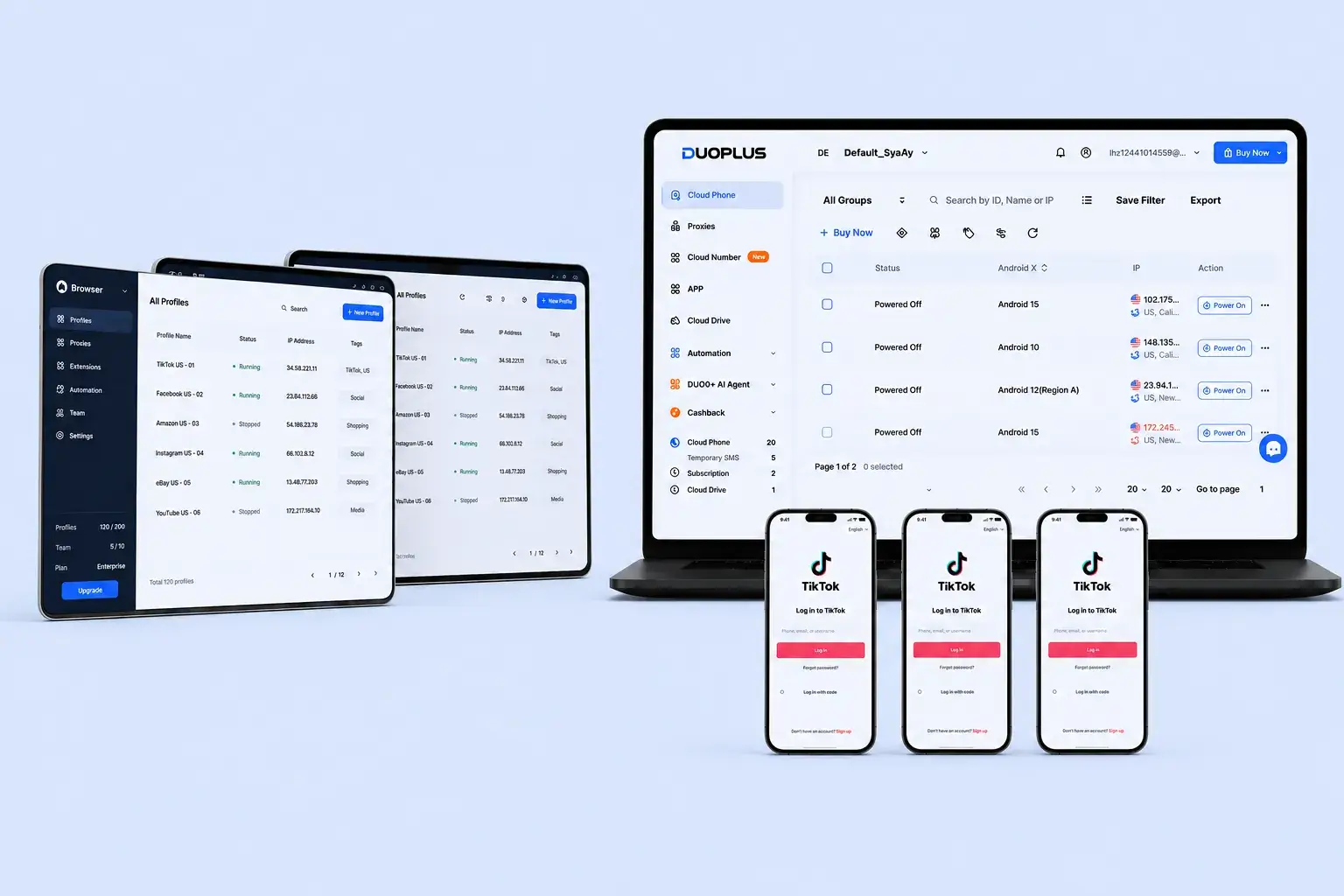
DuoPlus vs. Antidetect Browser Comparison Chart
A practical comparison focused on web-based and mobile multi-account operations
 | Antidetect Browser | |
|---|---|---|
Core Environment | Independent cloud-based Android device | Independent browser profile |
Primary Access Method | Mobile apps | Websites and web applications |
Android App Installation | Supported | Usually not supported |
Android/iOS Environment Identity | Presented through a complete Android cloud device environment | Supported by some products, but usually simulated at the browser level |
Complete Mobile Device Parameters | Provides independent Android device parameters | Usually lacks a complete native mobile operating system and full device parameters |
Web Dashboard Operations | Accessible through a browser | Usually requires downloading and installing a desktop client |
Native Mobile Features | Supported, depending on the app and cloud environment | Usually not supported |
Multiple Social Media Content Operations | Native app environment that is closer to the normal mobile content publishing and distribution workflow | Mobile simulation may involve differences in functionality, environment credibility, and content distribution |
Account Risk Control | Independent devices, proxies, and accounts can be mapped one to one | Inconsistent mobile identifiers and actual parameters may increase the risk of verification, reach restrictions, or account suspension |
Cookie and Web Storage Isolation | Isolated by cloud phone environment | Isolated by browser profile |
Independent Device Parameters | Yes | Primarily browser-level parameters |
Independent Proxy Configuration | Yes | Usually supported |
Cloud Number Support | Yes | Usually requires an external service |
Better-Suited Scenarios | Mobile apps, multi-account portfolios, and long-term device operations | Web dashboards, multiple online stores, and browser-first workflows |
Why DuoPlus Fits Long-Term Multi-Account Teams
Connect Cloud Phones, SMS Verification, and Automation with DuoPlus
If your business is centered on mobile apps rather than only managing web-based accounts, DuoPlus is a better fit than a standalone Antidetect Browser.
Runtime Environment
Account Environment Isolation
Automation Capabilities
Proxies and Account Verification
Best-Fit Use Cases
Built for Smarter Mobile Multi-Account Marketing
- Browser-based access for remote teams and cross-device work
- Cloud numbers for registration, login checks, 2FA, and account binding
- Flexible startup plans with pay-as-you-go and monthly options for easier budgeting
Why Are More Teams Choosing DuoPlus?
DuoPlus Cloud Phone or Antidetect Browser: Which Is Better for Multi-Account Operations?
Both DuoPlus Cloud Phone and Antidetect Browser tools can create isolated account environments, but they work at different levels. An Antidetect Browser is designed for browser-based workflows. It stores separate cookies, local storage, proxies, and browser fingerprints for each profile, making it suitable for advertising dashboards, e-commerce dashboards, affiliate marketing, and other web-based tasks.
DuoPlus Cloud Phone is designed for mobile app workflows. It provides independent cloud Android devices where users can install and run native apps. It also brings proxies, cloud numbers, verification codes, batch operations, and team permissions into one workflow, making it more suitable for app-first multi-account operations.
The key question is simple: does your business mainly happen in browsers or inside mobile apps?
Understand the Core Difference: A Browser Profile Is Not an Android Device
Antidetect Browser tools create independent Chromium or Firefox profiles for each account. They isolate cookies, caches, login sessions, proxies, and browser-level signals such as User-Agent, Canvas, WebGL, fonts, language, and time zone. For web dashboards, assigning one account to each browser profile is usually clear and efficient.
DuoPlus works differently. Its core unit is a cloud-based Android device. Users can install apps, retain app data, adjust settings, and control the device remotely through a browser. Apps and device data remain in the cloud, so teams can switch computers or team members without moving local profiles.
Some Antidetect Browser tools offer Android or iOS profile options, but these usually change only browser-level signals such as User-Agent, screen size, and touch capability. They do not provide a complete Android or iOS system, native app data, system services, sensors, or full mobile device parameters.
If your work mainly happens on websites, an Antidetect Browser is usually the lighter option. If it depends on mobile apps, registration, content publishing, messaging, or verification, DuoPlus is closer to the native mobile usage environment.
Environment Isolation: The Two Tools Solve Problems at Different Levels
Antidetect Browser tools are strong at isolating web sessions. Different profiles can have separate login states, proxies, and browser fingerprints. However, this is still browser-level isolation rather than a complete Android system or native app environment.
DuoPlus provides device-level isolation. Each cloud phone has its own Android environment, storage, app data, and device parameters. Teams can map one account to one cloud phone, one proxy, and one verification number, making account environments easier to organize and maintain.
For mobile-first platforms such as TikTok, Instagram, WhatsApp, and Telegram, platforms may evaluate more than the User-Agent. App environments, device behavior, networks, regions, languages, phone numbers, account information, and user behavior may also be considered.
A browser profile that identifies itself as Android or iOS may still behave differently from a native mobile app environment. No tool can guarantee account safety, so teams should follow platform rules and keep account, network, and regional settings consistent.
Apps vs. Websites: Identify Where the Key Tasks Take Place
Advertising dashboards, e-commerce seller centers, affiliate platforms, and web admin panels are mainly browser-based. Desktop browsers also make it easier to use extensions, developer tools, APIs, and web automation. In these scenarios, Antidetect Browser tools are usually more efficient.
TikTok, Instagram, WhatsApp, Telegram, and many social or mobile-first platforms rely more on native apps. Even when a web version exists, key features such as registration, posting, messaging, livestreaming, device verification, or content distribution may differ from the app experience.
DuoPlus allows users to install Android apps directly, reducing the need to switch between physical phones, emulators, and limited web versions. Teams can also use both tools together: Antidetect Browser tools for web dashboards and DuoPlus for mobile apps, verification, messaging, and content operations.
Resources and Long-Term Uptime: Local Profiles vs. Cloud Devices
Antidetect Browser tools are usually installed on local computers. Users can create many profiles, but opening more browser windows increases CPU, memory, and network usage. If tasks need to run continuously, the office computer must remain online, or the team needs additional cloud servers and remote desktop tools.
DuoPlus handles computing and storage in the cloud. Local devices mainly provide access and control. Users can switch computers and still access the same cloud phones, apps, and account environments. Adding more devices also does not require upgrading a specific employee's computer first.
If you manage only a few web accounts for short daily tasks, an Antidetect Browser may be enough. If many mobile devices need to remain available and organized, DuoPlus is usually easier to scale and maintain.
Proxies, Phone Numbers, and Verification Codes: Mobile Accounts Need a Complete Supporting System
Antidetect Browser tools usually support HTTP, HTTPS, or SOCKS5 proxies for each profile. This is important for managing multiple web accounts, but phone numbers, SMS codes, and long-term number records often require separate tools.
DuoPlus supports third-party proxy configuration for cloud phones and can combine cloud numbers and SMS verification in the same workflow. This makes it easier to manage relationships between accounts, devices, IPs, and phone numbers.
For mobile accounts, this matters because registration, login checks, 2FA, and account binding often depend on phone number verification. Whether a number works still depends on the number type, platform rules, and actual verification results.
Automation: Web Scripts and Mobile Workflows Have Different Strengths
Common Antidetect Browser automation methods include profile synchronization, RPA, APIs, Selenium, and Puppeteer. These are suitable for web forms, dashboard operations, store management, and other repetitive browser-based tasks.
DuoPlus focuses more on mobile workflows. It supports operation synchronization, batch file distribution, RPA templates, and AI Agent capabilities, helping teams handle repeated actions, content deployment, structured mobile processes, and more flexible cross-app tasks.
Automation should begin with low-risk, reviewable tasks and retain human oversight where needed. Teams should also follow the target platform's terms of service, frequency limits, and data policies.
Team Collaboration: Sharing Browser Sessions or Assigning Complete Devices
Many Antidetect Browser team editions support profile sharing, member roles, permission controls, and profile synchronization. This is helpful when teams manage web accounts together, but the experience depends on each product's plan, concurrency limits, logs, and permission settings.
DuoPlus uses cloud phones as the unit of collaboration. Administrators can assign devices to members or roles, manage permissions, and view operation records. Team members can access authorized cloud phones from their own browsers without exporting local browser data or remotely controlling another person's computer.
This is useful for remote teams, shift-based operations, outsourced collaboration, and multi-person account management. Teams should test real handoff workflows before choosing a solution.
Conclusion: Choose Based on the Business Entry Point, or Use Both Together
If most work happens in advertising dashboards, e-commerce seller centers, affiliate platforms, and other web systems, an Antidetect Browser is usually the more direct choice. It is built for browser-first workflows.
If the business focuses on mobile apps such as TikTok, Instagram, WhatsApp, and Telegram, or requires complete Android environments, cloud numbers, SMS verification, file distribution, mobile automation, and remote device handoffs, DuoPlus is better aligned with the full mobile workflow.
For teams working across both web and mobile channels, using both tools together is often the most practical setup. Start with a small test, compare login stability, feature availability, setup time, automation results, maintenance time, and total cost, and then decide how to scale.






Head of Growth Operations
Social Media Operations Manager
Affiliate Marketer