DuoPlus Cloud Phone vs. Android Emulator
Compare the two solutions across underlying environments, computer resource usage, multi-instance isolation, automation capabilities, and team management.
- Cloud-Based ARM Android Environment

- Browser Access and Remote Control

- AI Agent and Automation

- Dedicated Proxies and Cloud Numbers

- Scalable Operations and Collaboration

*With DuoPlus, you can manage multiple cloud phones without relying on the performance of your local computer.
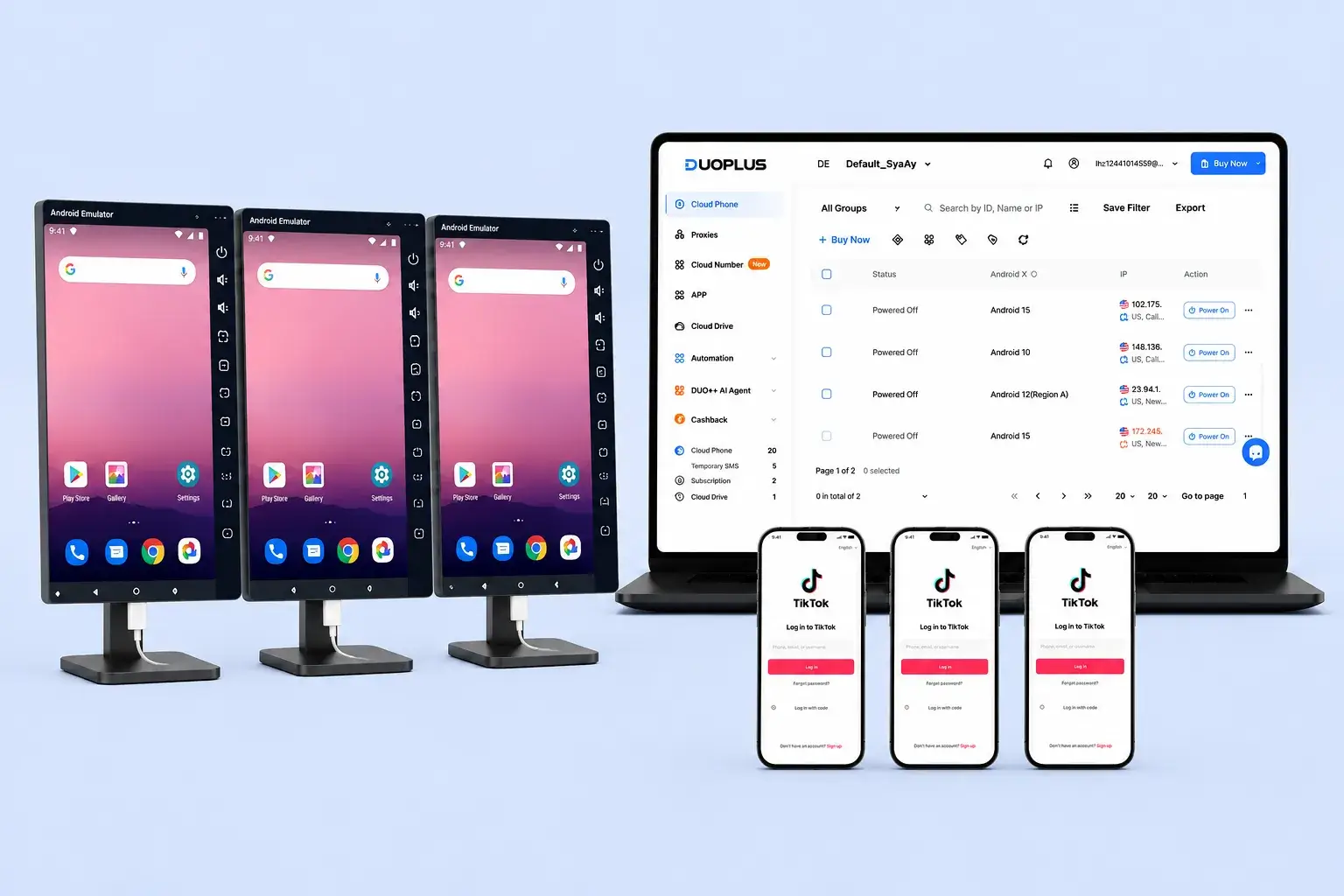
DuoPlus vs. Android Emulator Comparison Chart
A practical comparison focused on local use and scalable operations
 | Android Emulator | |
|---|---|---|
Installation | Browser access with no need to deploy an Android environment locally | Requires installation on a local computer |
Realistic Device Parameters | Independent Android device parameters | Simulated parameters that may be identified by platforms |
Runtime Location | Cloud servers | Local computer |
Android Environment | Independent cloud phone | Software-virtualized environment |
Local Resource Usage | Low | Increases with the number of instances |
Multi-Instance Capability | Add cloud phones on demand | Limited by computer specifications |
Independent Device Parameter Configuration | Yes | Depends on the emulator and its configuration |
Independent Proxy Configuration | Yes | Usually requires manual setup |
Cloud Number Support | Yes | Generally not supported |
Online SMS Verification Code Reception | Yes | Requires an additional service |
Operation Synchronization | Yes | Supported by most products |
Batch File Distribution | Yes | Depends on the product |
AI Agent | Yes | Generally not supported |
RPA Automation | Yes | Usually limited to macros or scripts |
Cross-App Automation | Yes | Usually requires additional development |
Team Permission Assignment | Yes | Generally not supported |
Operation Logs | Yes | Depends on the product |
Remote Collaboration | Available through browser login | Requires remote desktop or similar tools |
Long-Term Online Operation | Does not depend on an office computer remaining powered on | Depends on local devices and networks |
Full Web Access | Yes | Usually not supported |
Why DuoPlus Fits Long-Term Multi-Account Teams
Connect Cloud Phones, SMS Verification, and Automation with DuoPlus
If your priority is long-term multi-account operations rather than short-term local use, DuoPlus is a better fit than an Android emulator.
How It Works
Runtime Environment
Automation Capabilities
Account Support Tools
Team Management and Cost
Built for Smarter Mobile Multi-Account Marketing
- Browser-based access for remote teams and cross-device work
- Cloud numbers for registration, login checks, 2FA, and account binding
- Flexible startup plans with pay-as-you-go and monthly options for easier budgeting
Why Are More Teams Choosing DuoPlus?
DuoPlus or an Android Emulator: Which Is Better for Multi-Account Operations?
Both DuoPlus and Android emulators let users run Android apps from a computer, but they are designed for different needs.
An Android emulator runs a virtual Android environment on a local computer. It is easy to install and works well for app testing, gaming, short-term tasks, or managing a small number of instances.
DuoPlus runs Android devices in the cloud and lets users control them through a browser. It is better suited for teams that need separate device environments, remote access, automation, cloud numbers, proxies, and team collaboration.
The choice is not just about how many windows you can open. Performance, account risk, network setup, automation, team access, and long-term maintenance costs should all be considered.
Core Difference: Cloud Phones Run in the Cloud
Android emulators use local computer resources, including CPU, memory, graphics, and disk space. As more instances are opened, performance depends increasingly on the computer's hardware. Lag, crashes, and slow startup can become common when too many instances run at the same time.
DuoPlus Cloud Phone handles computing and storage in the cloud. The local computer only needs to access and control the cloud phones instead of running multiple Android environments itself.
This also makes remote work easier. Users can switch computers or work from different locations while their apps, accounts, and device environments remain in the cloud. There is no need to transfer emulator files or keep one specific computer online.
Multi-Instance Performance: More Windows Are Not Always Better
Android emulators can open multiple instances, but every instance consumes local resources. To run more windows smoothly, teams may need stronger workstations or dedicated computers.
Duplicated emulator instances also do not always create truly independent environments. Device parameters, virtualization characteristics, and network settings may remain similar, which can create additional risk in multi-account workflows.
With DuoPlus, each cloud phone runs in the cloud. When more accounts are needed, teams can add cloud phones according to business demand instead of upgrading local hardware first.
For simple use with one or two apps, an emulator may be enough. For growing teams, however, device stability, remote access, recovery time, and hardware costs should all be considered.
Multi-Account Environments: Isolation, Proxies, and Verification Matter
Managing multiple accounts requires more than opening many Android windows. Teams also need to manage device environments, apps, proxies, and verification methods for each account.
Traditional emulators may share similar virtualization characteristics across instances. For social media, e-commerce, or marketing accounts, this can increase the risk of abnormal environment detection, account association, verification requests, reach restrictions, or suspension.
DuoPlus provides independent Android environments and device parameters for each cloud phone. It also supports separate app settings, third-party proxies, and cloud numbers for SMS verification.
By managing devices, IPs, phone numbers, and accounts in one dashboard, teams can build clearer one-to-one relationships and reduce configuration mistakes.
No tool can guarantee absolute account safety. Teams should still follow platform rules, use compliant information, and choose stable network resources.
Automation: From Simple Macros to Real Workflows
Many Android emulators support keyboard mapping, macro recording, and window synchronization. These features are useful for repeated clicks or fixed actions, but they become harder to maintain when app interfaces change or tasks involve different accounts and apps.
DuoPlus supports operation synchronization, batch file distribution, RPA templates, and AI Agent capabilities:
- Operation synchronization supports consistent batch actions.
- RPA works well for structured, rule-based processes.
- AI Agent can handle more flexible tasks using natural-language instructions and cross-app actions.
This gives teams more options than simple macro scripts. Automation should still begin with low-risk steps and retain human checks where needed.
Team Collaboration: Easier Access and Handoffs
Local emulators are usually tied to one computer. When another team member needs to take over, teams often have to transfer files, share account information, or remotely control the original machine.
DuoPlus supports member permissions, device assignment, and operation logs. Administrators can assign cloud phones by role, while team members can access authorized devices from their own computers.
When shifts change or projects are handed over, the process can be managed directly in the dashboard. This is useful for remote teams, shift-based operations, and outsourced collaboration.
Individual users may not need these capabilities, but for teams they can improve security, accountability, and project continuity.
Conclusion: Choose Based on Scale and Workflow
If you only need app testing, gaming, or short-term use, an Android emulator remains a convenient and low-cost option.
For social media, e-commerce, marketing, or other multi-account operations, teams often need more than local Android windows. Separate device environments, proxy management, cloud number verification, automation, and team permissions become more important.
In these scenarios, DuoPlus is generally a better fit than a traditional Android emulator. It does more than move Android to the cloud: it helps teams manage devices, networks, verification, automation, and team access in one place.
The best approach is to test a real workflow first. Start with a small number of accounts, record setup time, task success rates, manual maintenance effort, and total cost, and then decide whether to scale further.



Head of Growth Operations
Social Media Operations Manager
Affiliate Marketer